2. Prepare virtual machines
The preparation depends on whether you create a base VM for elastic mode or prepare destinations for static mode.
Create a base VM for elastic mode
Elastic mode requires a base VM. This virtual machine (VM) serves as a template for all clone systems that are created automatically later and is not used productively itself.
Public images provided by the cloud providers are updated regularly and cannot be used as a base image for autoscaling. Create your own image instead.
- Create a preparation VM of a suitable size.
- Also create a destination pool as well as an app configuration and an app instance to configure and test the base VM. Productive use takes place exclusively via the automatically created clone systems.
- Set up the VM completely and then create an image.
- Create a new VM based on the created image. This VM serves as the base VM for autoscaling.
- Select the created image.
- For Windows clients, at least 4 CPU and 4 GB RAM are required.
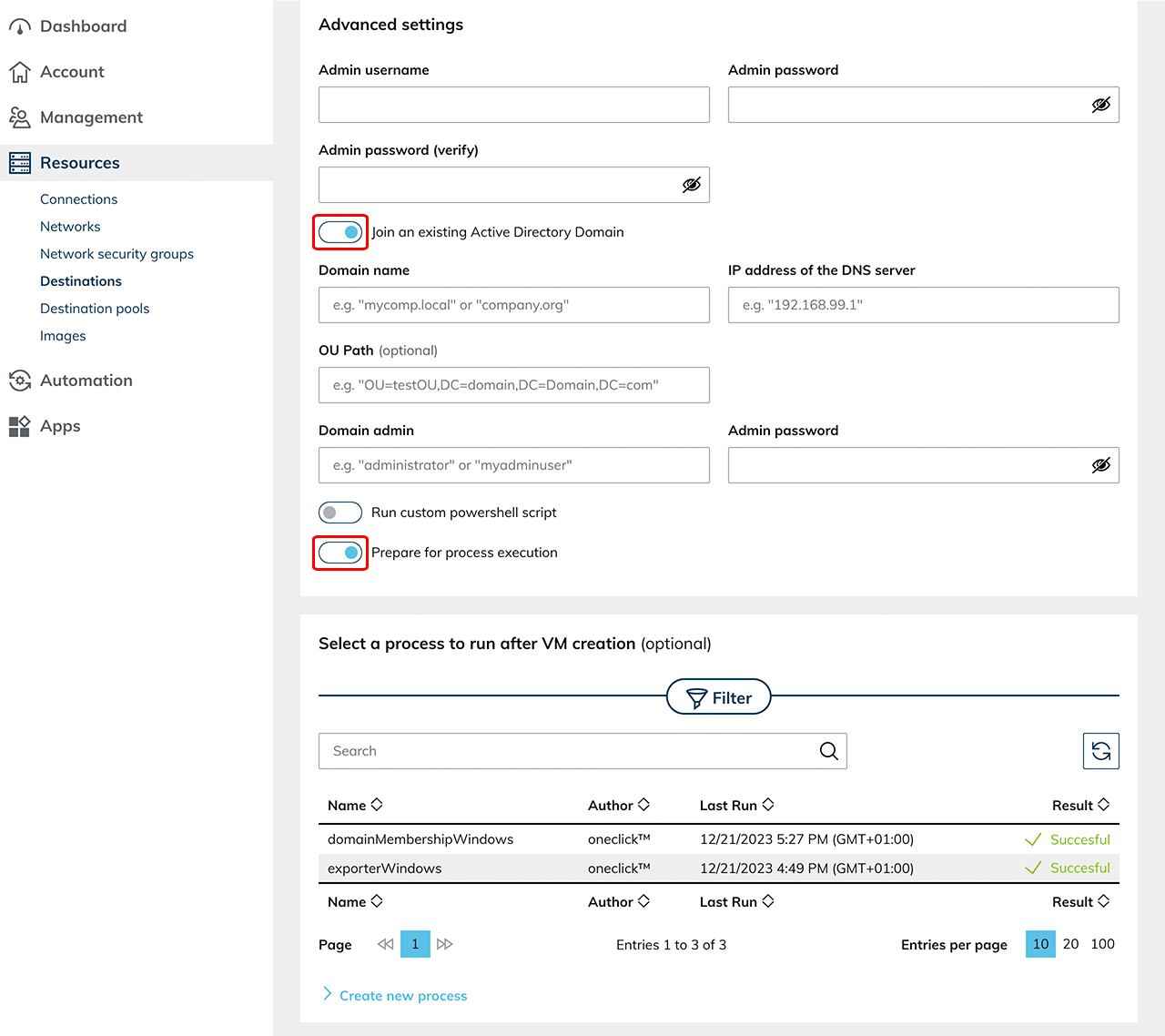
- Enable "Join an existing Active Directory Domain" if an AD integration is used, and enter the required domain details
- Keep "Prepare for process execution" enabled.
- If an RDSH role is required, you can optionally store the process "Run custom powershell script" during creation.
Using an imported VM
If the base VM is imported from an existing cloud subscription, additional configuration steps are required. For more information, see the article "Autoscaling with read out base VM".
Prepare destinations for static mode
Static mode does not require a base VM. Use existing virtual machines instead.
Make sure that all destinations:
- are fully set up
- belong to the Active Directory domain, if required
- are reachable via the network
- are prepared for process execution
- belong to the destination pool
For cloud destinations that you create directly in oneclick™, oneclick™ enables Prepare for process execution by default and sets up WinRM.
Set up WinRM manually if necessary for existing or imported destinations. For more information, see Preparing existing resource for processes.
Also note the prerequisites for load balancing.
Static mode can only start the existing destinations of the pool. If all destinations are active and fully occupied, oneclick™ cannot provide any additional capacity.