Load balancing troubleshooting
You have enabled load balancing and the server is powered on, but initialization fails?
This article provides guidance for systematic troubleshooting.
As soon as you enable Load Balancing, oneclick™ automatically creates a new process that activates the Windows Exporter. If initialization fails, a Box icon is displayed next to the destination system name in the list of destination systems.
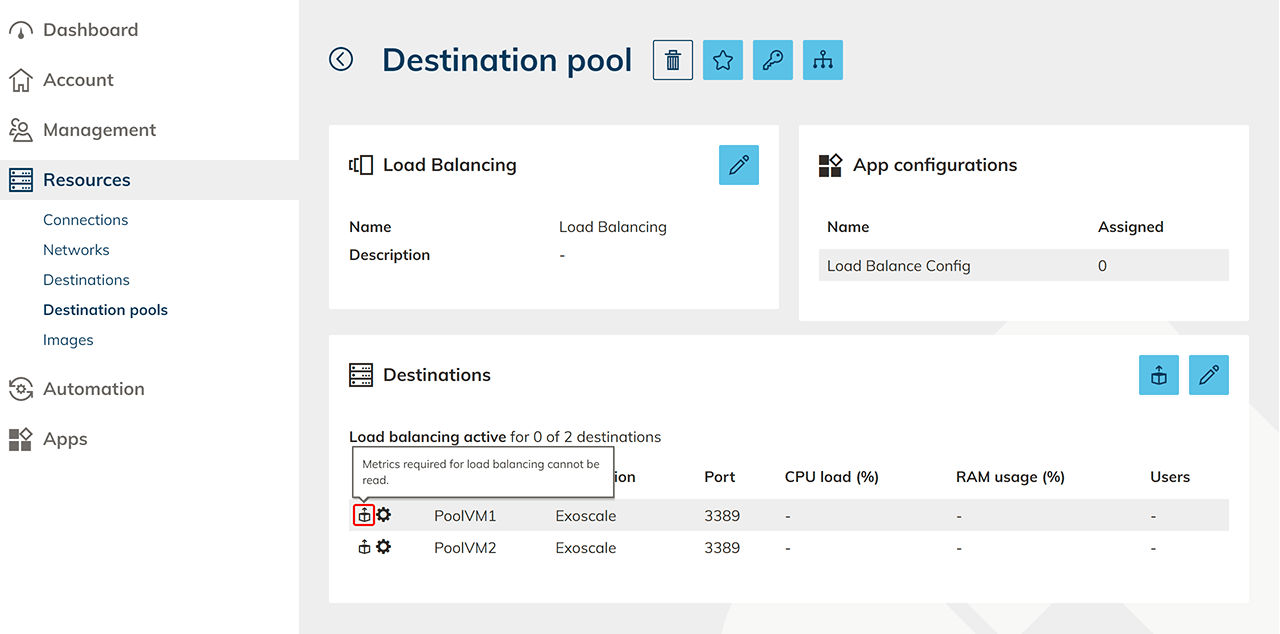
First, ensure that WinRM is reachable in your infrastructure. Without a working WinRM connection, the process execution cannot be completed successfully. Further information can be found in the article “WinRM troubleshooting”.
Then check the following points:
- Did you store the correct credentials for process execution when preparing the resources?
- Was the script required for process execution executed correctly on the resources you provided yourself?
- Have you enabled all required ports and IP addresses for process execution and for Load Balancing, if additional firewalls are in use?
- Was the exporterWindows process executed successfully?
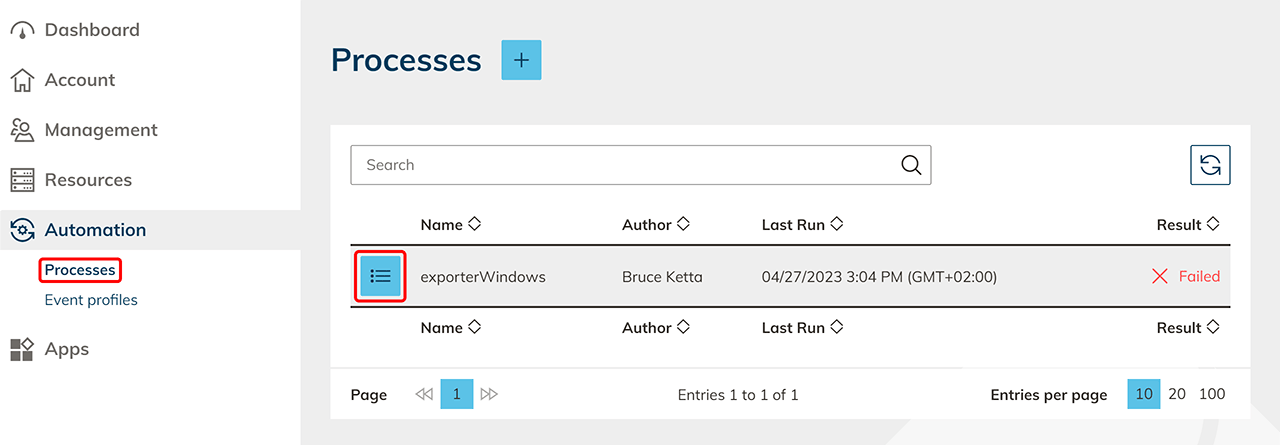
To check this, open the process history:- In the menu on the left, click Automation and then Processes.
- Click the List icon next to exporterWindows to open the process detail page.
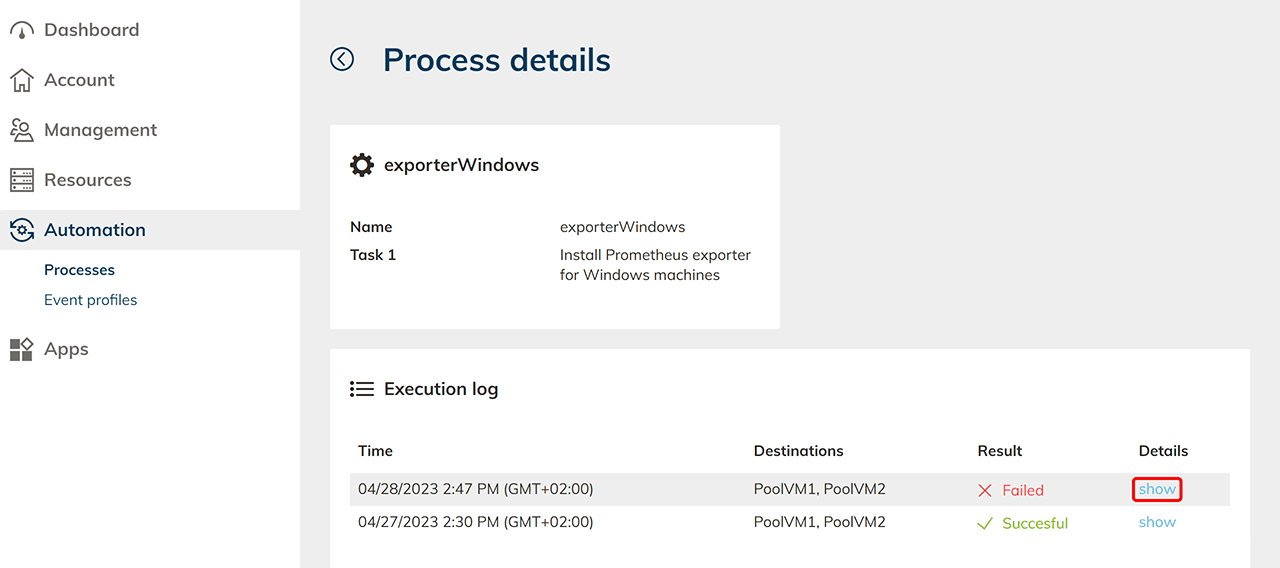
- On the execution log tile, click show to see further details of the process flow.
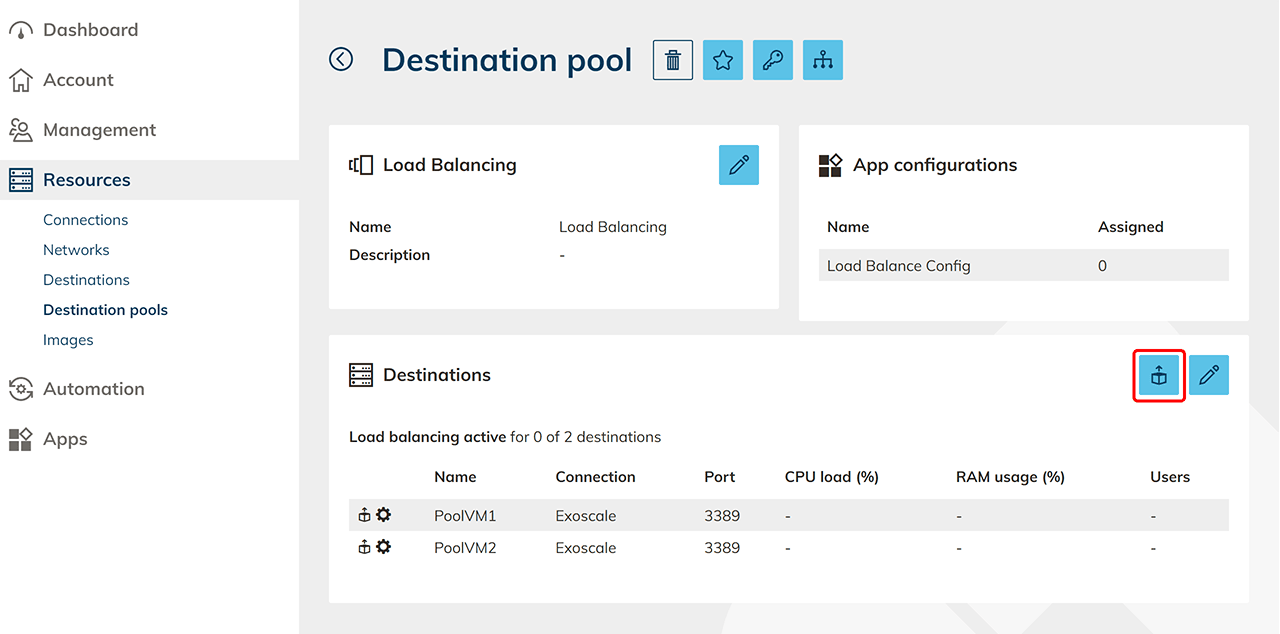
- After verifying that all settings are correct, click the Box icon in the top right to reinitialize the process.