Advice on roaming user profiles & sticky sessions
Do you have roaming user profiles in use on your servers and see a Bracket icon in the table of active user sessions?

The Bracket icon appears if the following factors are given:
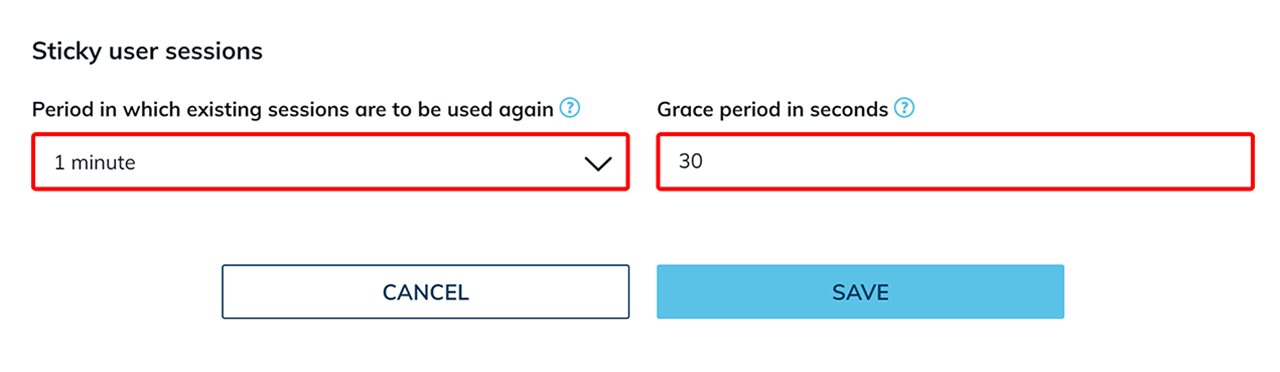
- You have enabled load balancing in oneclick™ and in the load balancing configuration, at least 1 minute has been selected as the "Period in which existing sessions are tob e used again". You have also set a grace period. This is necessary for restoring roaming profiles.
- For sticky user sessions to work properly, you have already...
- set up roaming profiles on your server with e.g. FSLogix and
- configured a time limit for disconnected sessions on your server with the identical time (e.g. 1 minute).
If you don‘t have any problems at the moment, do not press the button! The function of the button is explained below.
Are you currently having problems with the server and want your users to reconnect to another one? You can use this button to prematurely cancel the reuse of existing user sessions (sticky sessions) in oneclick™. However, before doing so, you must ensure that your users are logged out of the server. Go to the article Maintenance on a server in the pool.
Sticky session behavior explained
In the following example, we assume that you have selected 1 minute as the "period in which existing sessions are to be reused" and 30 seconds as the "grace period".
- A user closes his tab in which oneclick™ is running or logs out. Under "Sticky Session", the Bracket icon and a timestamp now appear within a user can reuse his existing session.
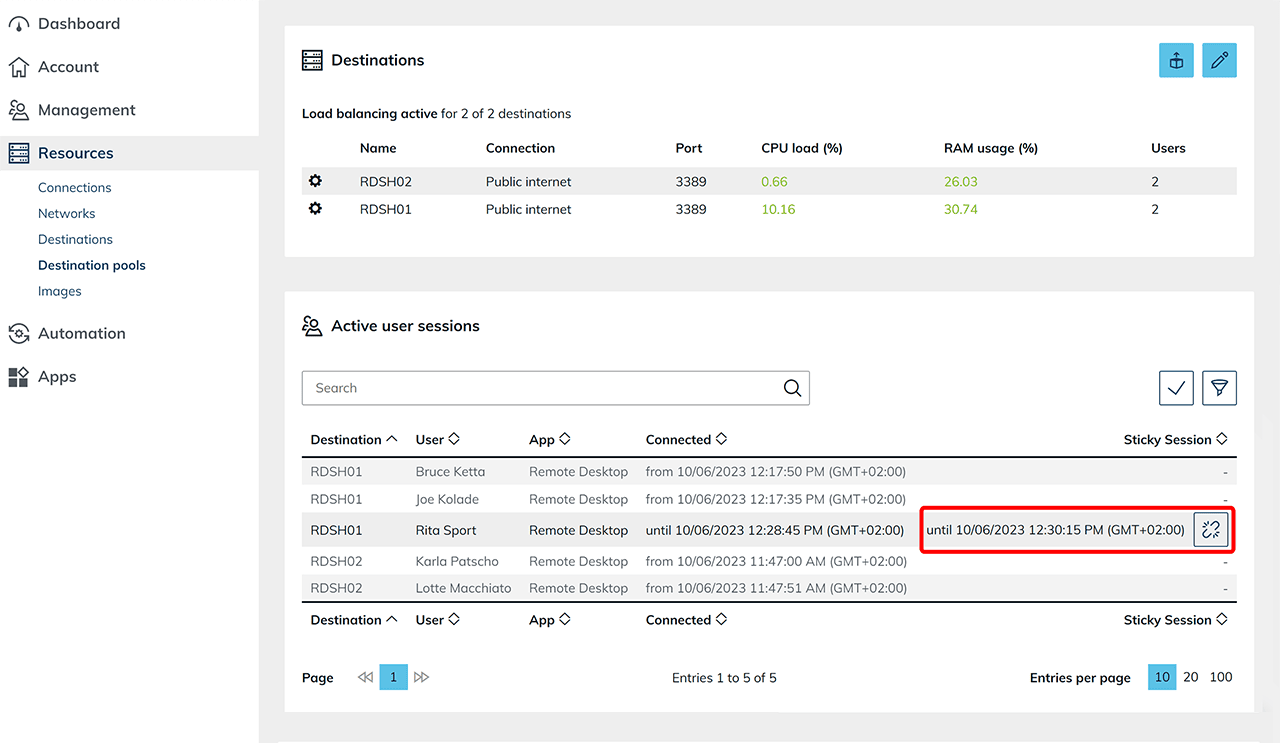
- If the user logs in again within the set period of 1 minute and 30 seconds, he ends up on the same server as before.
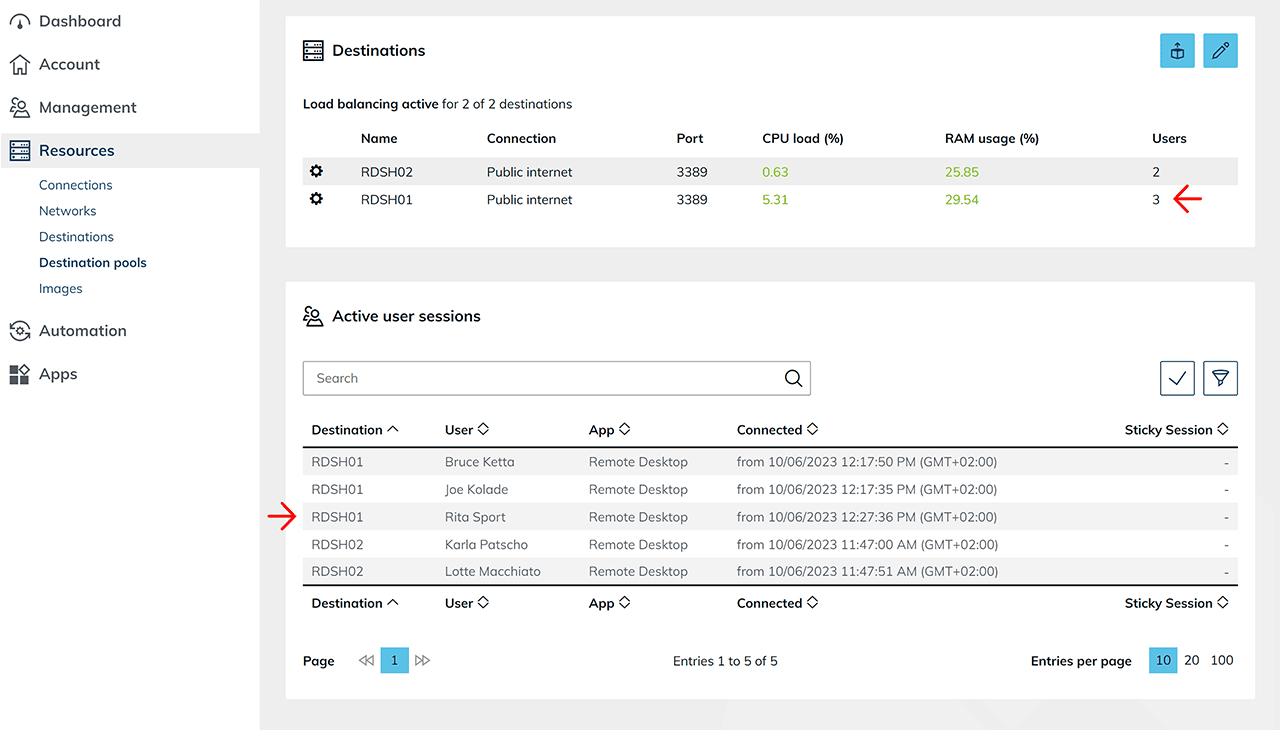
- If the user does not log back in within the set time period, the user disappears from the table after 1 minute and 30 seconds. At the same time, Windows reaches the session limit of 1 minute on the Windows server, logs off the user and FSlogix restores the user profile (for this process, oneclick™ has reserved 30 seconds for the server).
- If the user wants to log back in, the load balancer connects the user to the server that seems most appropriate at that time based on the current metrics and settings. FSlogix attaches the correct user profile and the user gets access to his desktop.