Default credentials
If you want to assign the same credentials to multiple users and set them as default credentials, please follow the steps below:
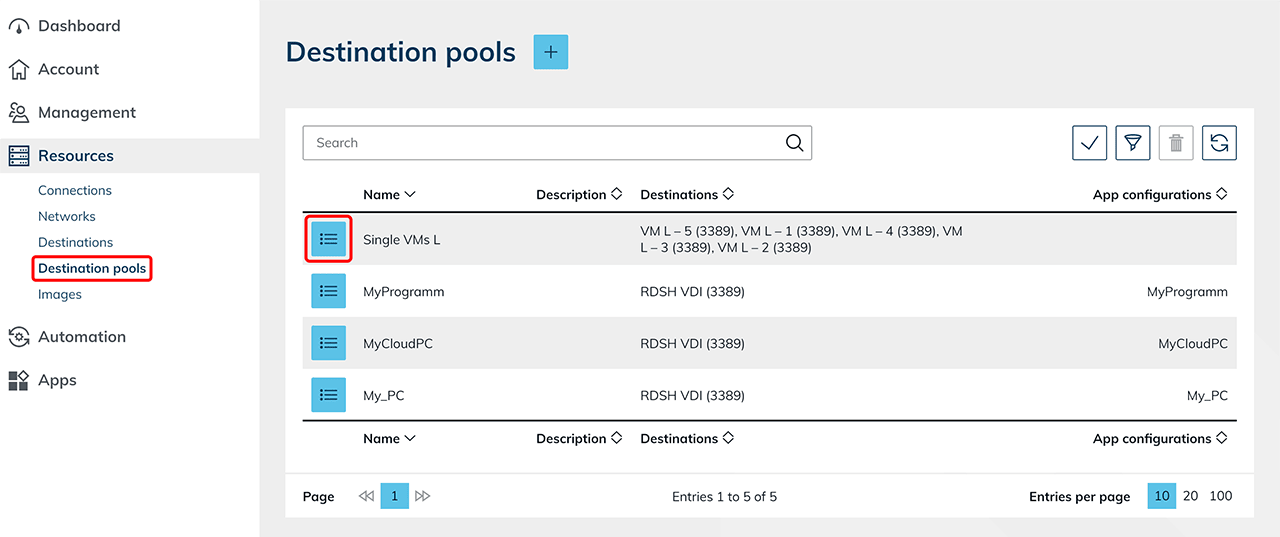
- In the Resources tab, go to Destination pools and click the List icon to get to the details page.
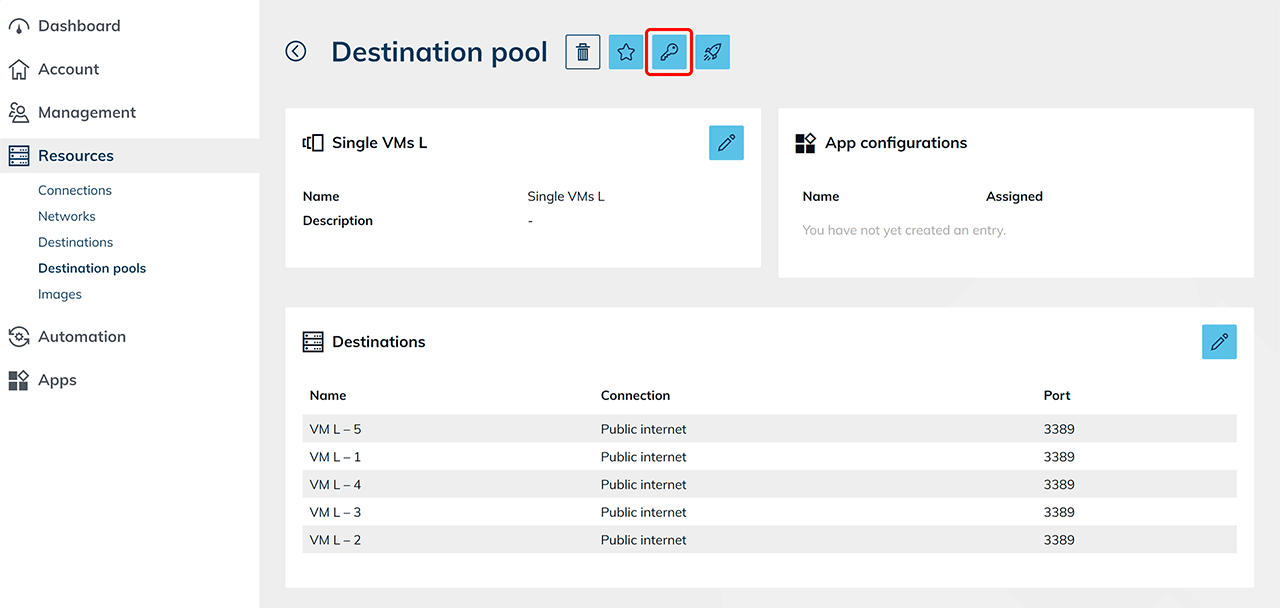
- Click on the Key icon.
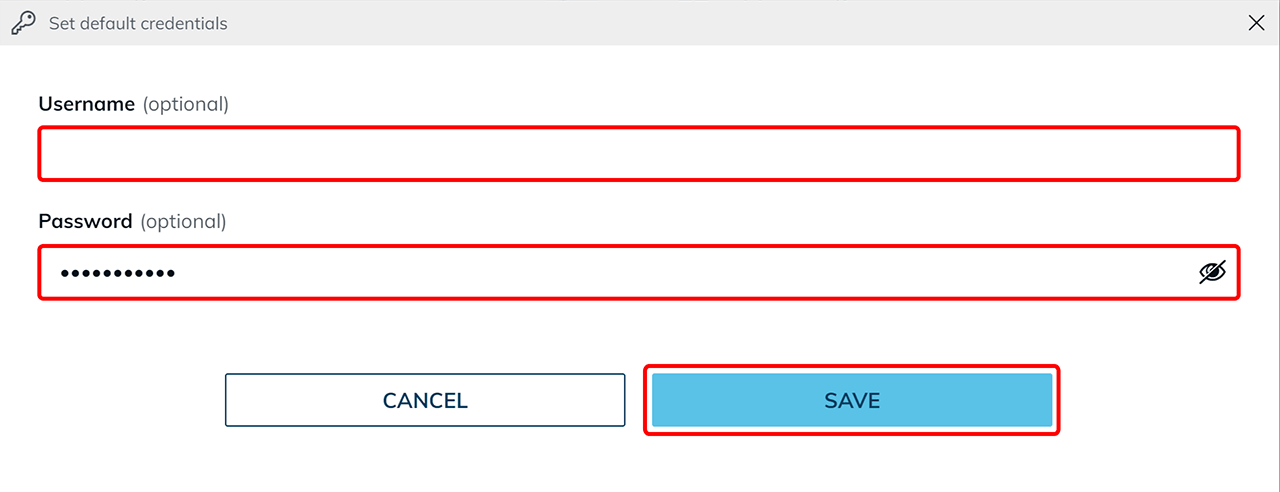
- Enter your username and/or password in the new window. Save your entries.
- If you want your user to enter the password each time he logs in, enter the username only.
- Fill in the password only, if you want your user to enter the username each time.
- Enter username and password. Users who are assigned a destination from this destination pool and for whom no individual login data has been stored are now automatically logged in with the stored data next time the app is started.
- If you prefer to access the destinations via oneclick™ streaming, configure the app access for your destination…
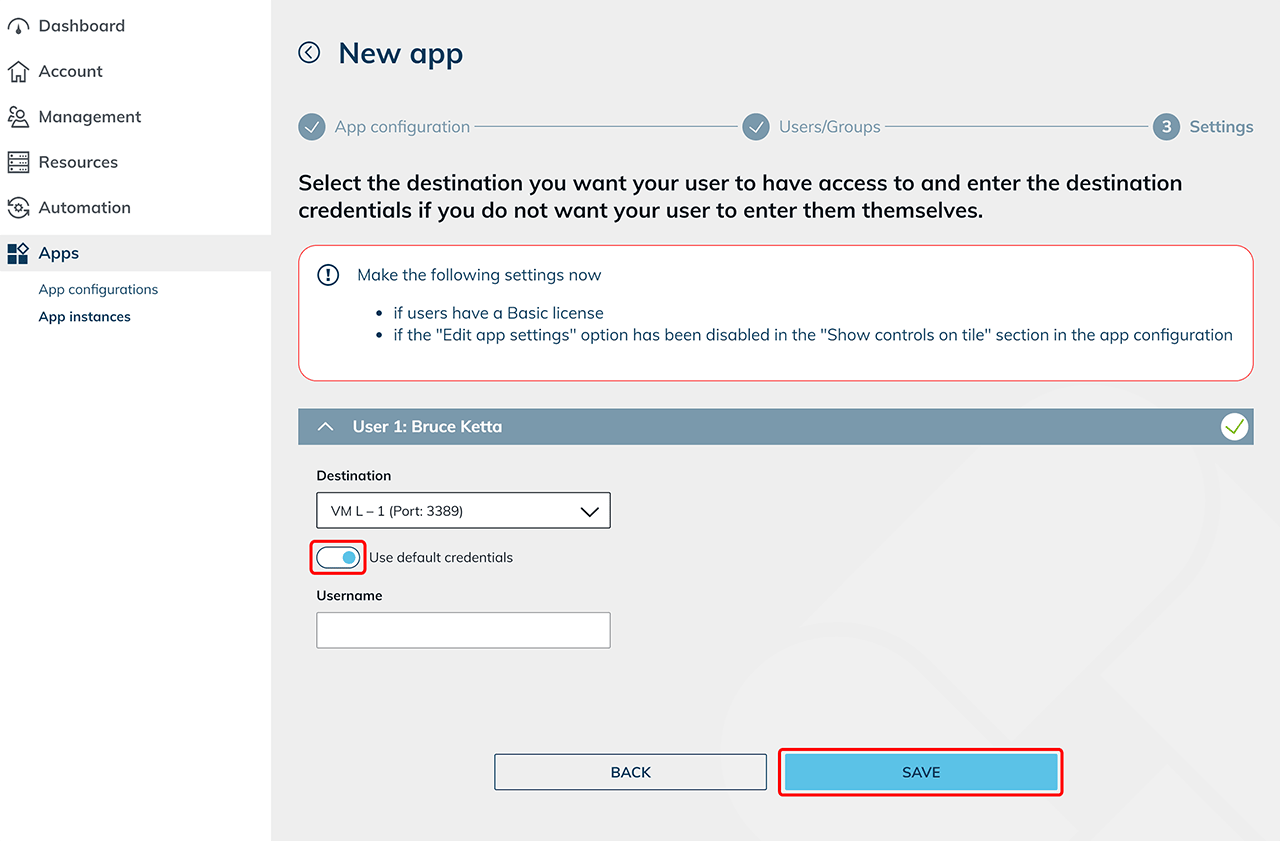
- ... and then create app instances for your oneclick™ users. When creating the app instance, you can see whether default access data is stored. Leave the slide switch activated in the settings if you want your users to use the default login data. Depending on the stored default access data, only the empty input field that has not been prefilled is displayed. If no field is displayed, all login data is already stored.
- Enable load balancing to achieve optimal performance of your system. (optional)