Configure sticky sessions for multi-user
Sticky sessions ensure that users are assigned to the same destination again within a defined period. In oneclick™, this can be defined for "Multi user". This keeps existing sessions and users continue working consistently. By default, a new session is assigned with each login.
Sticky user sessions
- Click Resources and select Destination pools.
- Open the details view of the desired pool and click the Distribution icon.
- In the "Sticky user sessions" section, click the drop-down menu in the "Period in which existing sessions are to be used again" field and select the desired period.
The time period specified here must then also be set in Windows exactly the same. Otherwise, unexpected session behavior may occur, see Configure sticky sessions in Windows.
A maximum period of 3 hours can be selected. The higher the selected duration, the lower the effectiveness of load balancing, since users remain bound to the same destination longer. Set the value as low as possible.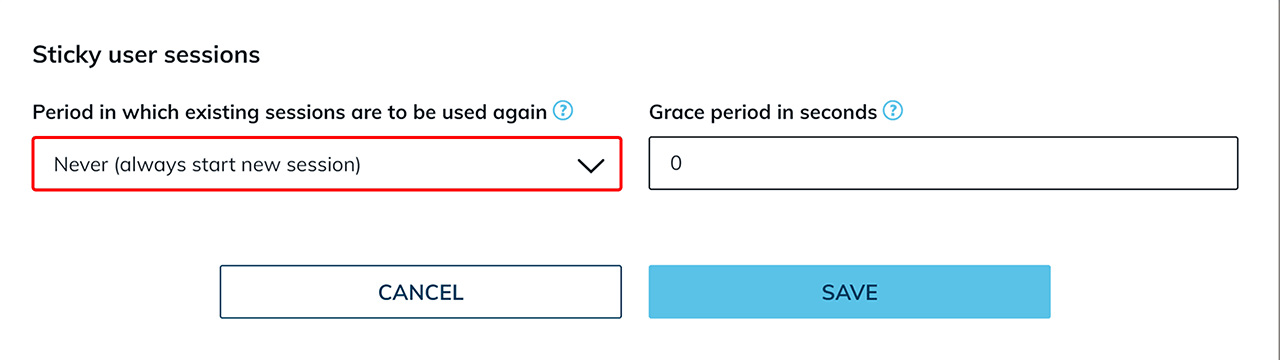
Grace period in seconds
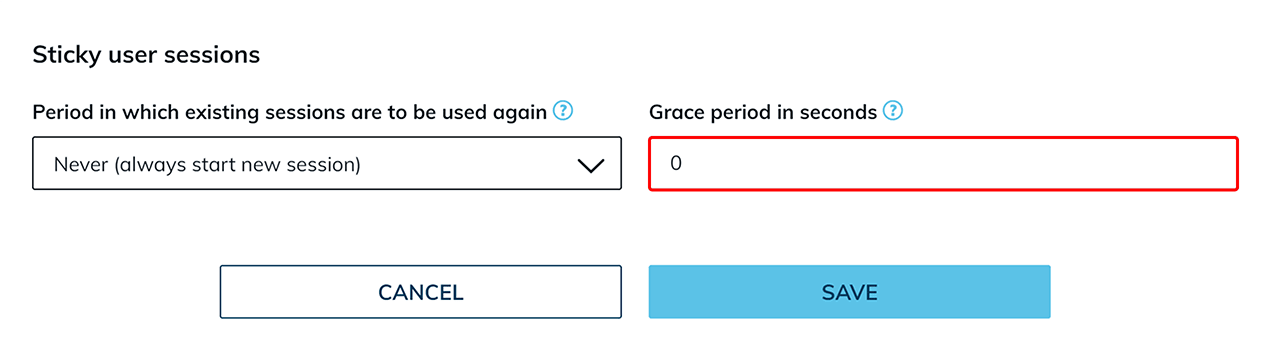
In addition, a grace period in seconds can be defined. This time period is required especially when using roaming profiles so that user data can be written back correctly.
- Enter the desired value in the "Grace period in seconds" field and then confirm your entry with Save.
The recommended length of the grace period depends on many factors and should be defined individually and adjusted after an appropriate test phase.
Especially for processes with a high volume of data, such as editing large files, a longer grace period is recommended.
If the option "Never (always start new session)" is selected in the drop-down menu, the grace period has no technical effect.
Configure sticky sessions in Windows (optional)
For sticky sessions to work correctly, the time limit for disconnected sessions must also be configured accordingly in the respective Windows operating system. Make sure that the Windows settings match the period defined in oneclick™. To do so, follow the separate instructions for Setting the time limit for disconnected sessions.