Policies
You can use “Policies” to additionally secure the oneclick™ Desk or sensitive applications.
- You can, for example, restrict access to specific IP addresses or IP ranges or require two-factor authentication (2FA).
- The policy "Allow login with password" is available in oneclick™ by default and is automatically activated when user licenses are purchased. This allows the user to log in with the oneclick™ login credentials.
- Alternatively, you can configure login via an Identity Provider. Under "Authentication by", Microsoft Entra ID, Private Directory Service, Google, EduPortle, space one VISPA, or OAuth 2.0 are available, for example.
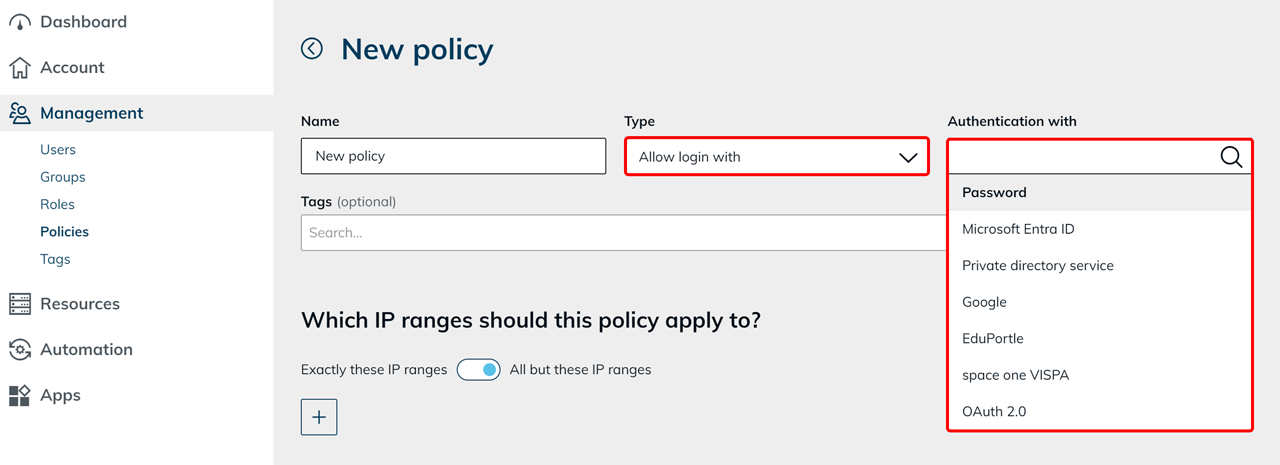
- You can combine multiple policies by assigning them to an app configuration or a user license.
Behavior of multiple 2FA policies
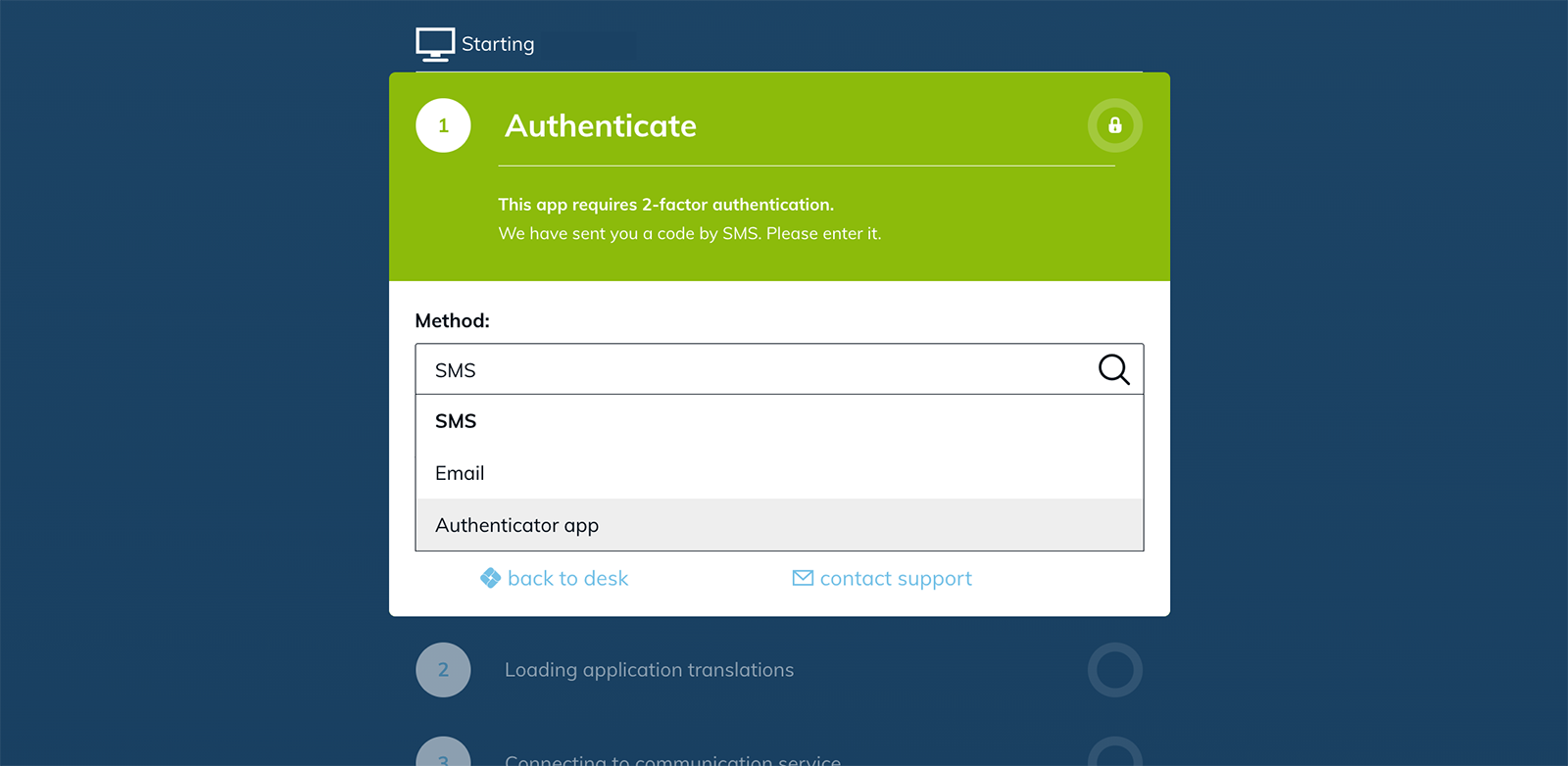
If multiple policies for two-factor authentication are assigned to a user license, the user can choose from multiple authentication methods during login.
Select method during login
Multiple 2FA policies function as selectable authentication methods. The user must select and confirm one of the available methods during login.
Example
If the following policies are active:
- SMS
- TOTP
the user can select and confirm one of these methods during login.
Recommended configuration
If different two-factor policies are required, it is recommended to use separate user licenses, each with its own 2FA policy. This clearly separates different authentication methods.