oneclick™ support rights
The support role cannot be assigned to any user in your administrative unit. In this role, you can define which rights should be assigned to a user from a parent administrative unit when providing support for you. The parent administrative unit can be oneclick™ or the organization that created your account. If you do not want support agents to be able to see or edit the data in your oneclick™ Admin, you can change the agent’s rights in this role.
The support role also limits access from parent units
The support role sets the maximum rights that a user from a parent administrative unit — for example a customer admin — has when accessing your unit. Their effective rights are the intersection of their own role and this support role. See Effective rights when accessing a customer.
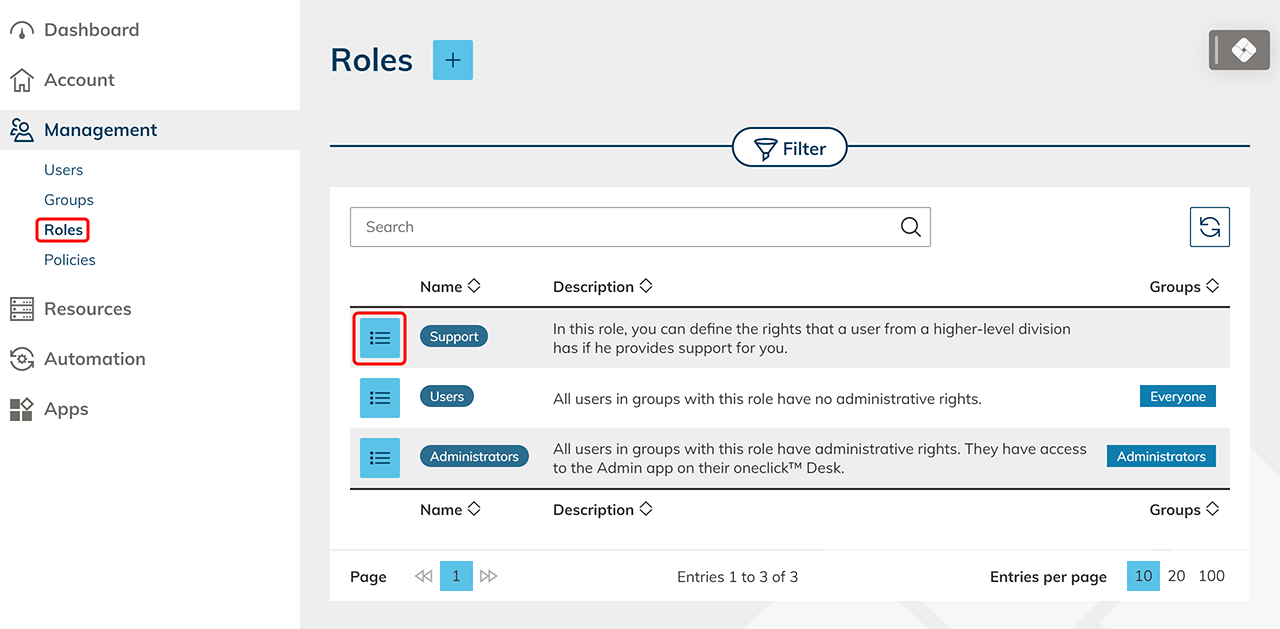
- In the Administration tab click on Roles. To access the details page, click on the List icon in the row of the Support role.
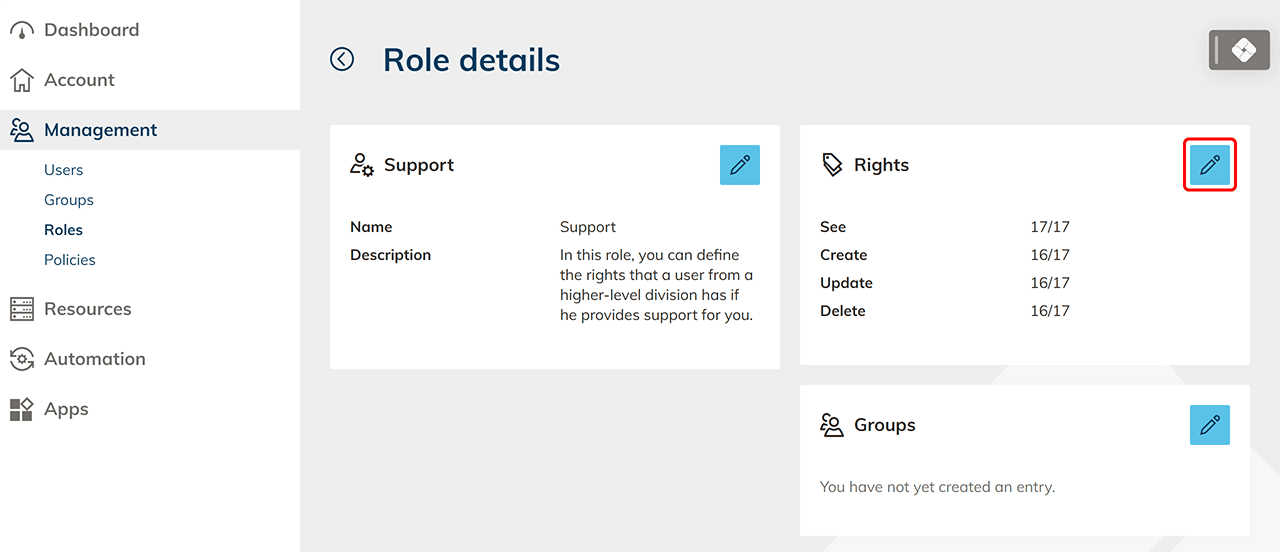
- Click the Pencil icon in the “Rights” field.
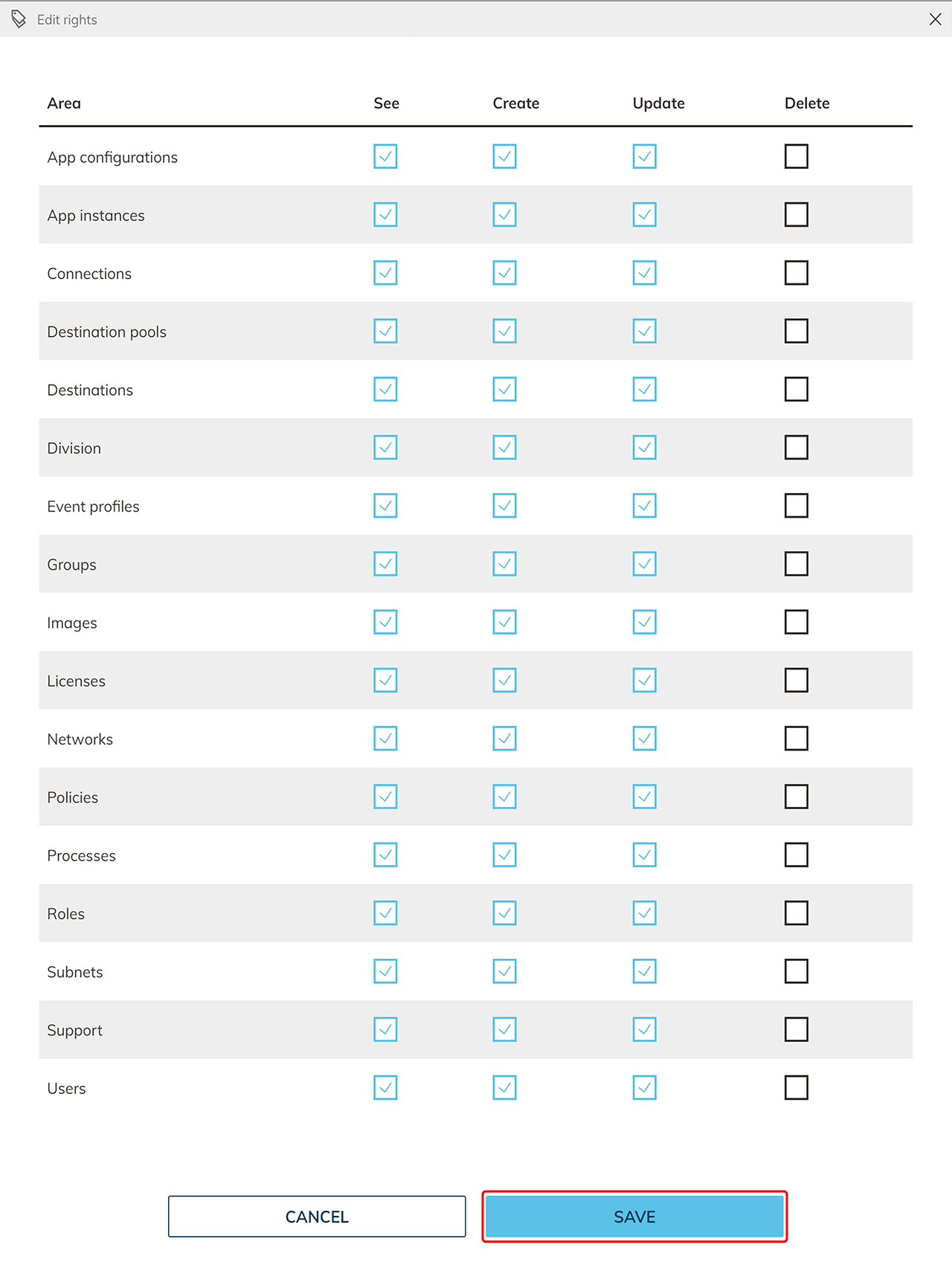
- Deselect all rights you want to remove from the support role by unchecking the hitboxes and Save your entries. In case of support, remember to enable the corresponding rights in advance, otherwise delays may occur.