Use oneclick™ Gateway
To define how your users access their destination system, adjust the corresponding usage settings in the app configuration.
Select oneclick™ Gateway (RDP Client) as the connection mode if access should take place via the local RDP Client.
Gateway activation
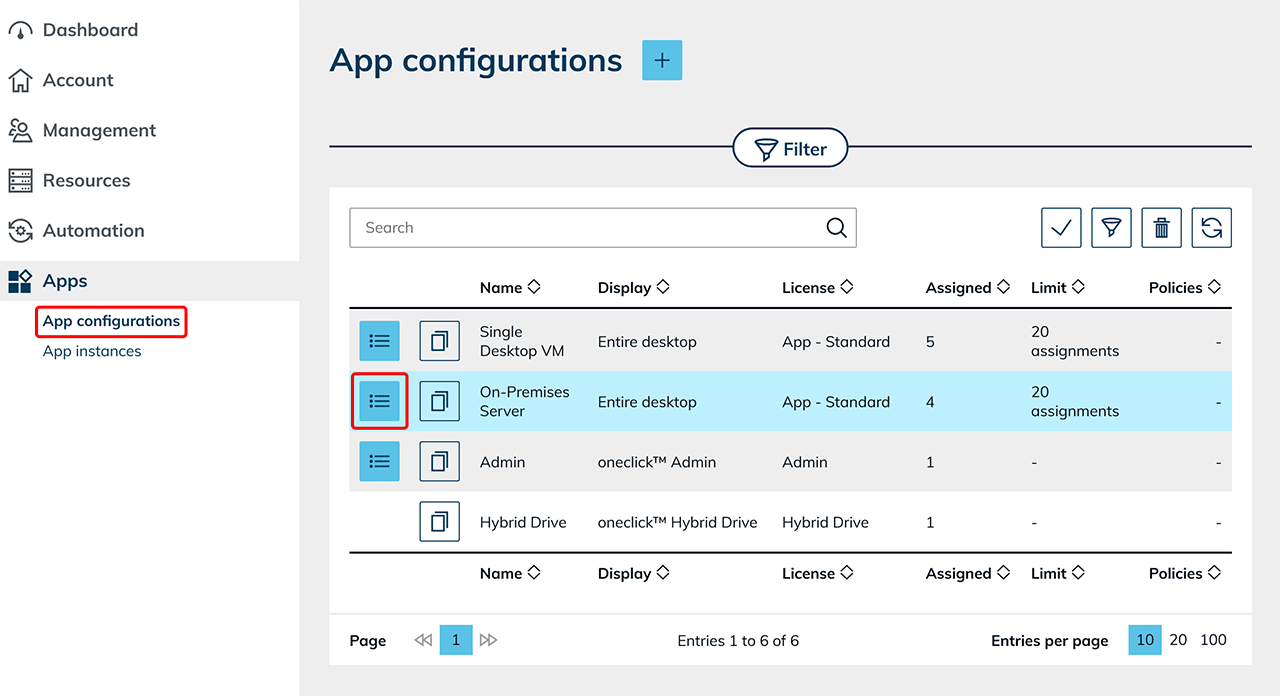
- Click Apps in the menu and select App configurations.
- Search for the desired configuration and click the List icon to open the detail page.
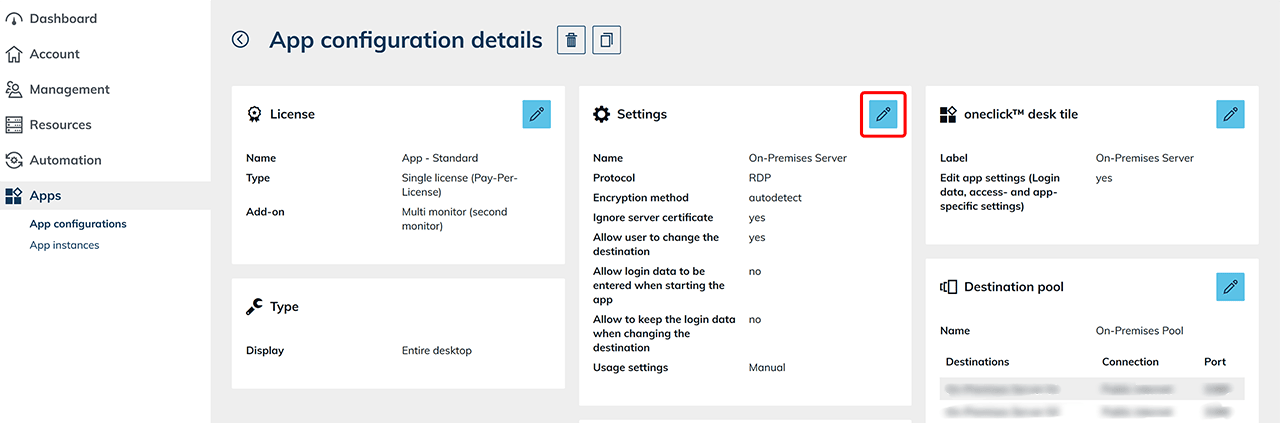
- Click the Pencil icon in the Settings tile to edit the configuration.
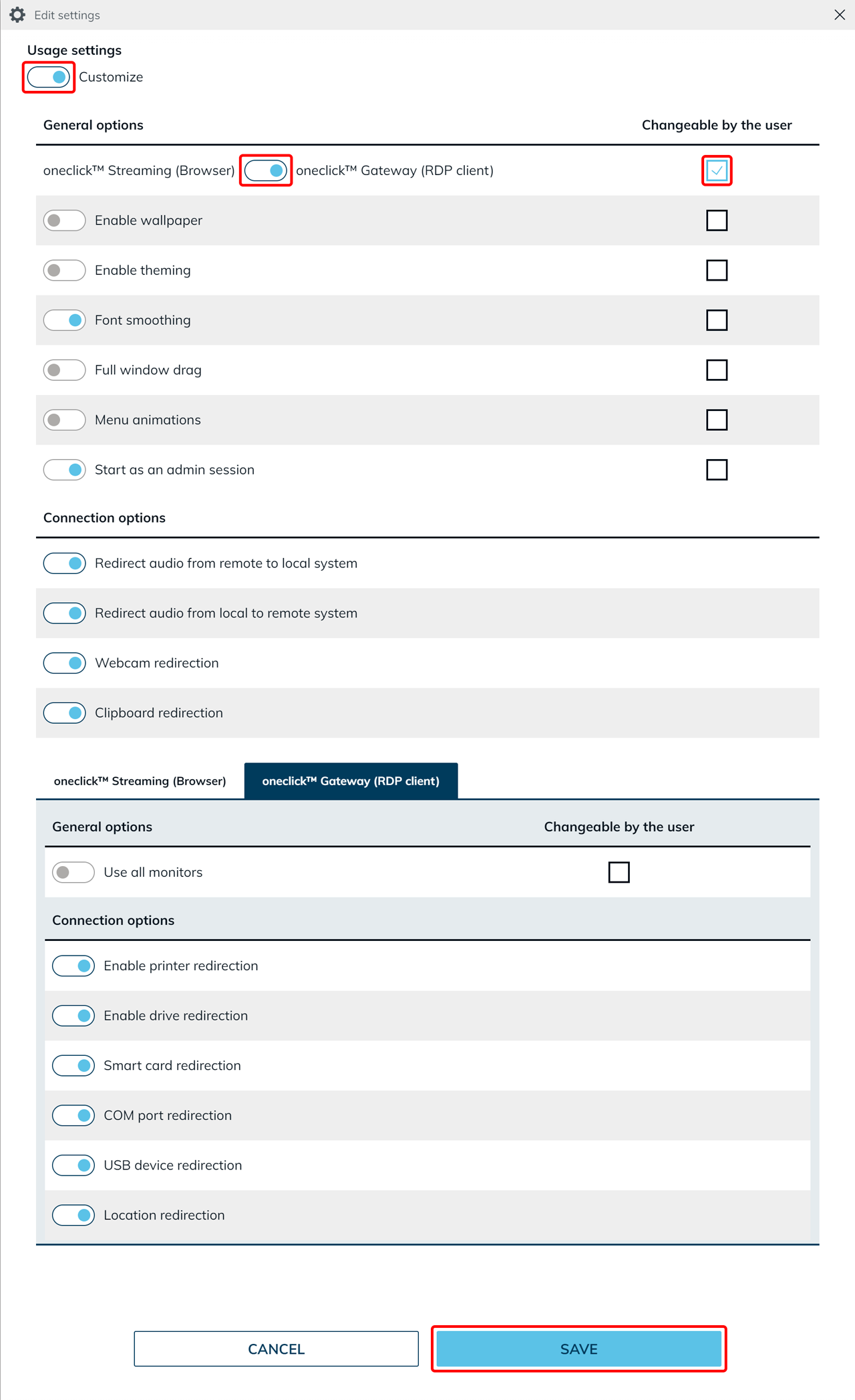
- Scroll down to Usage settings.
- Set the switch for Usage settings to Customize.
- Select the connection mode oneclick™ Gateway (RDP Client) in the row oneclick™ Streaming (Browser) / oneclick™ Gateway (RDP Client).
- In the same row, select the Changeable by the user checkbox on the right if the user should later be allowed to switch between oneclick™ Streaming (Browser) and oneclick™ Gateway (RDP Client) on the app tile.
- Click Save to apply your changes.