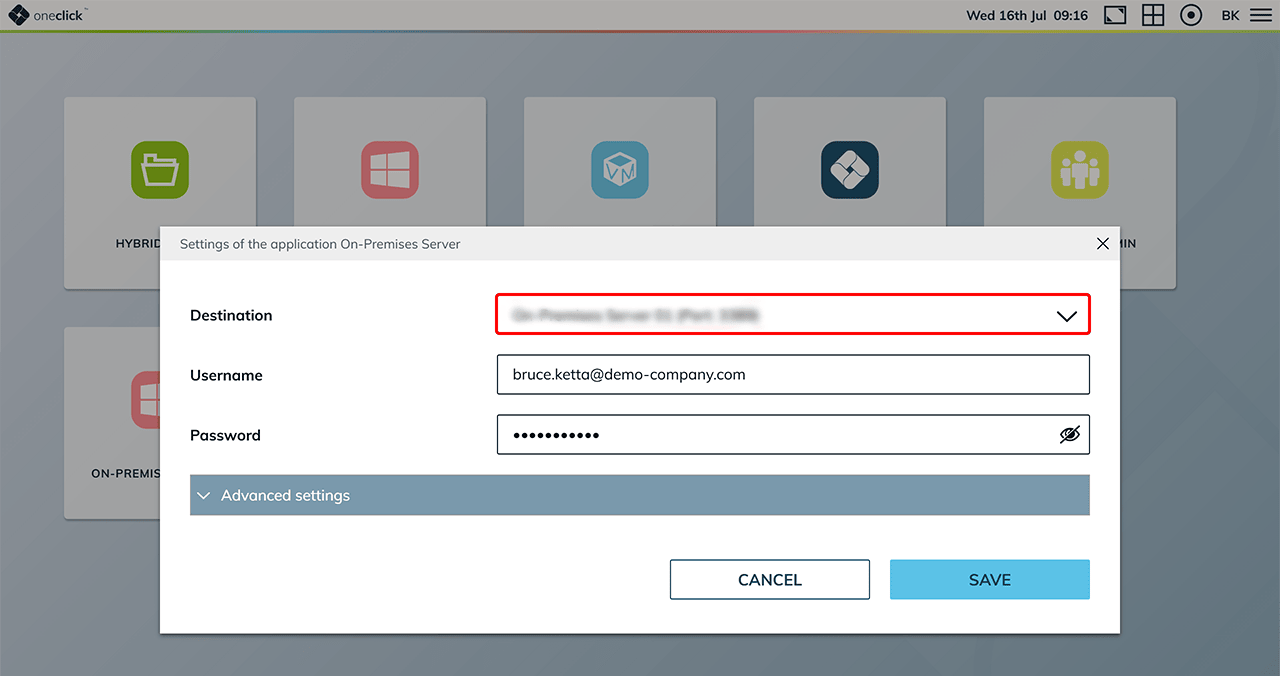
Restrict destination change by users
You have already created an app configuration and now want to control whether users are allowed to change the destination system independently.
Proceed as follows:
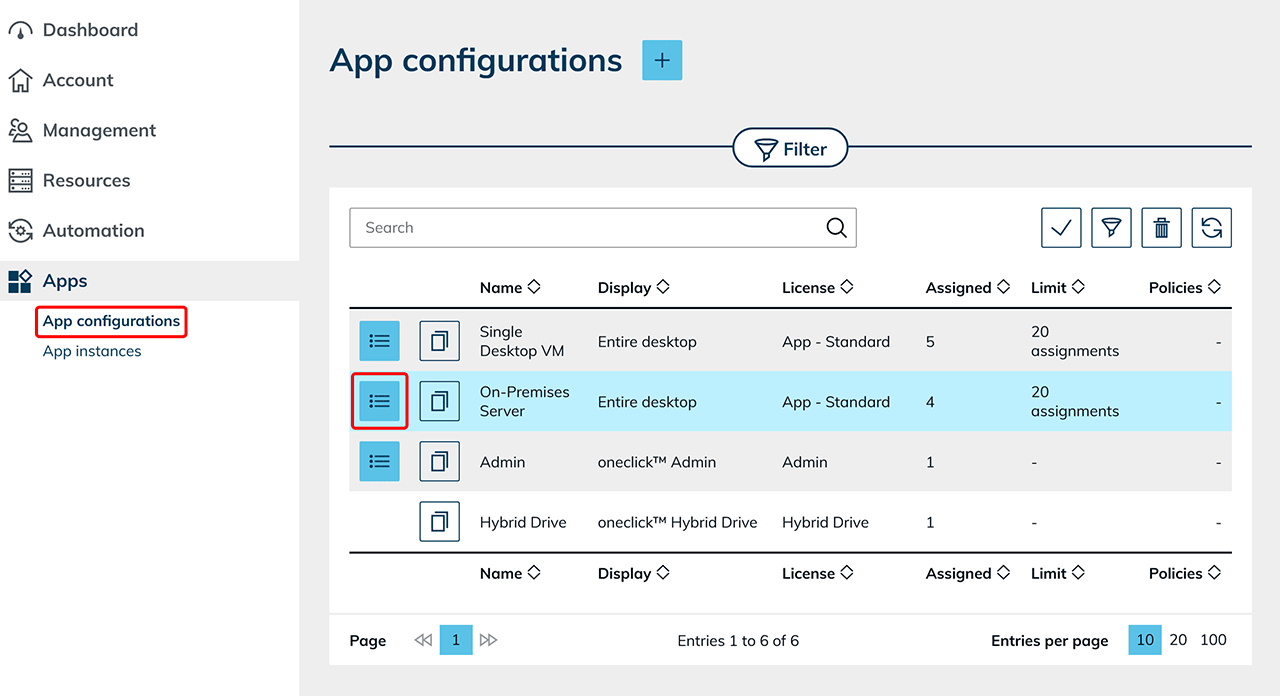
- In the Admin area, go to the Apps tab and then on App Configurations.
- Locate the configuration you want to modify and click on the List icon to open the detail view.
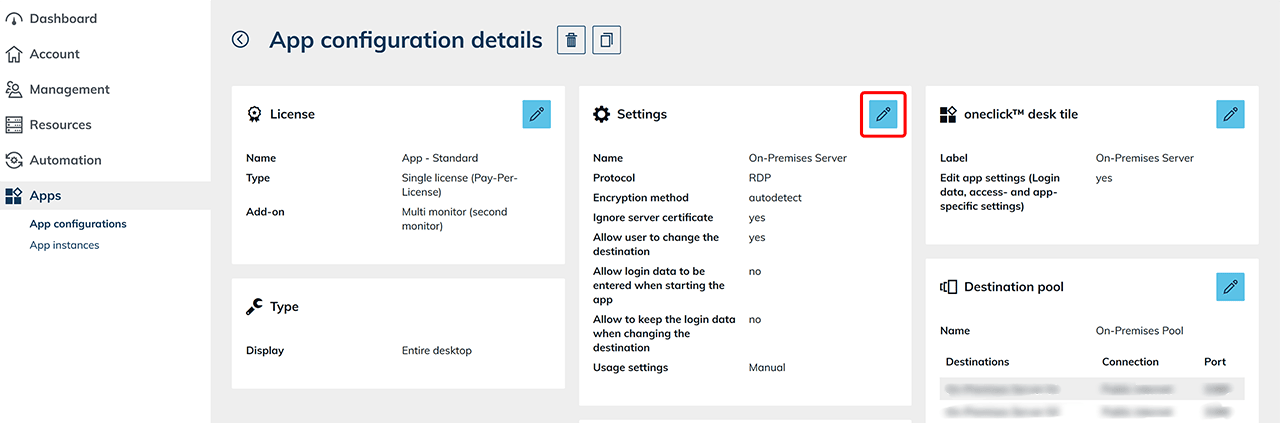
- In the detail view, click the Pencil icon in the “Settings” tile to edit the configuration.
- Disable the Change destination toggle. This revokes the user's permission to change the destination on their own.
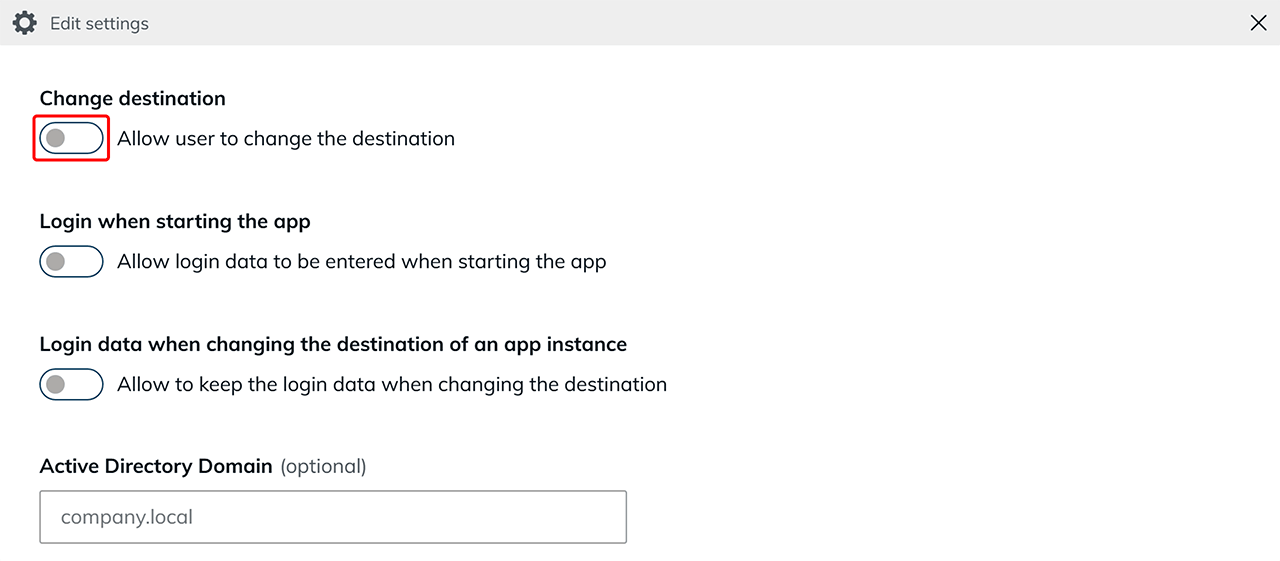
- Click Save to apply the change.
What happens if Destination Change for users remains enabled?
If the Change destination option is enabled, users with a oneclick™ Professional license can manually change the destination system as follows:
- Hover the mouse (without clicking) over the app tile on the oneclick™ Desk.
- The Gear icon for app settings will appear. Click it.
- In the dialog, the user can select the destination.