Show / hide controls on app-tiles
When creating the app configuration, you can select or deselect the control elements. Afterwards you can change them as follows:
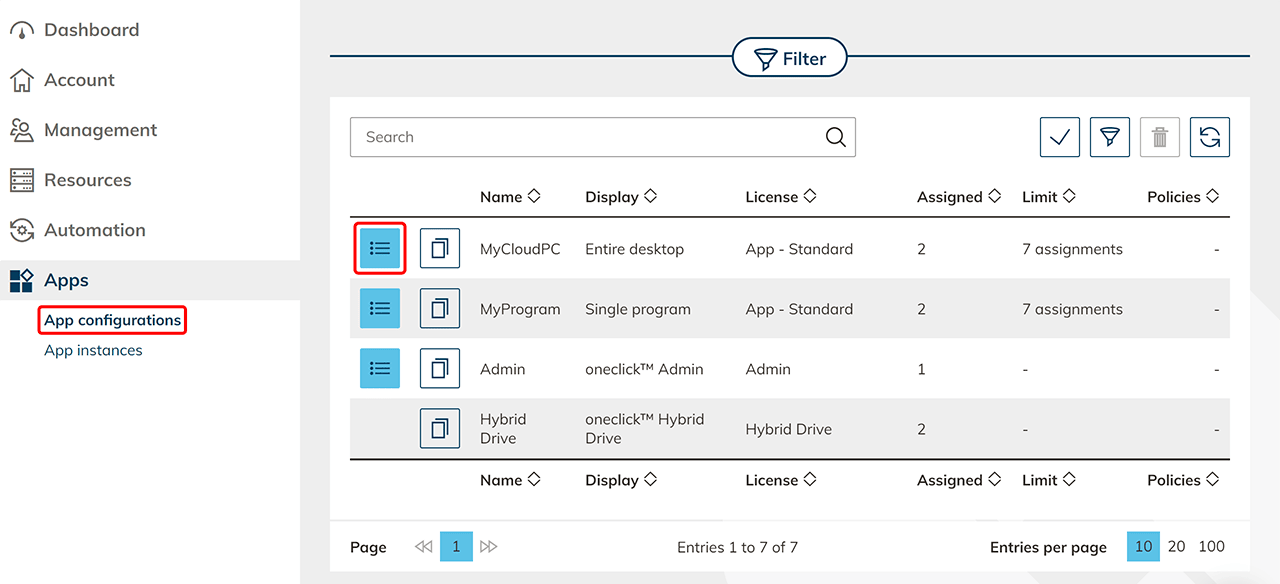
- In the menu, click on the Apps and select App configurations.
- Go to the detail page of your app configuration with a click on the List icon.
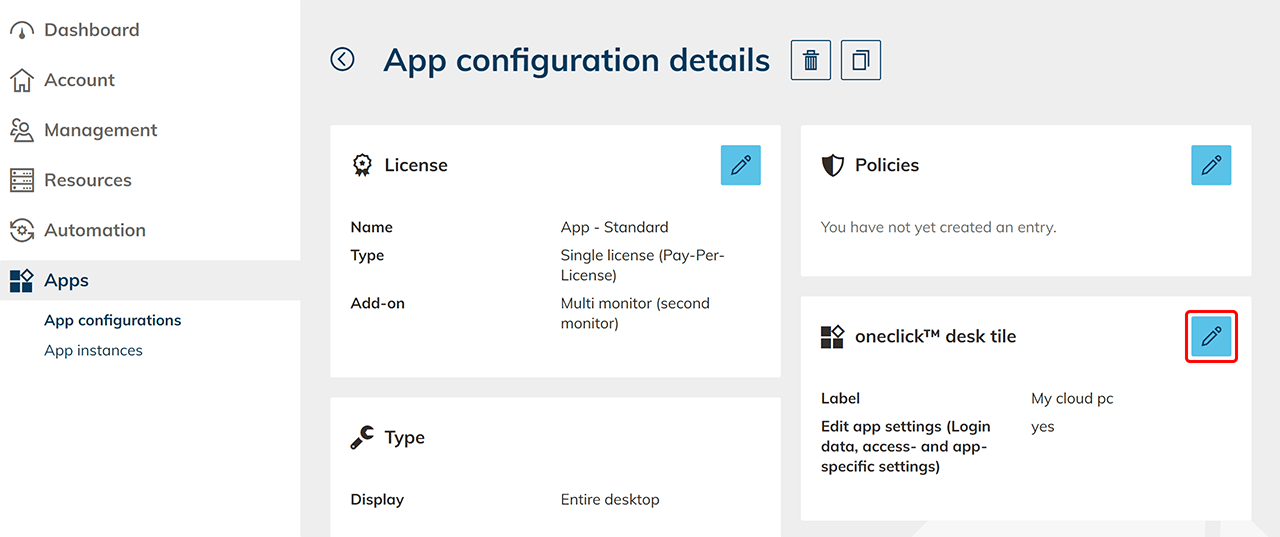
- In the tile "oneclick™ desk tile" click on the Pencil icon.
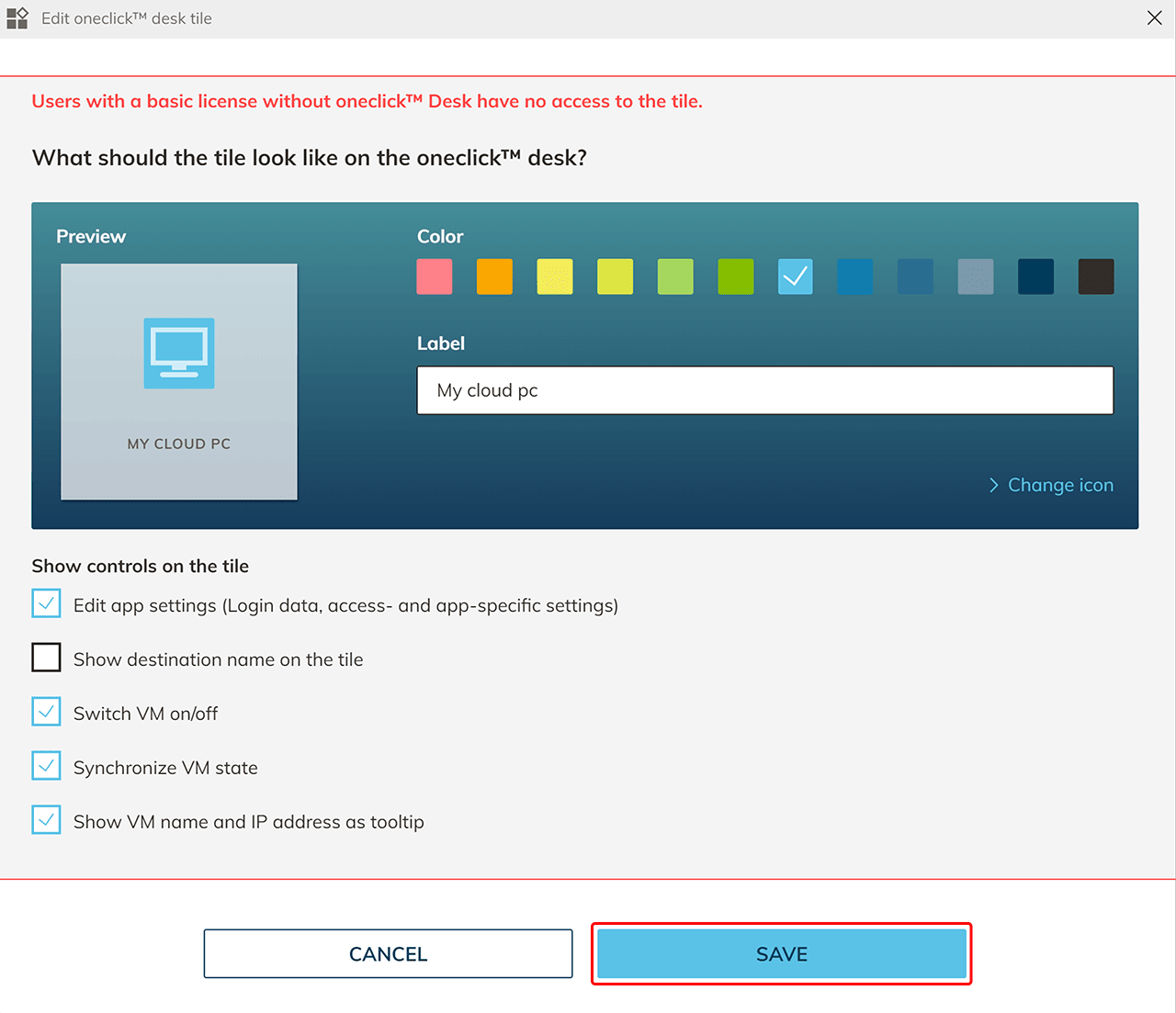
- Choose the controls to be shown on the tile and click Save. The elements you have selected will now be displayed on the tile.
- Also pay attention which keyboard layout and display options you have set and whether your users can change them.
- Here, you can find out which control elements are available and which function they have.