Activate Admin Session
If access to the terminal server is no longer possible due to a misconfiguration or a disabled RDSH service, administrators can still access the system through the special Admin Sessions.
With the option Start as an admin session, an administrative connection is established that works independently of CAL licenses and can be used for maintenance or configuration adjustments.
Activate Admin Option
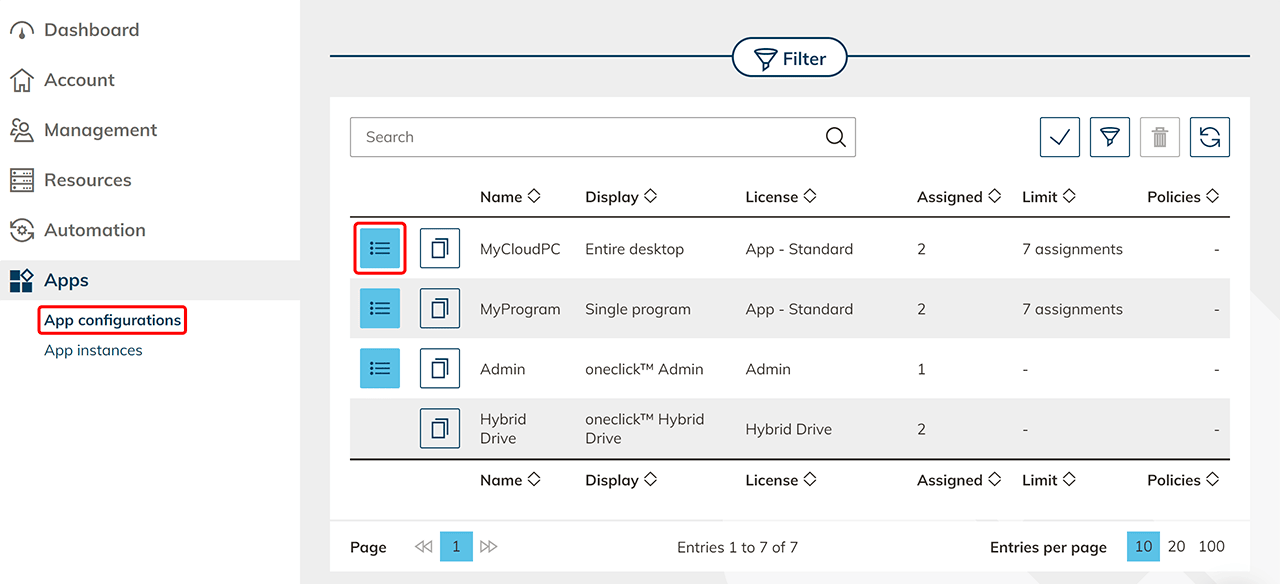
- In the menu, click the Apps tab and select App configurations.
- Go to the details page of your app configuration by clicking the List icon.
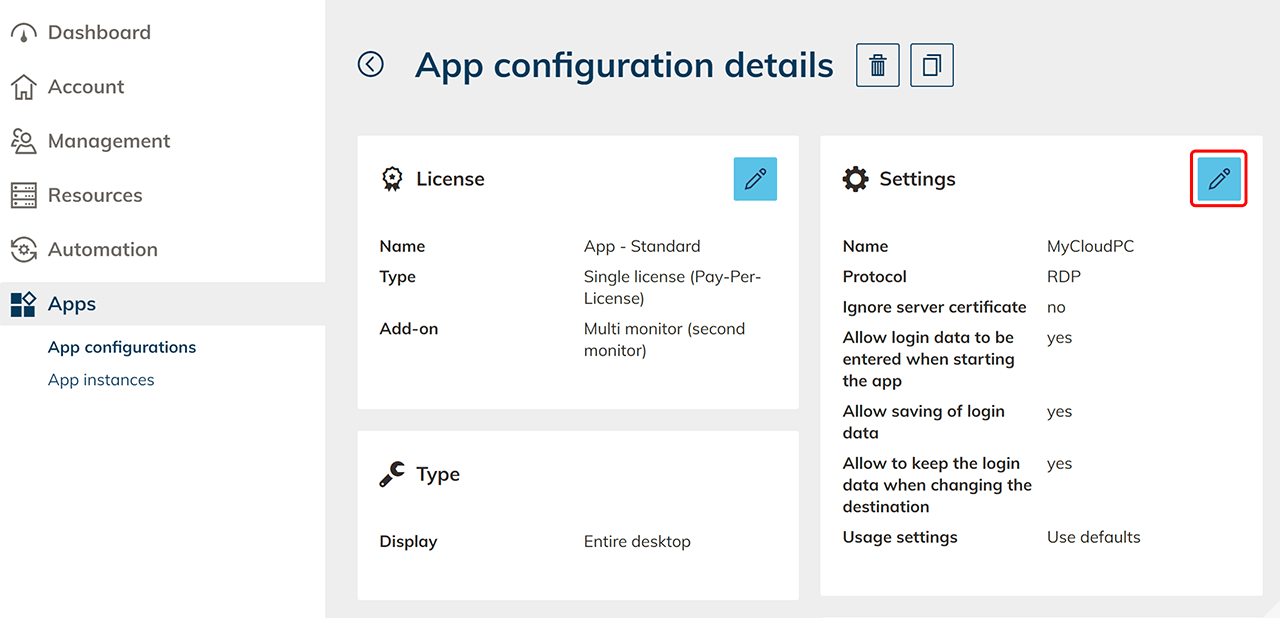
- In the Settings tile, click the Pen icon.
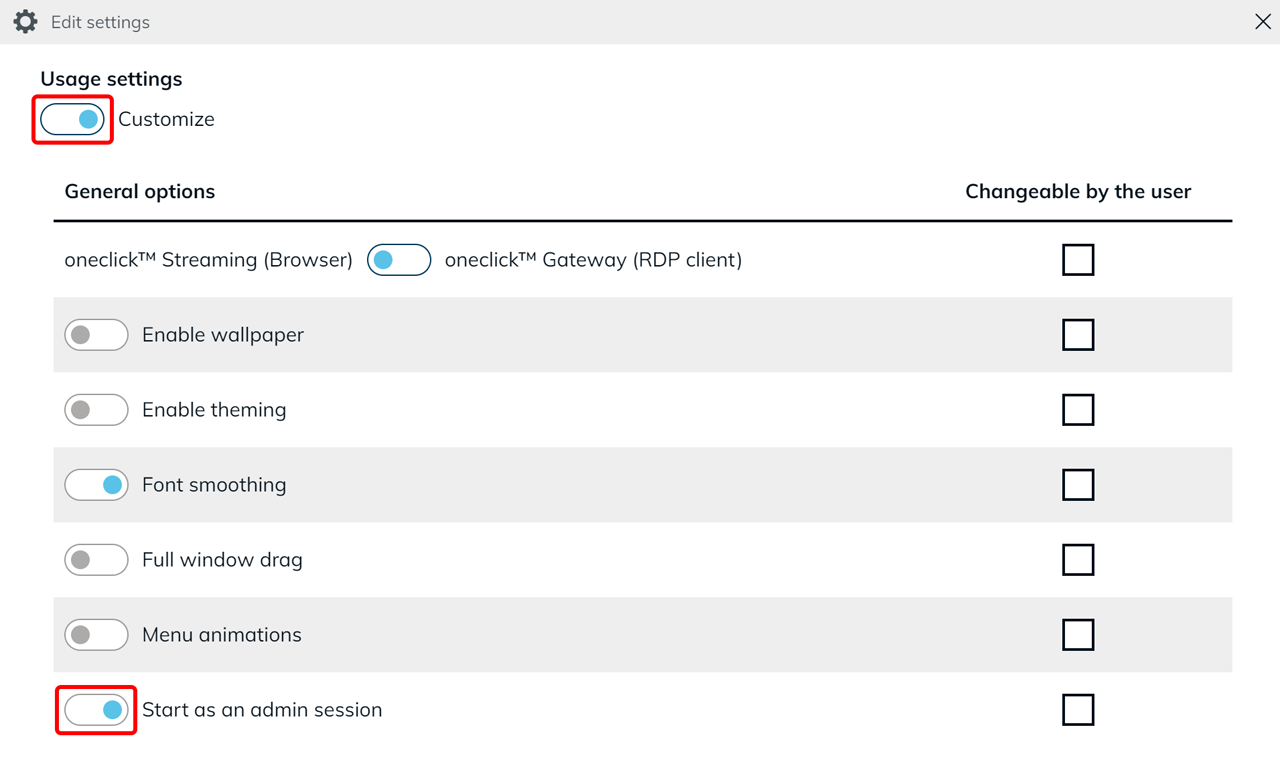
- Scroll down and under “Usage settings”, set the switch to Customize.
- Enable the toggle switch Start as an admin session.
- Click Save to apply your changes.
Advantages of the Admin Session
- Two additional admin connections in multi-user environments
- Does not require CAL licenses
- Access even if terminal server services are disabled or misconfigured
Restrictions
Each server allows a maximum of two admin sessions at the same time. These are independent of CALs and may only be used for administrative tasks such as maintenance, troubleshooting, or configuration. CALs are still required for regular user access.