Customizing the storage size of the hybrid drive
With an existing user license, it is only possible to increase the storage of the hybrid drive in oneclick™, but not to reduce it. If you want to reduce the memory, you must cancel the license you have already purchased and create a new license. Please contact Support if necessary.
Increase size of cloud drive on an existing workspace license:
The storage is increased for all users with this license.
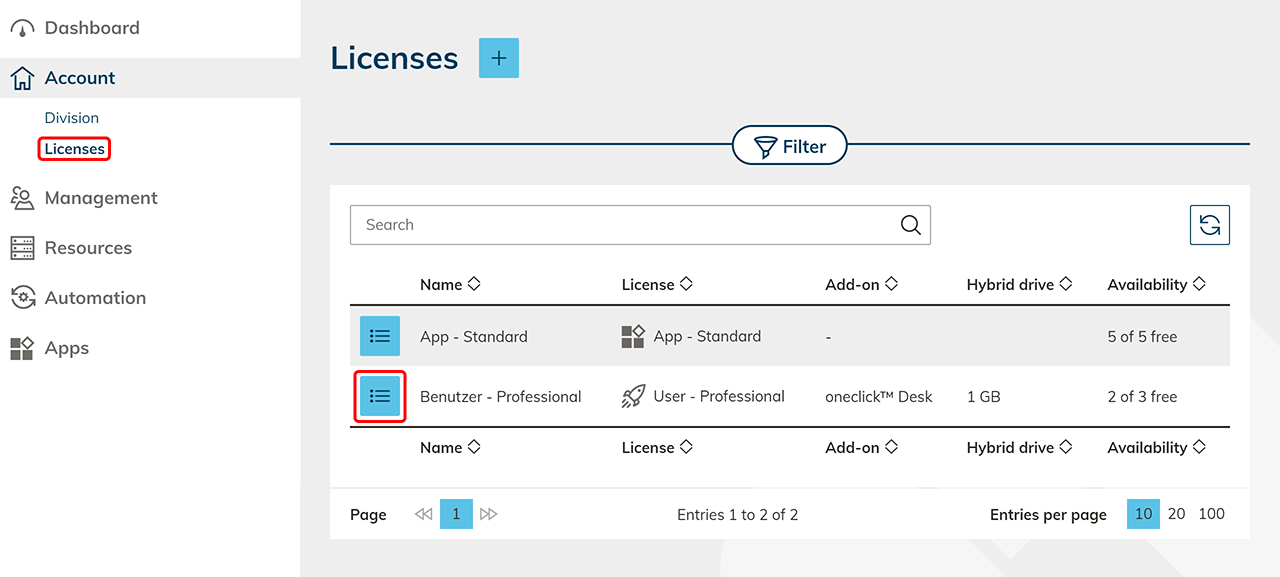
- Go to the menu item Licenses.
- Go to the detail page of the user license for which you wish to increase the storage. You reach the detail page by clicking on the List icon .
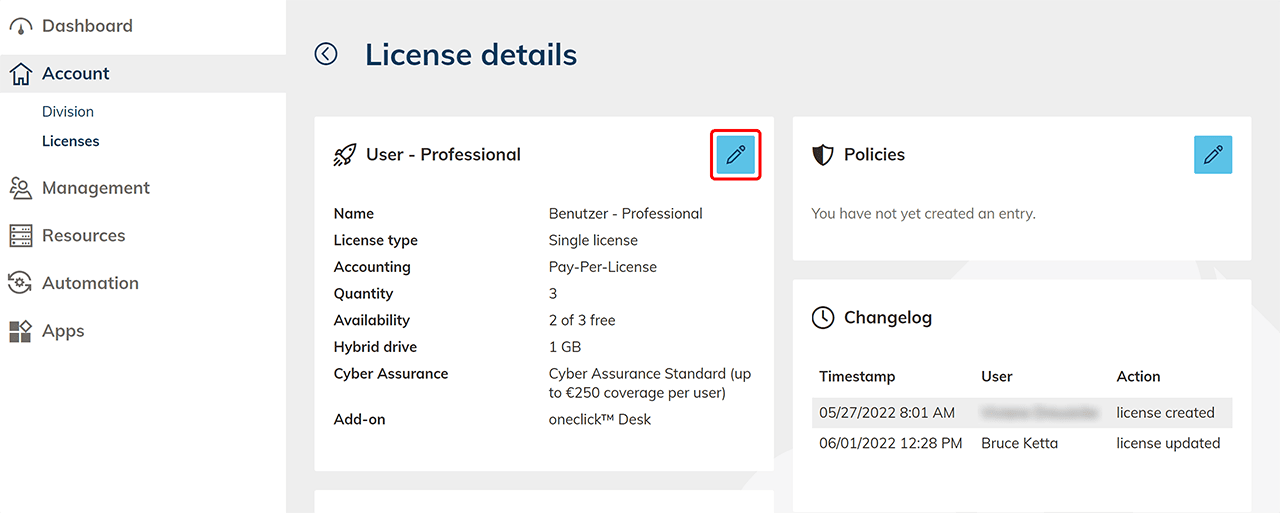
- In the tile with the name of the license, click the Pencil icon to edit the license's details.
- Now you can select the required size of the hybrid drive and click Next to proceed.
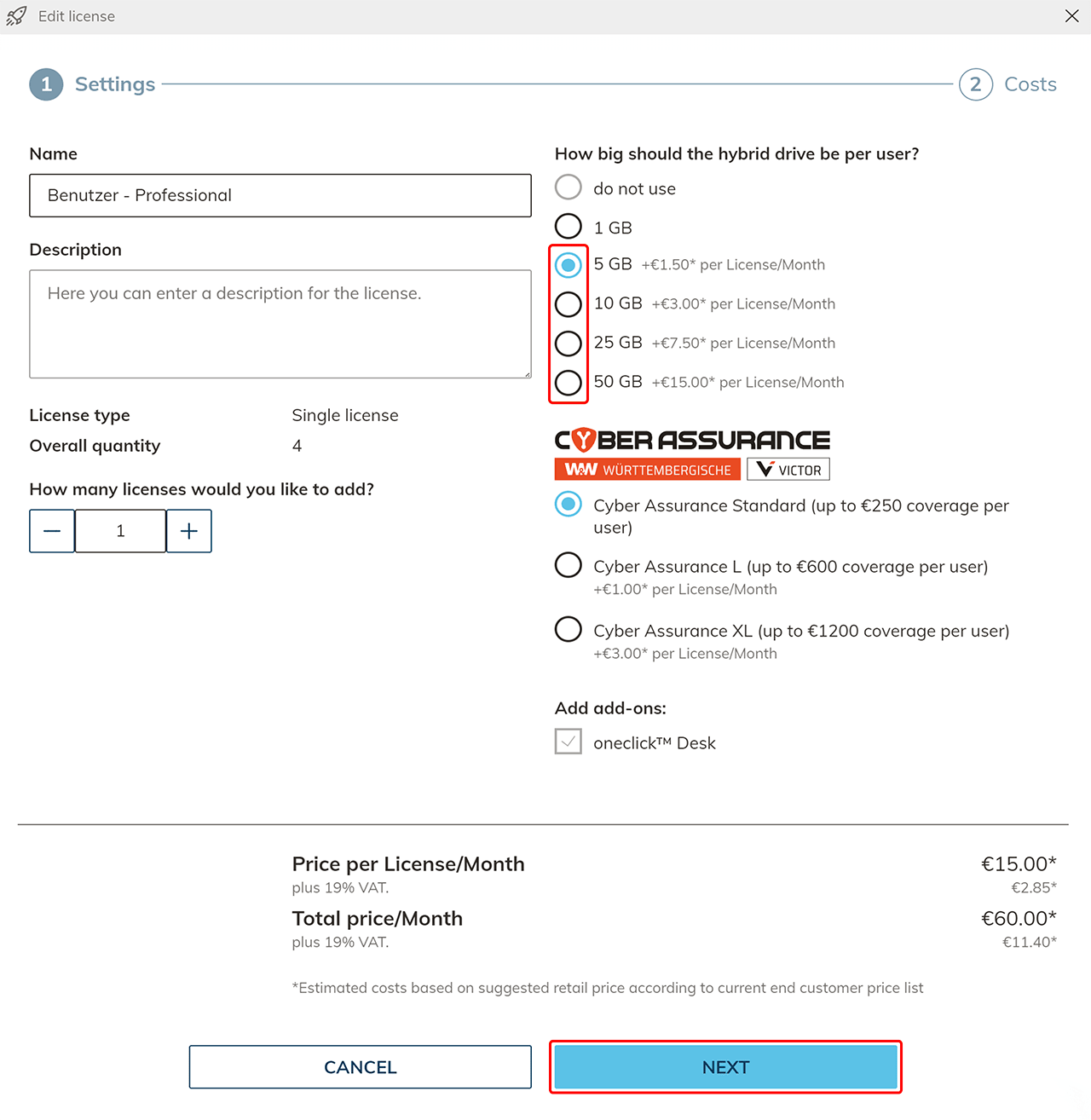
- Click on Request License to confirm the upgrade.

Increase or reduce size of hybrid drive for a single user:
If you want to change the transfer memory for a single user, you can create a new user license with the required storage and then change the user's license.