Undo termination
If you have purchased licenses, you can always purchase new licenses of the same type or cancel them collectively or individually. You undo a termination by purchasing new licenses in the terminated license package.
- Click in the Account tab on "Licenses".
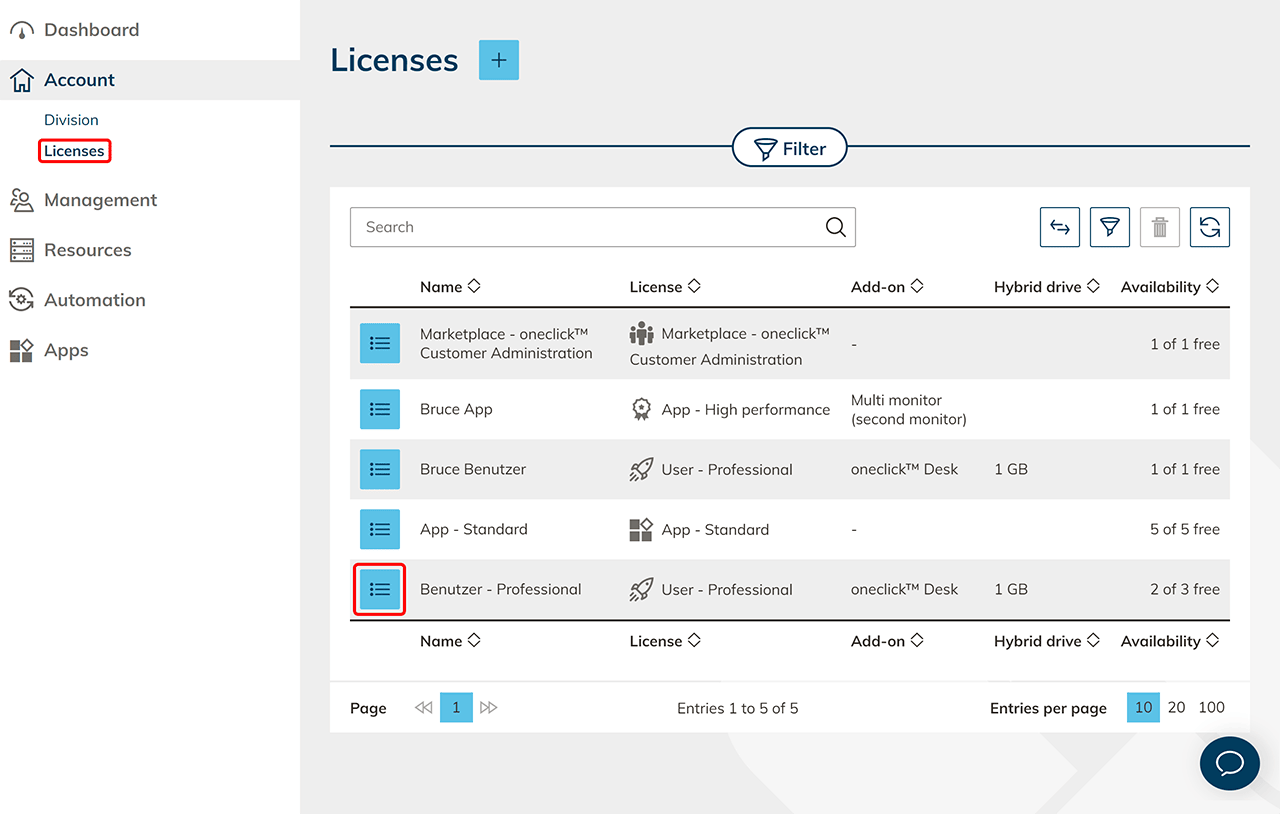
- Go to the detail page of your cancelled license, by clicking on the List icon .
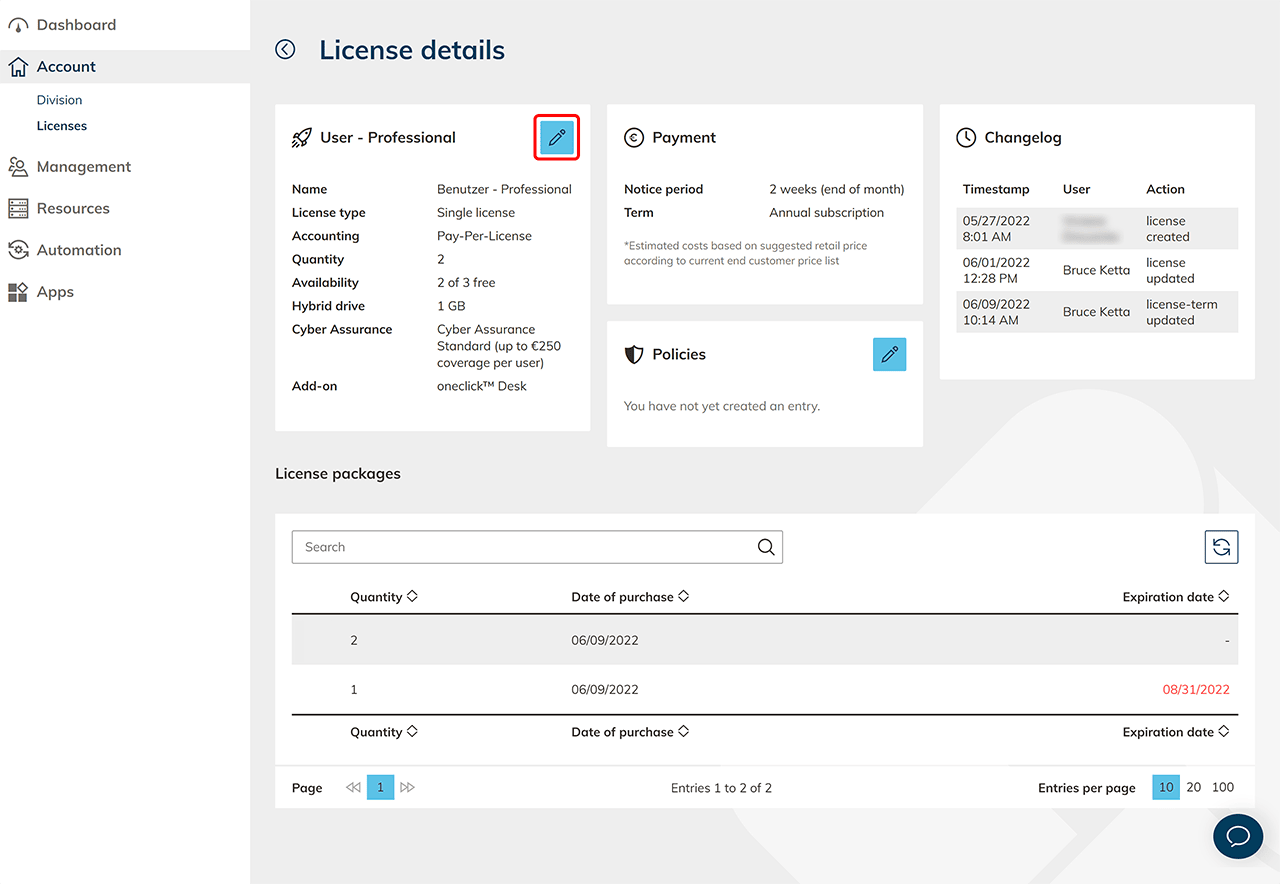
- The "License packages" section lists how many licenses are cancelled and when they will expire. Click on the Pencil icon to change the quantity of your licenses.
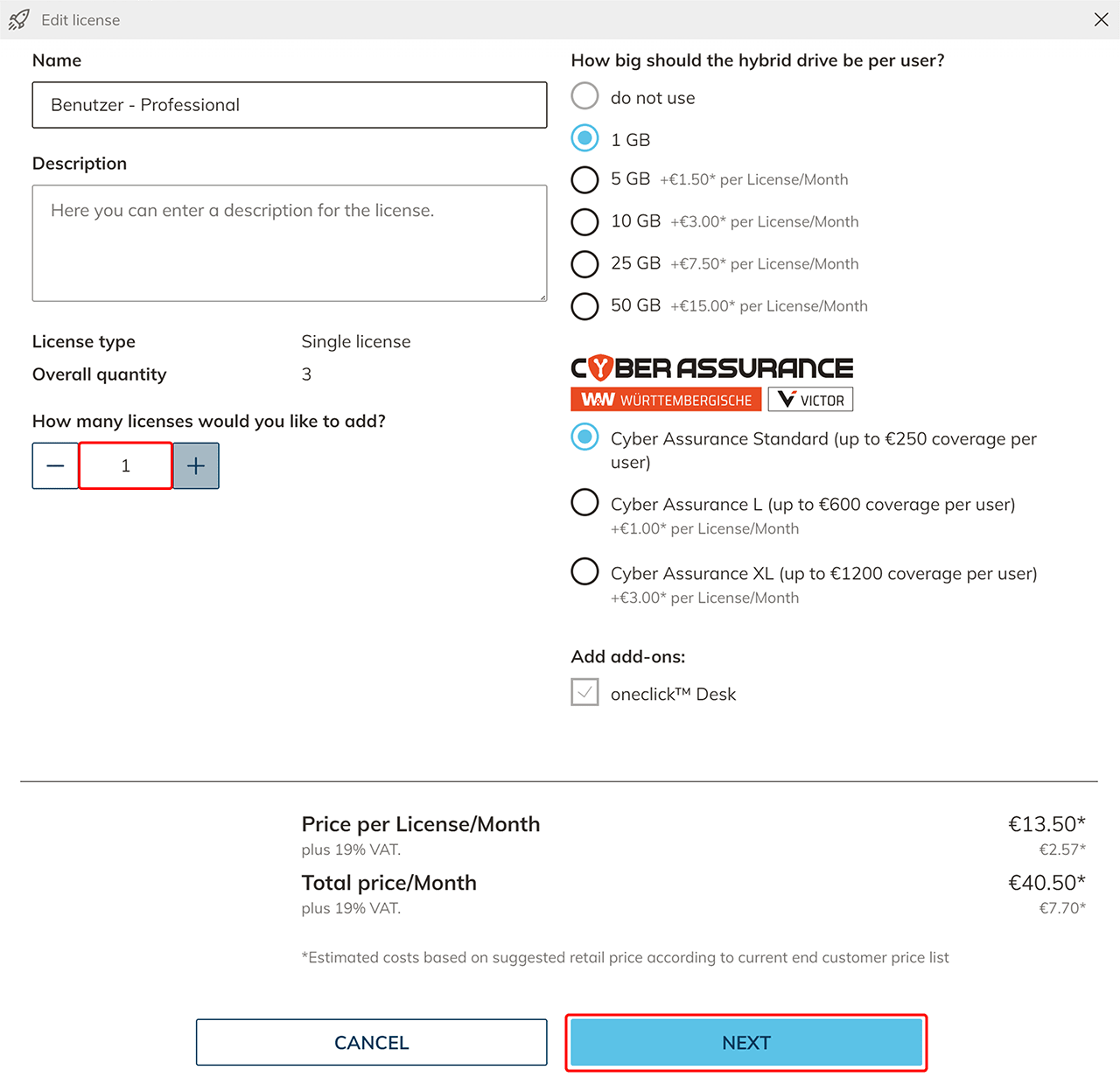
- Withdraw license termination by entering the number of licenses you want to add and click Next.
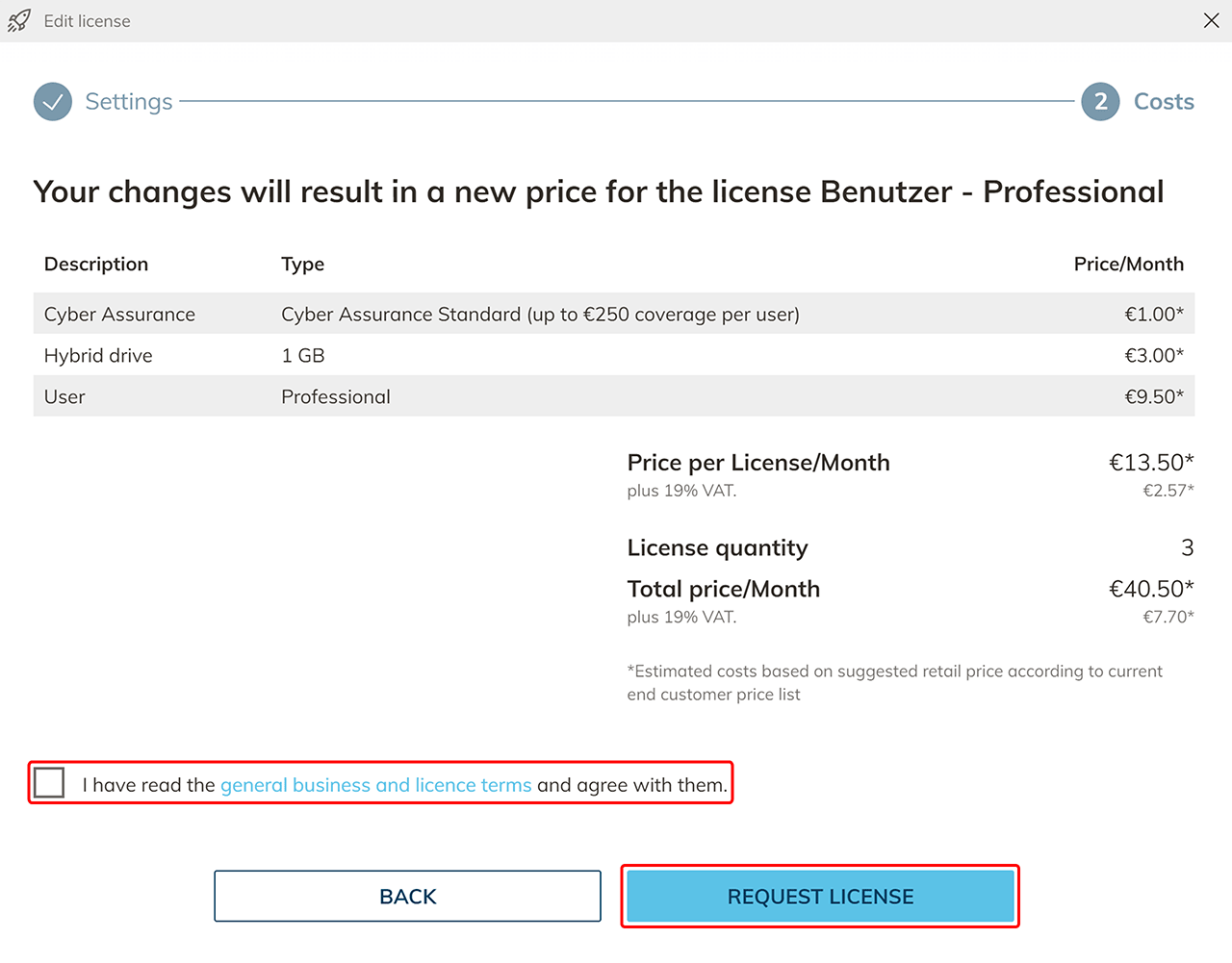
- The changed costs will be listed. Click Request License to complete the process. Your cancelled licenses will now be reduced by the amount you purchased.