Difference between disconnecting and logging out
You want to interrupt your work in oneclick™ and are unsure whether you should log out or simply disconnect?
Disconnecting the connection
If you only disconnect (e.g., by closing the browser window), your work session remains active on the server. This means your open work environment and current progress are preserved, allowing you to resume work later without interruption. However, to avoid any loss of work or data, always save your progress before taking a break. The duration for which your work session remains active depends on the settings configured by your IT department. For more details, please contact your IT department.
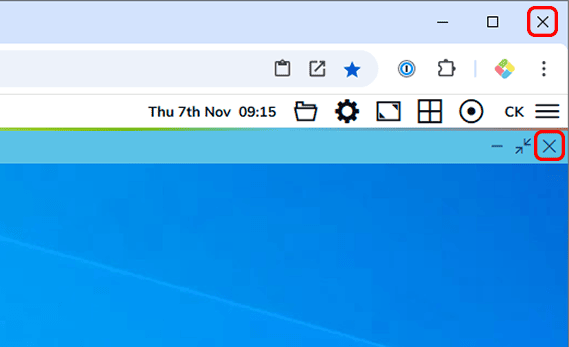
To disconnect, simply close the browser window or tab where you are working in oneclick™ by Clicking the X.
Logging out
When logging out, your session is fully terminated. All programs and windows in oneclick™ are closed, and any unsaved changes will be lost.
When should you log out? It is generally recommended to log out if you are taking an extended break from work (e.g., at the end of the workday, over the weekend, or during long lunch breaks).
Steps to log out:
- Click on Start and then on your Username.
- Select the Sign out option.
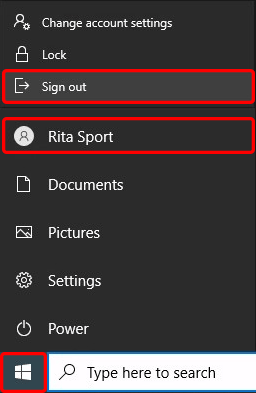
Your user session will now be terminated.
If you are unsure which approach is best for you, please consult your IT department.