Reset oneclick™ password
If you forgot your oneclick™ password, follow these steps:
-
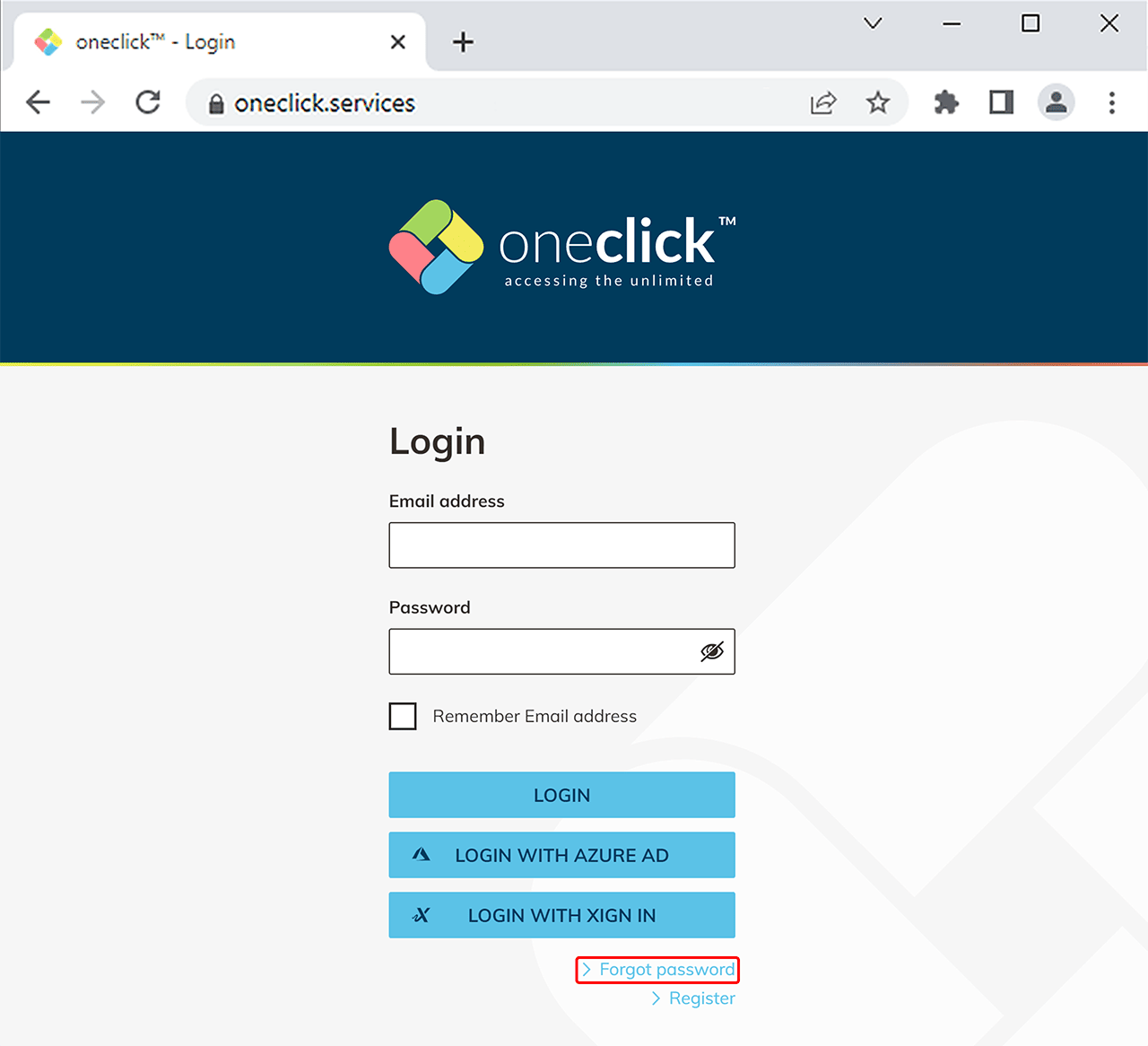
On the login page, click Forgot password / Passwort vergessen.
-
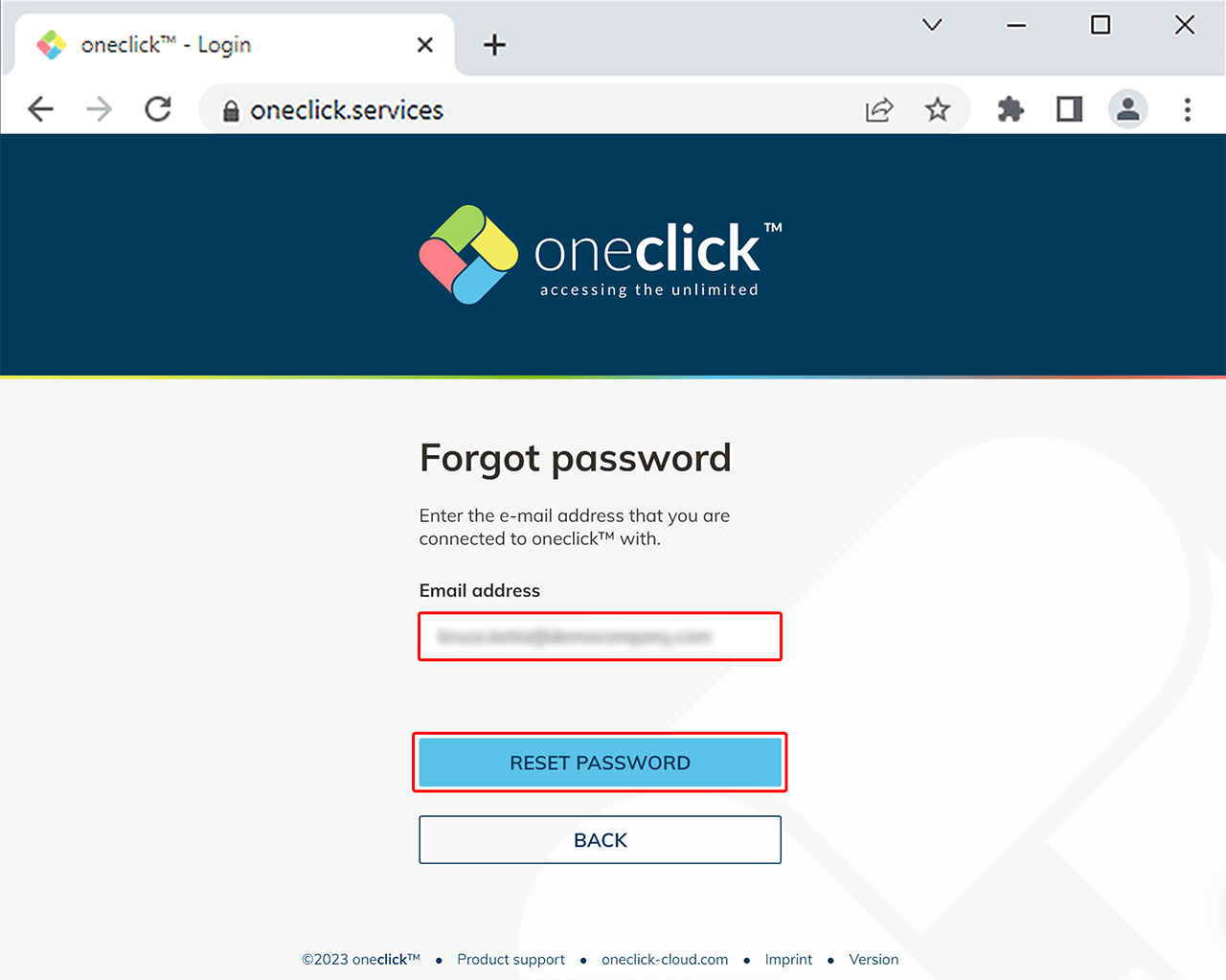
Enter your email address and click Reset password. You will shortly receive a link by mail that will lead you to the password recovery process. Follow the instructions.
Cannot sign in after resetting your password?
If you have reset your password and still cannot sign in to oneclick™, the issue may not be related to your user account but to a central administrator setting.
In this case, contact your administrator.
The administrator should verify whether the policy “Allow login with password” is enabled for your user license. Without this setting, signing in with a username and password is not possible.