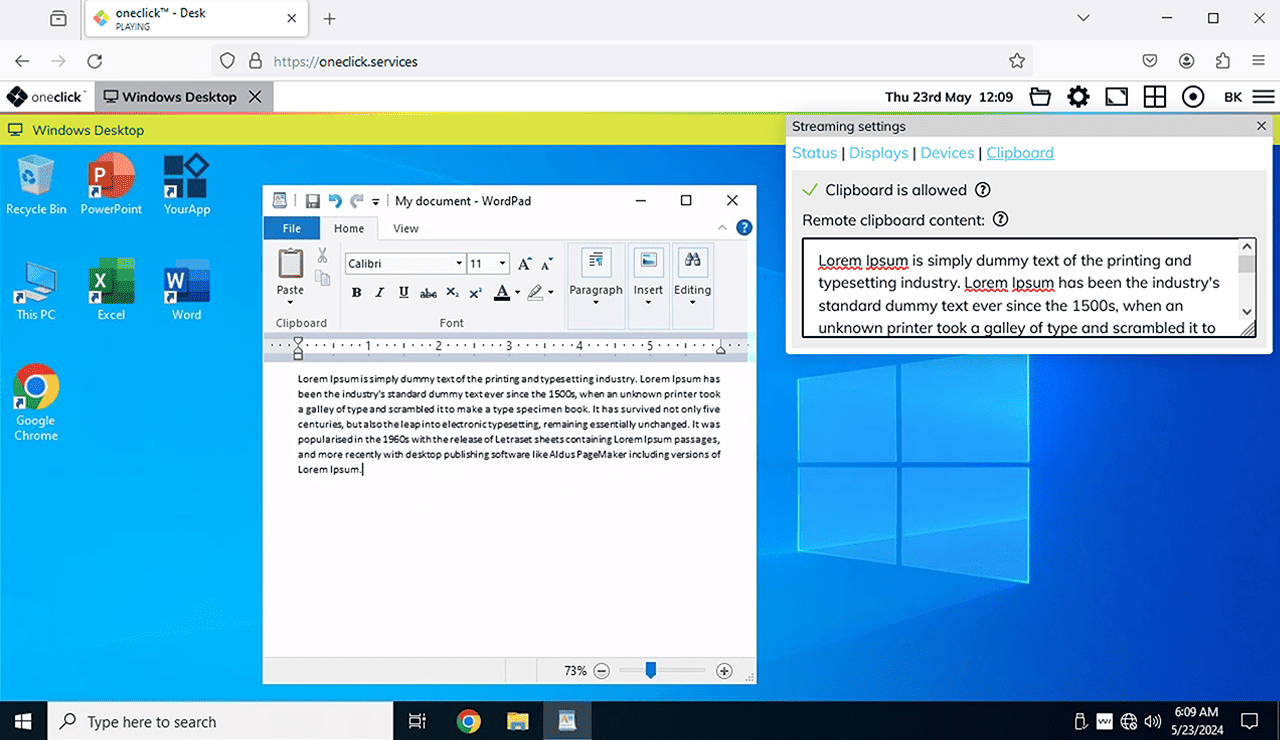
Activating the clipboard in Mozilla Firefox
Are you using Mozilla Firefox and want to access the clipboard while working in oneclick™?
Copy and paste works within the Remote Desktop without any additional setting. However, if you want to exchange data between your device and the Remote Desktop, access to the clipboard often has to be enabled first, as many keyboard shortcuts are not automatically passed through by the browser.
In addition, when pasting content from the clipboard, Firefox displays a small Paste context menu for security reasons, which requires you to confirm each operation first. If this intermediate step disrupts your work, you can disable it using the same setting.
The confirmation dialog does not appear if the content was previously copied within the same website (same origin). It mainly affects content that comes from other sources.
The following setting was originally intended for automated tests and removes all security checks for clipboard access. Once activated, any website you visit can generally read the contents of the clipboard — without prompting and without any visible indication. Therefore, only activate this setting for specific use cases in a controlled environment.
Perform the following steps in Mozilla Firefox:
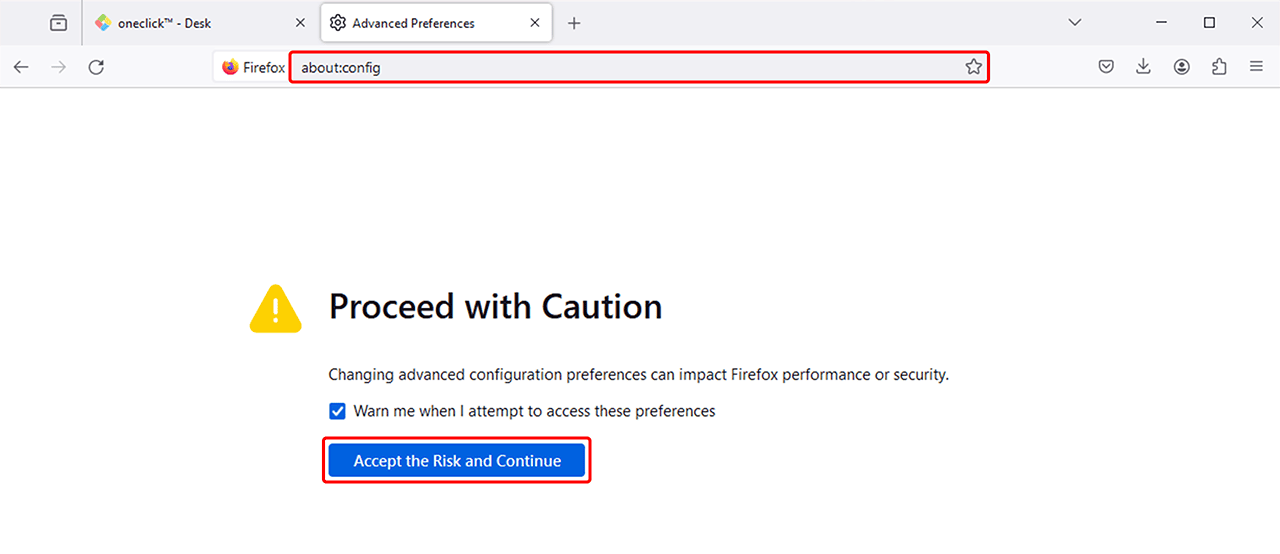
- Enter the following command in the address bar and press Enter:
about:config
- Confirm the displayed warning by clicking Accept the Risk and Continue.
- Now enter the following in the search field:
dom.events.testing.asyncClipboard
- Depending on your Firefox version, the entry is either displayed directly or has to be added first:
- Entry is displayed: Toggle the value from false to true by double-clicking or by clicking the Toggle icon.
- Entry is not displayed: Select the type Boolean (i.e. a "true/false" value) and click the Plus icon to add the entry.

- The entry then appears in the list. The middle of the field shows whether the function is currently activated (true) or deactivated (false). If it is deactivated (false), activate it by clicking the Toggle icon to the right of the entry until "true" is displayed.

- Restart your browser, then sign in to oneclick™ as usual and open your Remote Desktop. The clipboard now works without a confirmation dialog.