Change language and mobile number
You can change the language or the mobile number in the administration area of oneclick™:
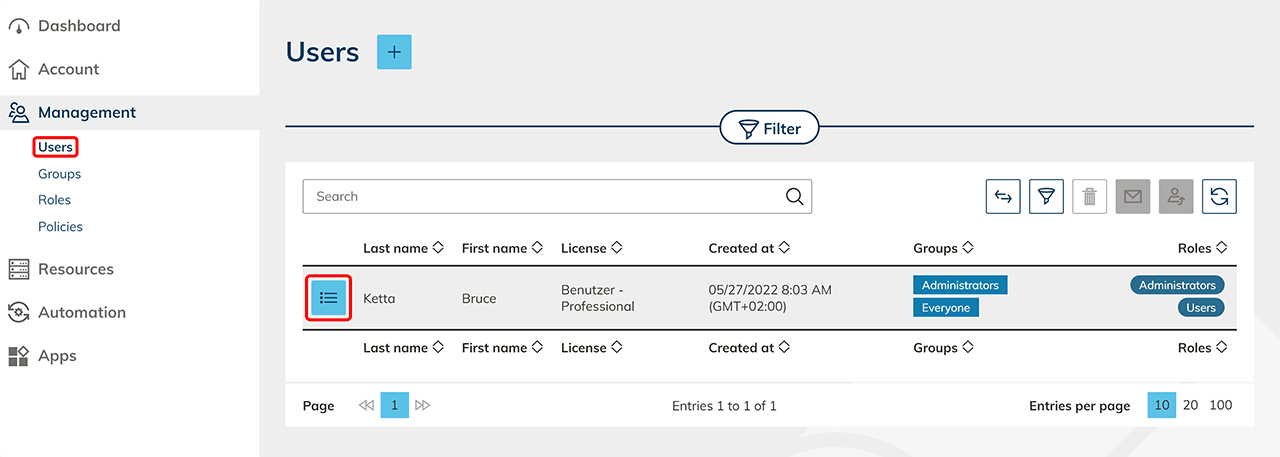
- In the "Administration" tab, click Users.
- Go to the detail page of your user by clicking on the List icon.
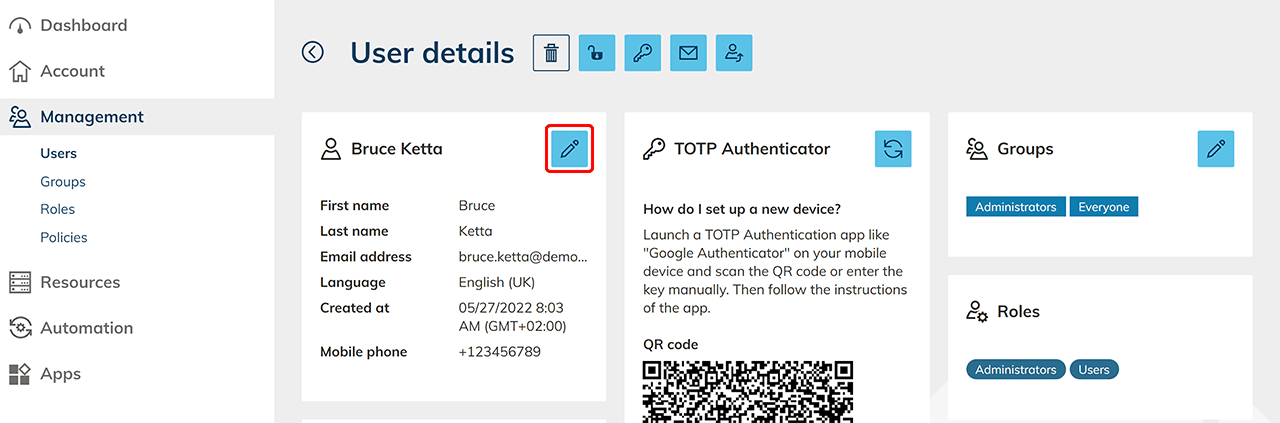
- In the “user name” tile, click on the Pencil icon.
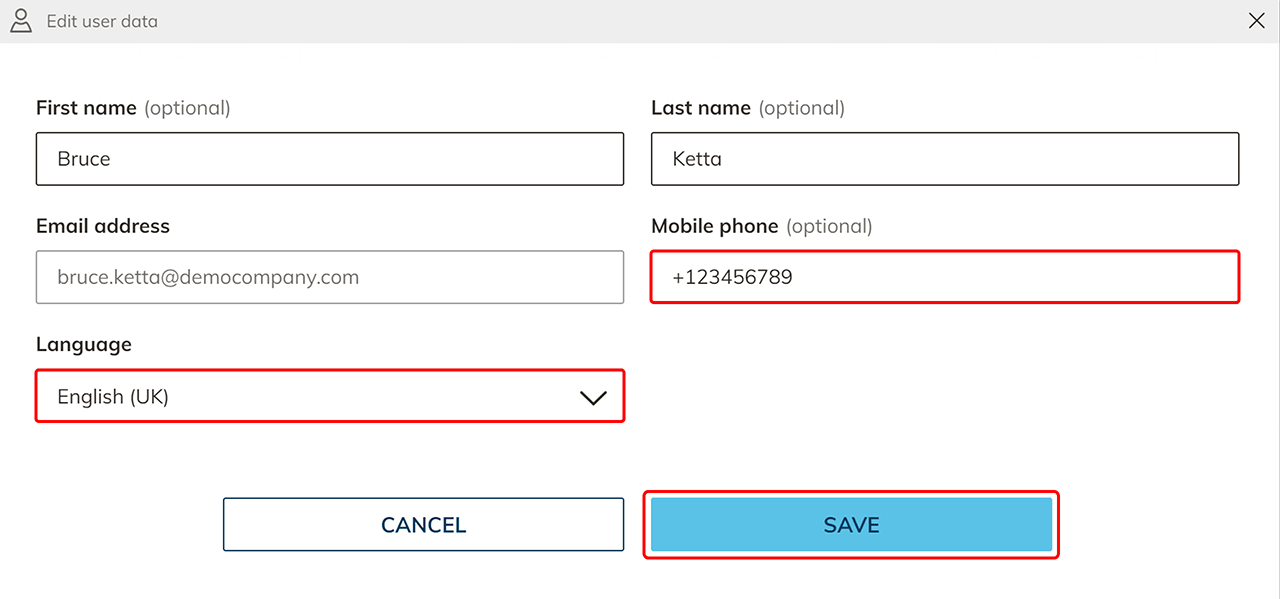
- Change the language or mobile number and click Save.