Delete user
Delete a single user
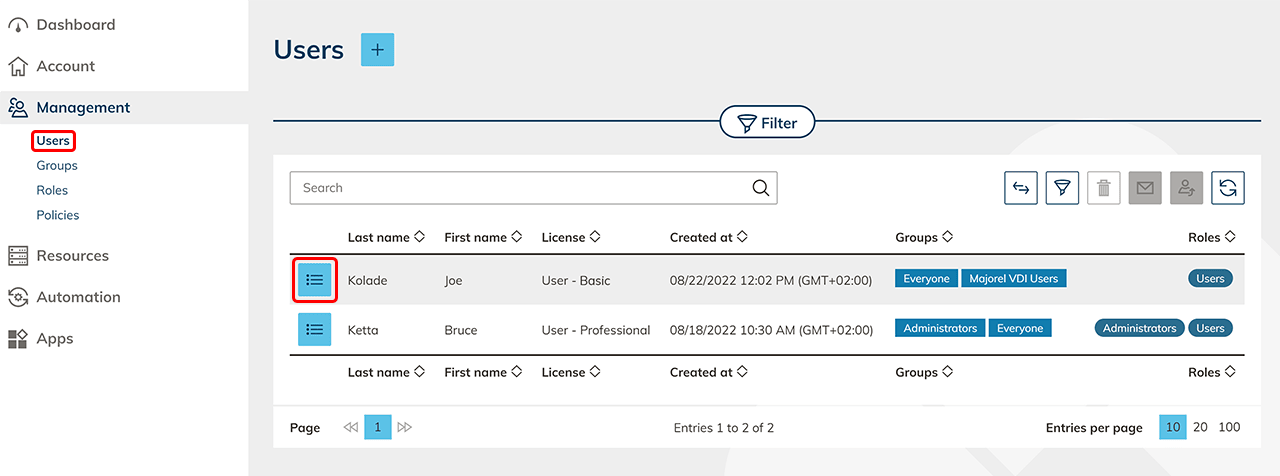
- In the Management menu, click Users.
- In the row of the user, you want to delete, click on the List icon to get to the detail view.
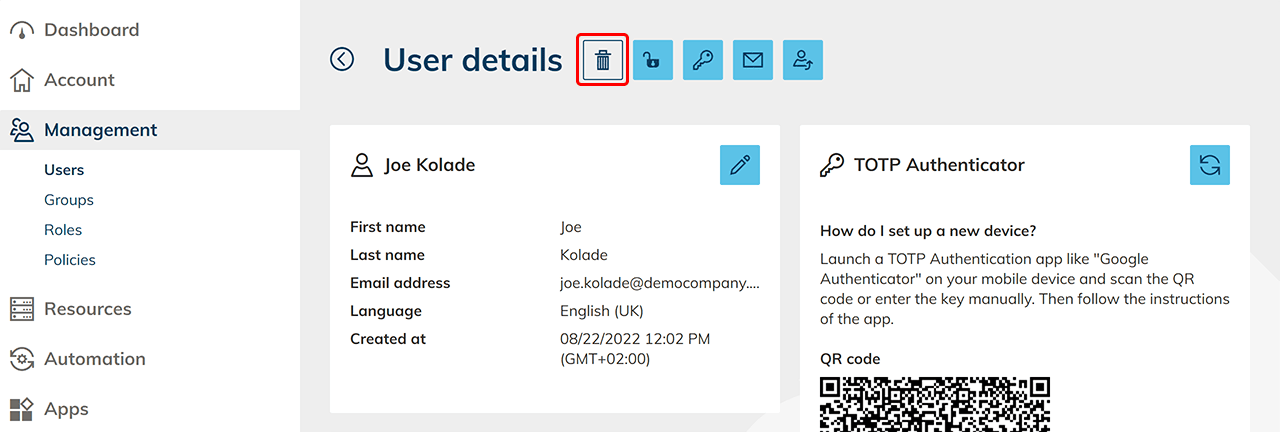
- Here you can click on the Trash can icon to permanently delete the user.
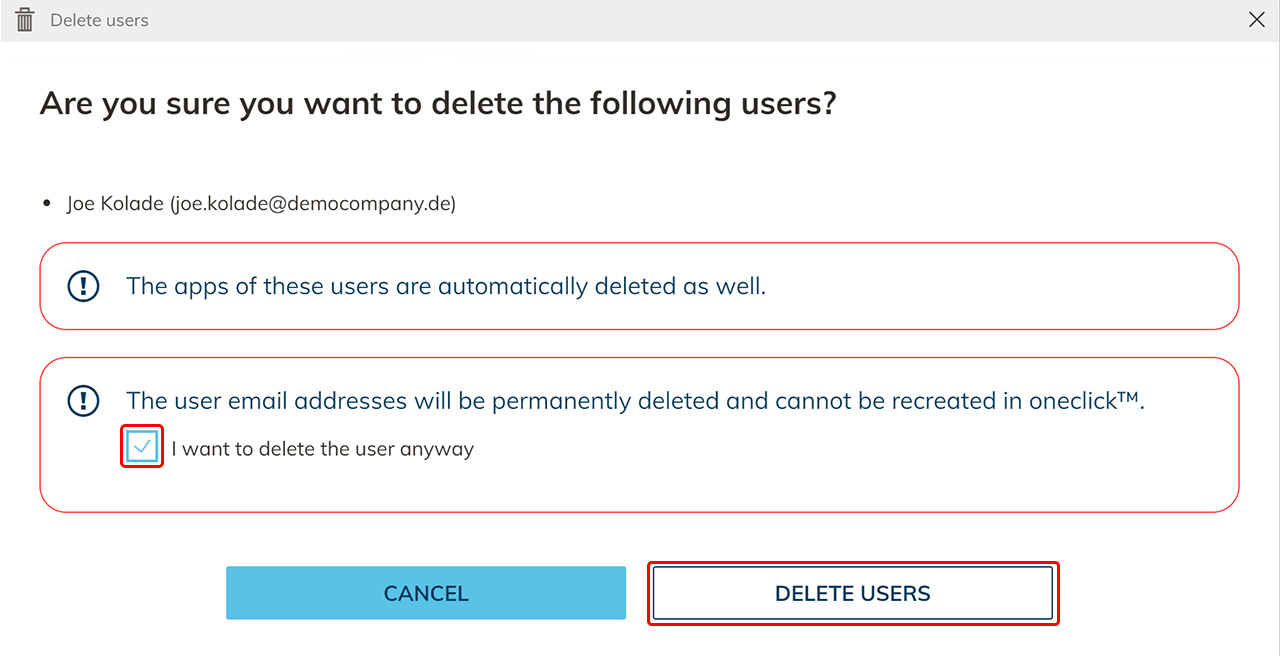
- Confirm the checkbox informing you that the user with the same email address cannot be created again via the admin interface and click Delete users.
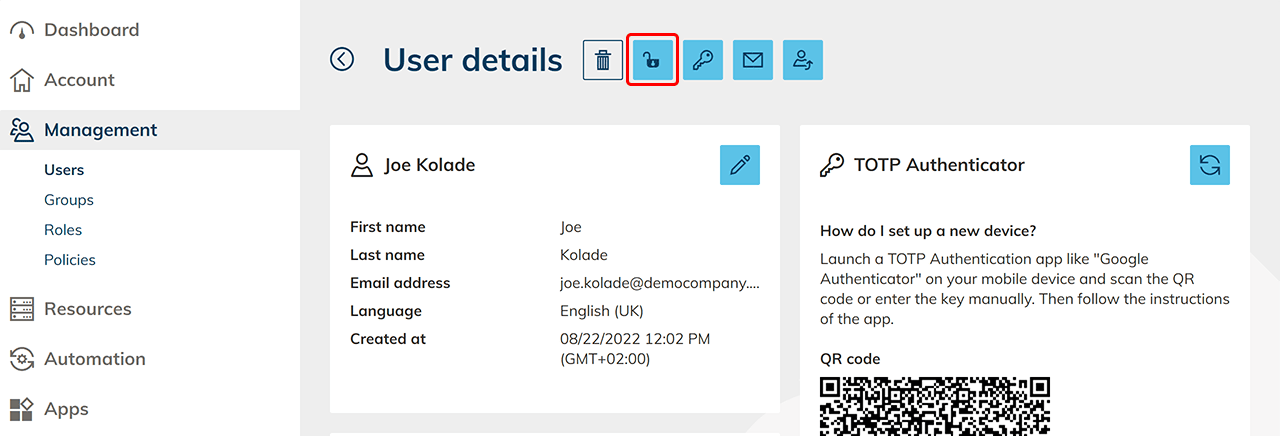
- If you only want to deactivate the user, click the Lock icon. The user will not be able to log in until you click it again.
- If you delete the user and want to create it again after a certain period of time, you must contact the oneclick™ support via support@oneclick-cloud.com.
- If you only want to deactivate the user, click the Lock icon. The user will not be able to log in until you click it again.
Delete several users at once
- In the Management menu, click Users.
- Select the users you want to delete. To select all users, select the checkbox in the table header. This also selects users on other pages of the table. If you search or filter first, the selection covers only the matching users. The line below the table shows how many users are selected, for example "Entries 1 to 10 of 1202 (1202 selected)".
- Click on the Delete icon next to the search bar. The icon counts only the users that can be deleted. Selected users that cannot be deleted are left out.
- Confirm the checkbox informing you that users with the same e-mail address cannot be created again via the admin interface and click Delete users.