Login with AD credentials
AD users log in with their AD credentials. Logging in with a oneclick™ password is only possible if the policy type "Allow login with" has the option "Password" enabled.
As soon as a user has been imported from an Active Directory into oneclick™ or synchronized, the user can log in with AD credentials.
Prerequisites:
- The policy "Allow login with" - "Private directory service" is enabled
- The policy is assigned to a user license
The login is performed with:
- the Email address imported from Active Directory
- the AD password
The password field on the login page remains the same – AD users enter their AD password there.
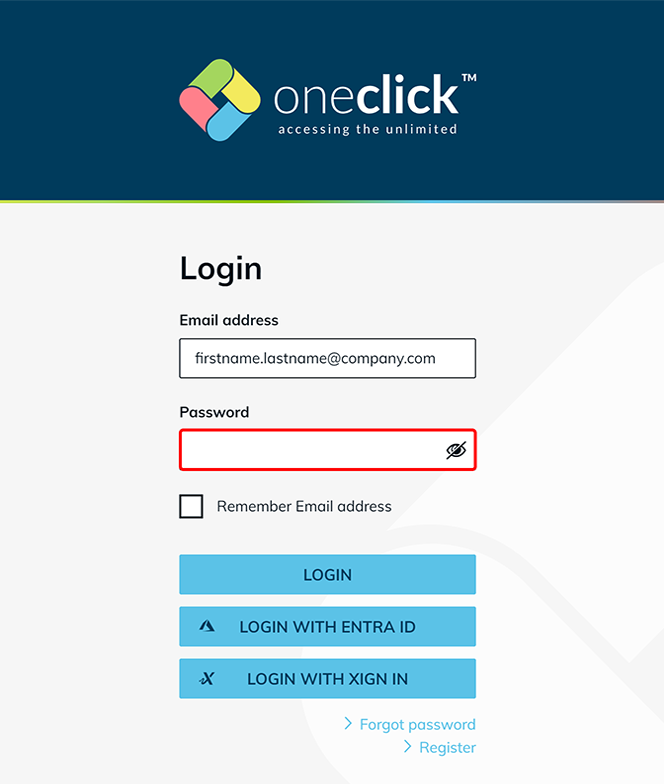
oneclick™ identifies from the user account whether a user comes from a connected Active Directory. In that case, the entered password is automatically checked against the Active Directory.
Controlling login through policies
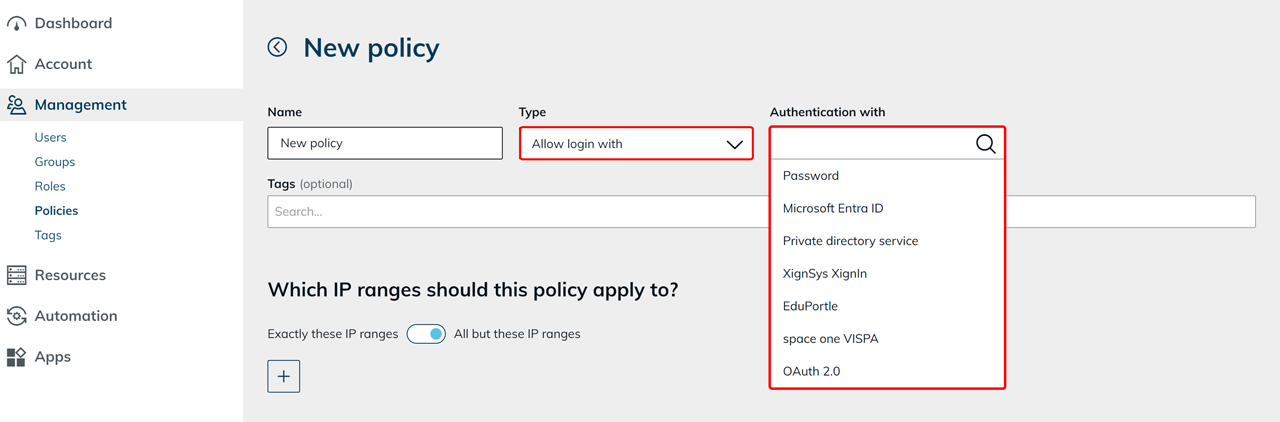
User login is controlled through the policy type "Allow login with".
Within a policy, you define which login method is allowed through the authentication setting.
Login with a oneclick™ password
Logging in with a oneclick™ password is only possible if the policy type "Allow login with" is selected and "Password" is chosen as the authentication method. When logging in with a oneclick™ password, authentication takes place directly in oneclick™.
Changing the password in oneclick™
Users can change or reset their oneclick™ password in the platform. Changing the oneclick™ password:
- has no effect on login with AD credentials
- does not affect authentication against Active Directory
Effect of the policy type "Allow login with"
The policy type "Allow login with" determines which login methods are available to users.
- Private directory service
Login with AD credentials is possible - Password
Login with a oneclick™ password is possible
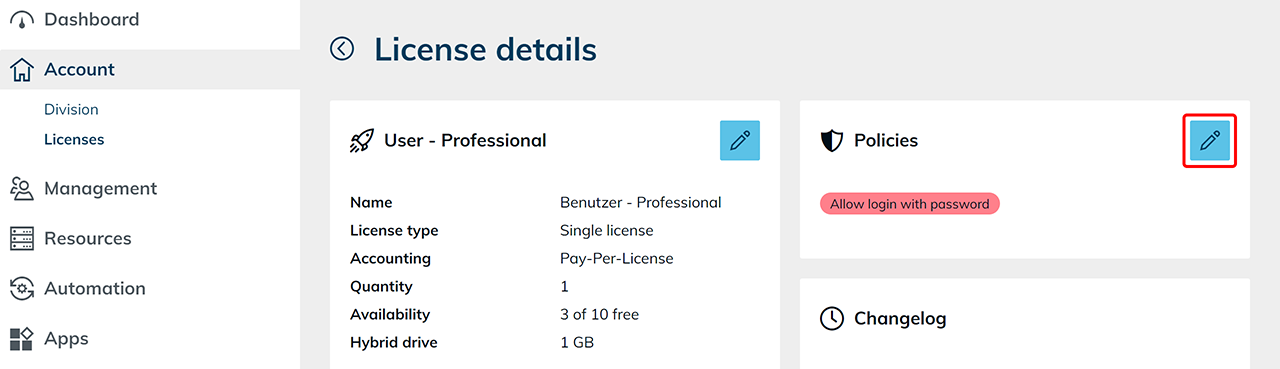
For more information about the configuration, see the article "Policies".
Best practice for user licenses
A clear separation of users by license is recommended, for example by user type (for example oneclick™ users and AD users).
oneclick™ users (for example administrators)
Recommended configuration:
- Policy "Allow login with" - "Password" enabled
- optional two-factor authentication
These users log in with a oneclick™ user account.
AD users (synchronized users)
Recommended configuration:
- Policy "Allow login with" - "Private directory service" enabled
- Policy "Allow login with" - "Password" disabled
- optional two-factor authentication
Login takes place exclusively with AD credentials.
Disable login with "Password" for AD users.
This prevents users from additionally using a oneclick™ password and creating alternative login methods.
If users cannot log in
If users cannot log in despite entering correct AD credentials, check:
- whether "Private directory service" is selected as the authentication method within the policy type "Allow login with"
- whether the policy is assigned to the user license
- whether the Active Directory has been synchronized