2607.01.013
Version / Release: 2607.01.013
Release date: 17 July 2026
Improvements
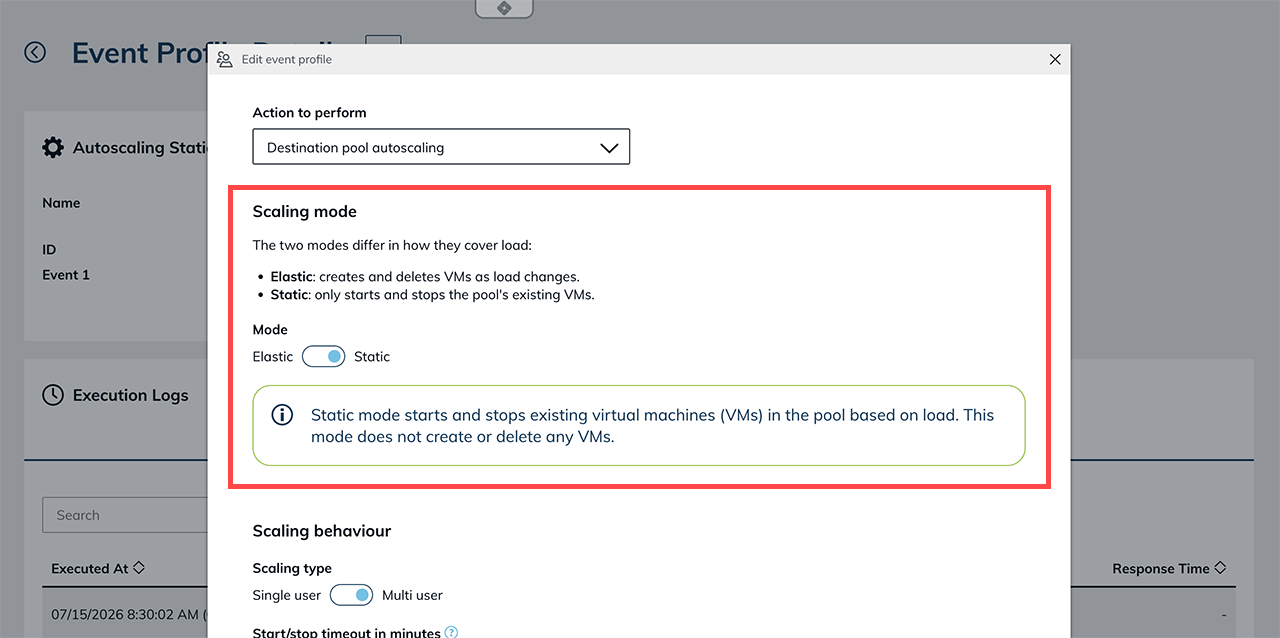
New "static" autoscaling mode for destination pools
Destination pools now have a second autoscaling mode. The existing elastic mode creates and deletes virtual machines (VMs) depending on load. The new static mode instead only starts and stops the destinations already in the pool and never creates or deletes VMs. This is handy for starting and stopping RDS hosts by load, or for keeping a fixed number of VDIs powered on and free so users can start right away. You set how many systems should run at a minimum and maximum, and oneclick™ handles the rest automatically based on the current load.
Pools start on the first connection and scale down to zero when idle
Destination pools with load balancing and autoscaling now run fully on demand. If no VM is running and a user wants to connect, oneclick™ automatically starts one. When the last user logs out at the end of the day, the last VM is shut down automatically after a set time, so a pool can scale all the way down to zero. This means no VMs sit idle unnecessarily, and your customers only pay for the time the systems are actually in use.
More insight and control for autoscaling
Several changes make autoscaling easier to configure and monitor, and safer to set up:
- Autoscaling history: the destination pool details now include an autoscaling log. For each scaling action it shows when it happened, what was scaled, why, and whether it succeeded — including the exact error if it failed. Entries are kept for four weeks.
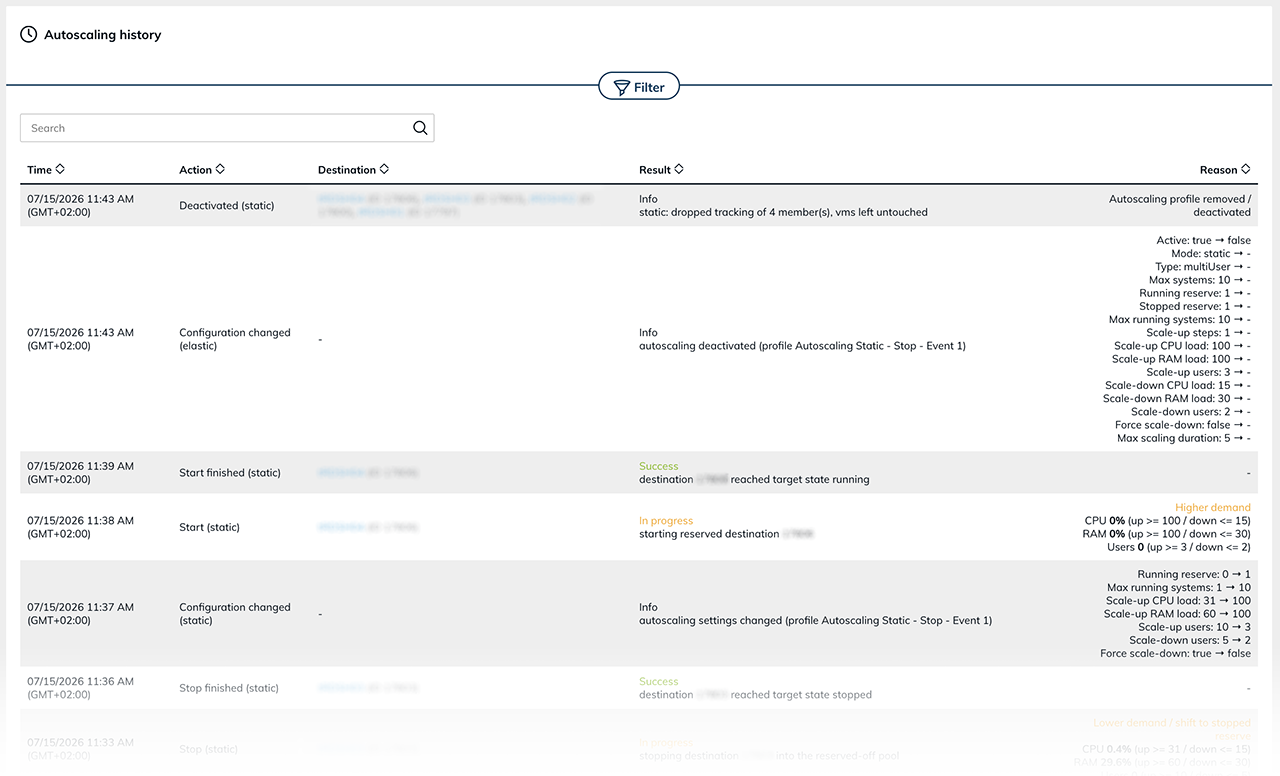
- Cooldown to prevent flapping: a new cooldown setting makes autoscaling wait after a load-based action before it scales in the opposite direction, so a VM sitting near a threshold no longer starts and stops repeatedly.
- Idle shutdown: in static mode, a running VM that has had no active users for longer than a configurable idle time is shut down (down to the minimum), even when other heavily loaded VMs keep the pool average above the threshold. Freshly started, just-woken, and maintenance VMs are exempt.
- Clearer guidance when switching mode: when you switch the autoscaling mode, a note explains the effects of both options. Elastic mode creates and deletes VMs based on load (which can incur cloud provider costs), while static mode never creates or deletes VMs. Autoscaling only ever deletes VMs it created itself; manually added VMs are never touched. Selecting an elastic profile for a pool requires an explicit confirmation, and a grace period prevents short-lived errors from triggering immediate deletions.
- Maintenance mode is respected: VMs in maintenance mode are never started, stopped, or deleted by autoscaling.
- Inline threshold hints: when a load criterion (CPU, RAM, or users) is configured so that it no longer affects scaling, an inline hint now points this out.
- Clearer info texts: the tooltips for the start/stop timeout, the execution interval, and the force-scale-down warning have been reworded for clarity.
Event profile logs now record skipped events
Event profile execution logs now also record events that were skipped. Each entry includes a timestamp and, where available, the reason — for example "Condition not met" or "Skipped by user". Previously, skipped events were not listed in the log.
See where a policy or event profile is used before deleting it
The delete confirmation dialog for policies and event profiles now lists where the item is currently in use and notes that it will no longer take effect there after deletion — so you can gauge the impact before you confirm.
Policy details show affected users and app instances
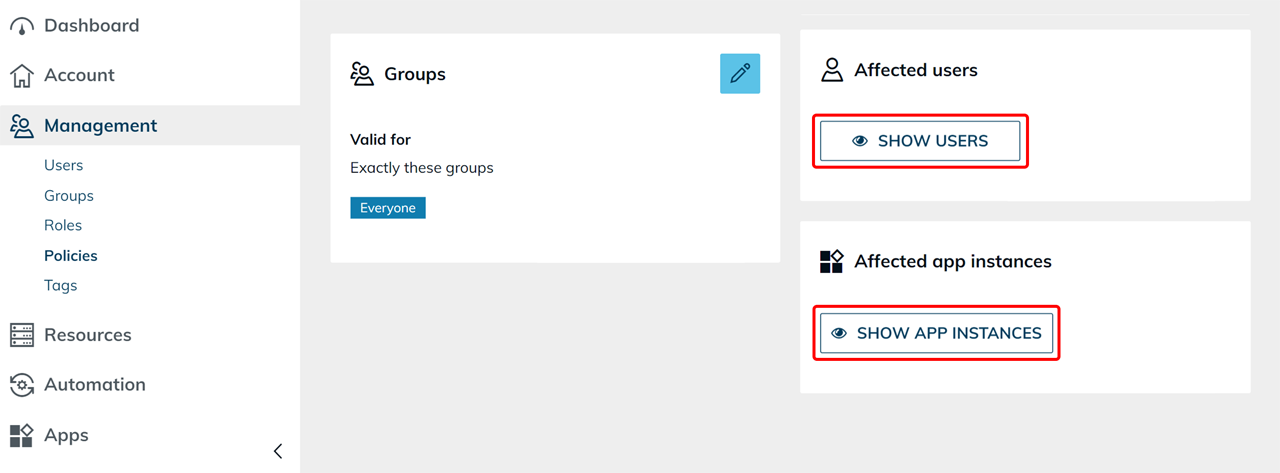
The policy details view can now show which users and which app instances a policy actually affects, derived from its rules. The boxes reveal the affected sets when you click, so you can review a policy's reach without piecing it together manually.
Redesigned destination pool details
The destination pool details view has been reworked so that active functions are clearer. Once you enter credentials or choose a default destination, a dedicated tile appears for each — with edit and delete actions — instead of the setting sitting at the top. Removing the tile deactivates the function again.
CPU and RAM on computing resource destinations
The detail view of a computing resource destination now shows the instance's CPU and RAM directly. The "utilization" value that was shown before has been removed from the list.
Jump from a destination to its connection
The destination details now link to the details of the underlying connection and network, where the unique key is shown. This makes it easier to identify the right connection — for example when several connections share the same name.
Quick links from licenses and app configurations to their users
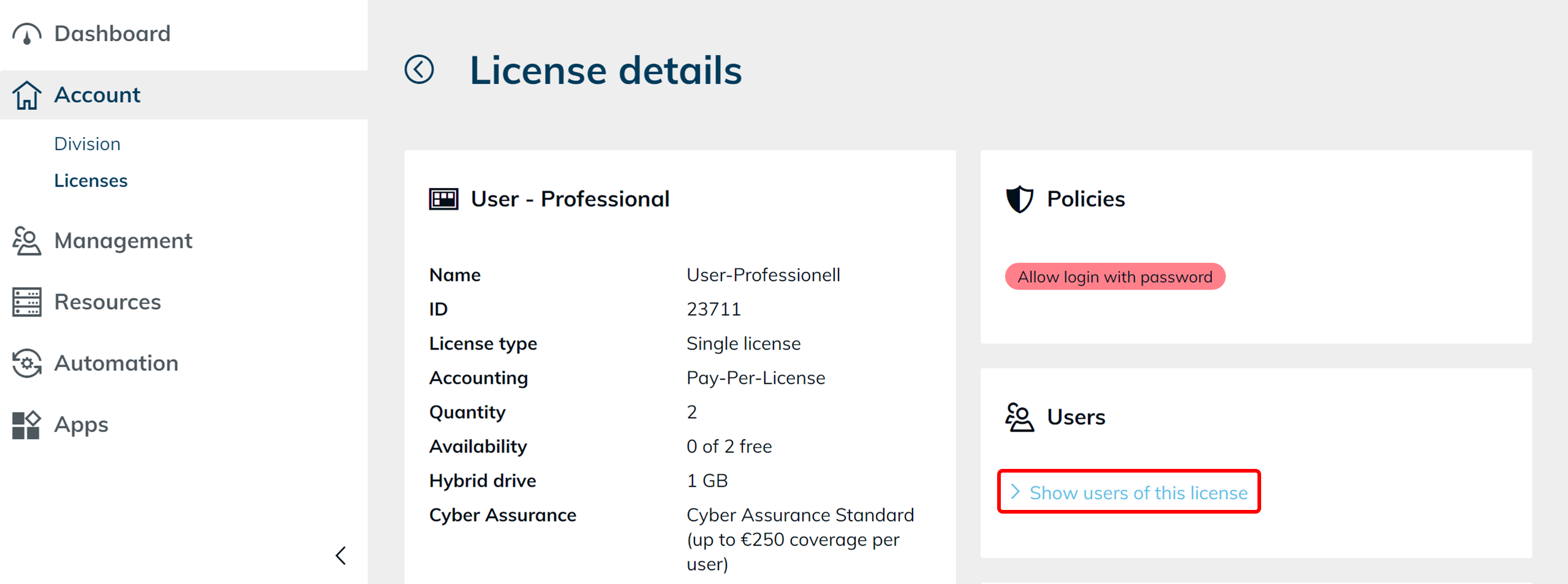
The license detail view now has a tile that links to the user list pre-filtered by that license, and the app configuration detail view links to the app list pre-filtered by that app configuration. You can see what is assigned without setting the filter manually.
Clearer selected state for text-based filters
Selected filters shown as text now appear bold and underlined. This affects, for example, the "License" filter under Users, so you can tell at a glance which filters are active. Chip-based filters (Groups, Roles) already had a clear selected state.
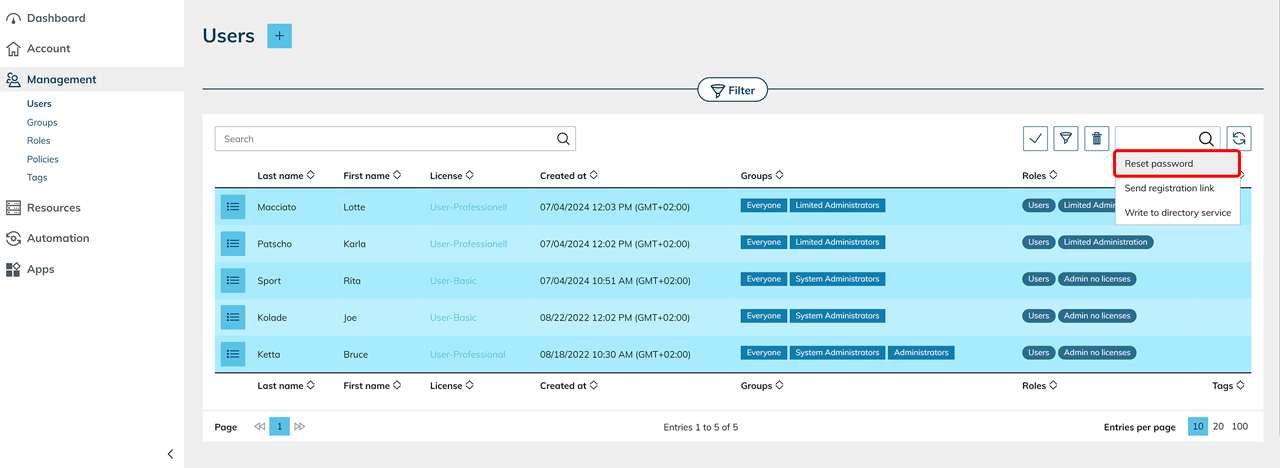
Reset passwords for several users at once
Resetting a user's password is now also available from the multi-select above the user table. For a single user, the familiar dialog opens unchanged. When you select several users, oneclick™ sends each of them a sign-in link instead — so you can trigger a password reset for many users in one step, without handling individual passwords.
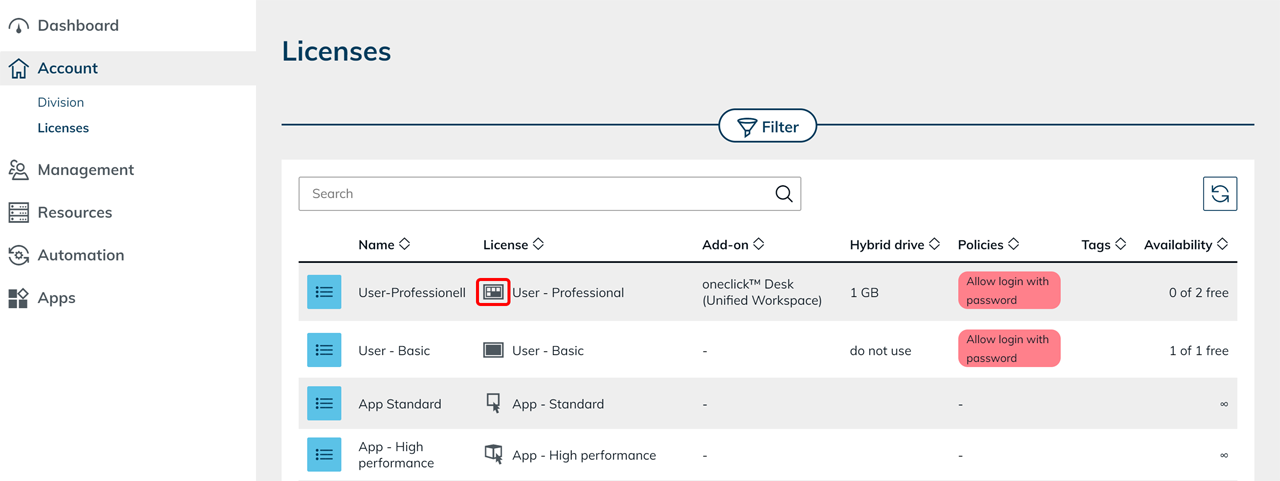
Refreshed license icons
The Basic User, Professional User, App Standard, and App High Performance licenses now use dedicated icons that match their license type.
Naming hint when creating multiple VMs
When you enter a quantity greater than one in VM Create, a suffix hint now shows how the names will be numbered, so it is clear how the created VMs will be named.
Mesh client download button disabled until ready
The "Download Mesh client" button now stays disabled until the required data has been entered.
Clearer hint text for process input fields
The hint under process configuration now makes clear that the listed fields are required only when the process is executed, not during creation.
More reliable Active Directory and LDAP synchronization
AD and LDAP user synchronization now matches existing users by their stable directory identifier (the Azure Graph ID, or objectGUID / entryUUID for LDAP) instead of by email address. Users whose email changes in the directory — for example after a name change — are no longer imported as duplicates, so their group memberships and assignments are preserved. If a changed email already belongs to another local user, the import skips that user and notifies the admin instead of merging automatically. Synchronization of large directories (1,000+ groups) is also much faster, and the synchronization dialog no longer flickers while loading.
Improvements across cloud provider integrations
- Open Telekom Cloud: the new ECS flavor families (s9, x1m, p5e) are now bookable. Image creation now also works for source VMs that have only a private NIC, and no longer leaves behind empty network security groups.
- Exoscale: stopping a VM that is in a transitional state (for example starting or stopping) now waits for a stable state instead of failing with a raw provider error. Unused network security groups are now cleaned up.
- IONOS: provider errors now surface the actual cause instead of a misleading "Cannot read properties of undefined" message.
Bug Fixes
- AD user import no longer crashes for already-existing users: User import from Active Directory no longer aborts with an "Undefined array key" error when an imported user already exists, so the remaining users in the batch are imported reliably.
- Multi-select delete works for policies, roles, and activities: The "Delete" button in the confirmation dialog is now enabled when deleting policies, roles, or activities from the table's multi-select, matching the behaviour of other tables.
- App tiles update after a destination is deleted: When an admin deletes a destination that is still used by an app instance, the affected tiles now update automatically and the destination selection is cleared, so the app can be pointed at a valid destination instead of failing to start.
- Orphaned event profiles can be deleted again: Event profiles whose linked process was removed can now be edited and deleted from the UI instead of returning a technical error.
- Cloud Subscription connection form validates instead of erroring: Submitting an empty "Cloud Subscription" connection form now shows inline field validation instead of a 500 server error.
- "New destination" Public Internet form validation clears correctly: After you fill in the public hostname or public IP, the other field no longer stays marked as invalid.
- Removing a port from a public destination now takes effect: Removing port 3389 from a public destination now correctly affects access and is reflected in the app configuration.
- Disconnect icon back in the destination filter: The disconnect icon is shown again in the destination table's filter.
- Corrected documentation and terms links: The StackIT provider documentation link, the license terms links (after the terms were split into separate Business Terms and Licence Terms), and the German "Load Balance Info" help link now point to valid pages.
- Password managers target the right fields: Autofill from password managers such as Bitwarden or 1Password now appears on credential fields (for example admin username and password) and no longer on unrelated fields such as search or numeric inputs.
- Clear sign-in denial when a license cannot be applied: When a user's license cannot be resolved — for example when it belongs to a different division than the one being signed in to — the sign-in is now cleanly refused instead of failing with a server error.