2606.02.016
Version / Release: 2606.02.016
Release date: 17 June 2026
Improvements
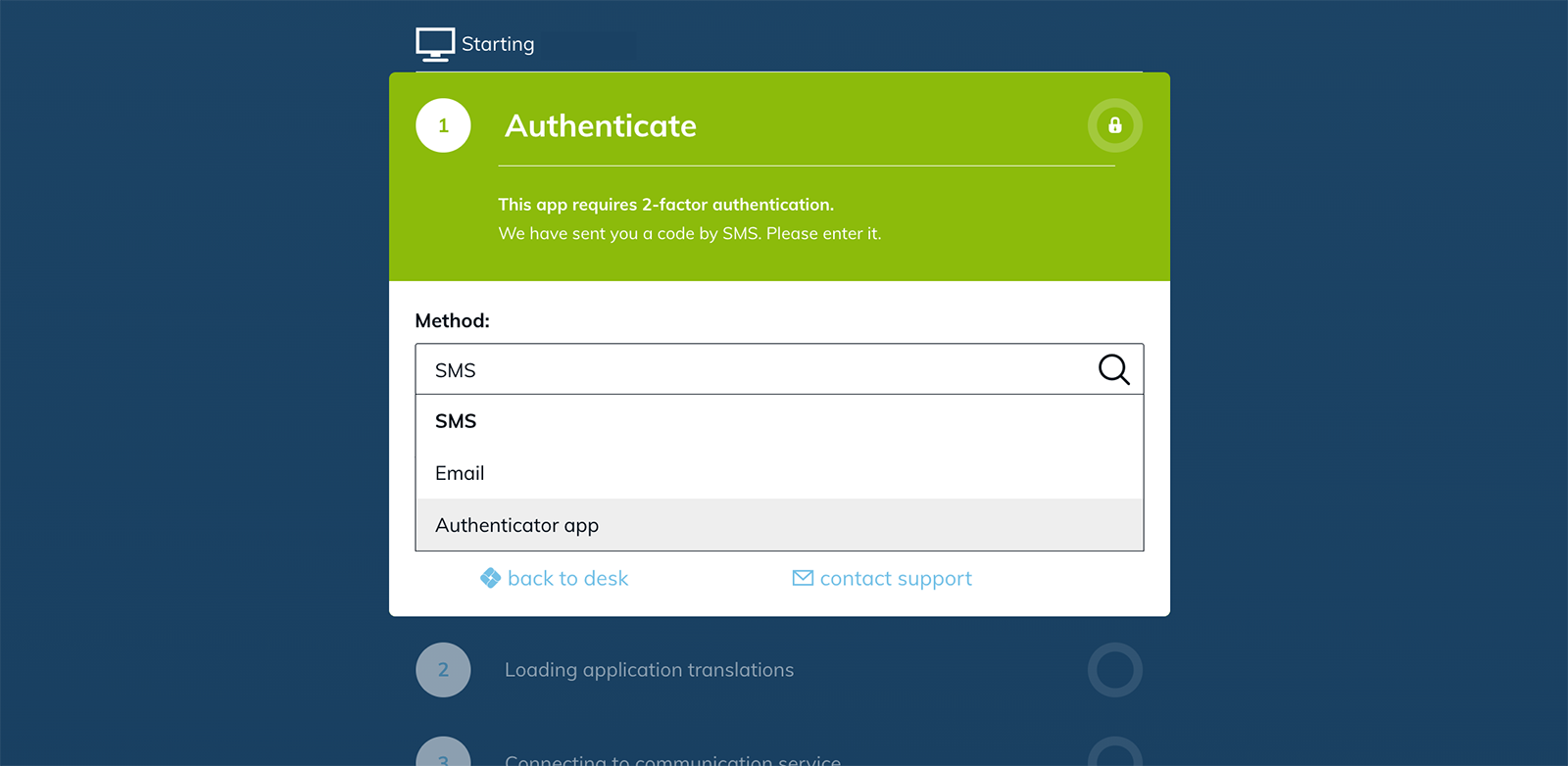
Revamped two-factor authentication flow
The 2FA experience has been overhauled to handle everyday situations more gracefully. Users now have three attempts to enter the correct code before they are signed out, and when several 2FA factors are configured (for example through both a license and an app configuration policy), solving any one of them is enough to continue.
- A method chooser inside the 2FA dialog lets users switch between authenticator app, SMS, and email
- Quickly switching between methods no longer triggers duplicate codes
- 2FA policies attached only to an app configuration now reliably trigger when starting the app
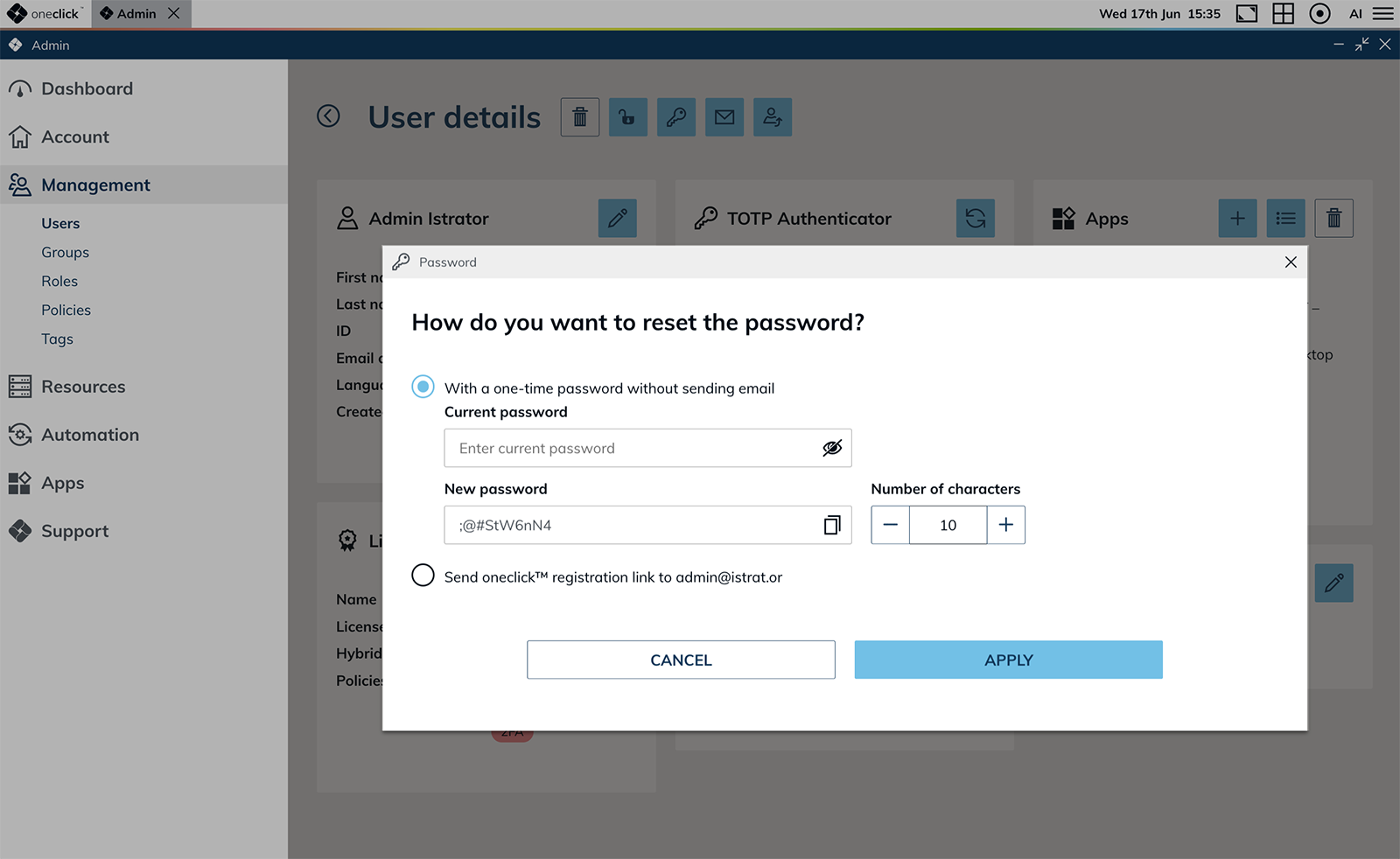
Reset your own password from the admin area
Admins can now reset the password of the account they are currently signed in with, directly from the Users area. The dialog offers two options: setting a one-time password after entering the current password, or sending a oneclick™ sign-in link to the account's email address.
Searchable event profile execution logs and longer retention
Event profile execution logs can now be searched by the names of affected objects instead of only their IDs. Entries link directly to the related detail view, and removed objects are clearly marked. The retention period for execution logs has been extended to one year, so monthly reports can look back over a full calendar year.
Pause and resume autoscaling
A paused autoscaling state is now shown directly on the destination pool details and can be resumed with a single click. If autoscaling hits repeated permanent errors, it now pauses automatically and waits for a manual confirmation instead of looping.
Bulk deletion of groups and processes
Groups and processes can now be deleted in bulk from their respective tables. Associated permissions are removed at the same time.
License management refinements
The license area has been refined to make day-to-day handling easier and safer:
- Ended licenses can be deleted directly from their row in the table
- Delete warnings are clearer and include a distinct hint when the underlying contract has been cancelled
- Active licenses are protected from accidental deletion, and the dialog now states the actual blocking reason (active subscription period) instead of incorrectly pointing to assigned users
Private Active Directory and Entra ID connections handle deleted oneclick™ groups
When a oneclick™ group referenced by a Private Active Directory or Entra ID connection's group mapping has been removed, the connection no longer fails to save or sync. Affected mappings are flagged in the group mapping table with a clear "oneclick™ group deleted" indicator, and the remaining valid mappings continue to sync as before. Error messages from saving a connection are now also shown directly in the admin area, together with a trace ID that makes it easier to follow up with support.
Base DN is now a required field in the Directory Service wizard
In the Private Directory Service connection wizard, the "Base DN" field is treated as required. The "Next" button stays disabled until a value is entered, preventing the previous generic error message after submitting.
Support for escape characters in Active Directory Distinguished Names
Active Directory user import now correctly handles LDAP-standard escape characters such as \, in Distinguished Names. Users whose DN contains commas or other special characters in the name component can now be imported without error.
Improvements across cloud provider integrations
Stability and accuracy improvements across the supported cloud providers:
- AWS: more reliable sysprep via EC2Launch v2, tolerance for individual region outages, correct vCPU reporting, and clearer provider error messages
- Google Cloud: pricing is now derived from the official Cloud Billing Catalog API
- Open Telekom Cloud: SSD is the new default volume type instead of SATA
- STACKIT: improved security group handling during NIC updates — destination pools no longer trigger repeated reloads of destinations, destination ports, and network security groups in the admin area
- Exoscale: templates created from a VM in oneclick™ are now correctly recognized as own images instead of being incorrectly marked as "Deleted" after the connection is synced
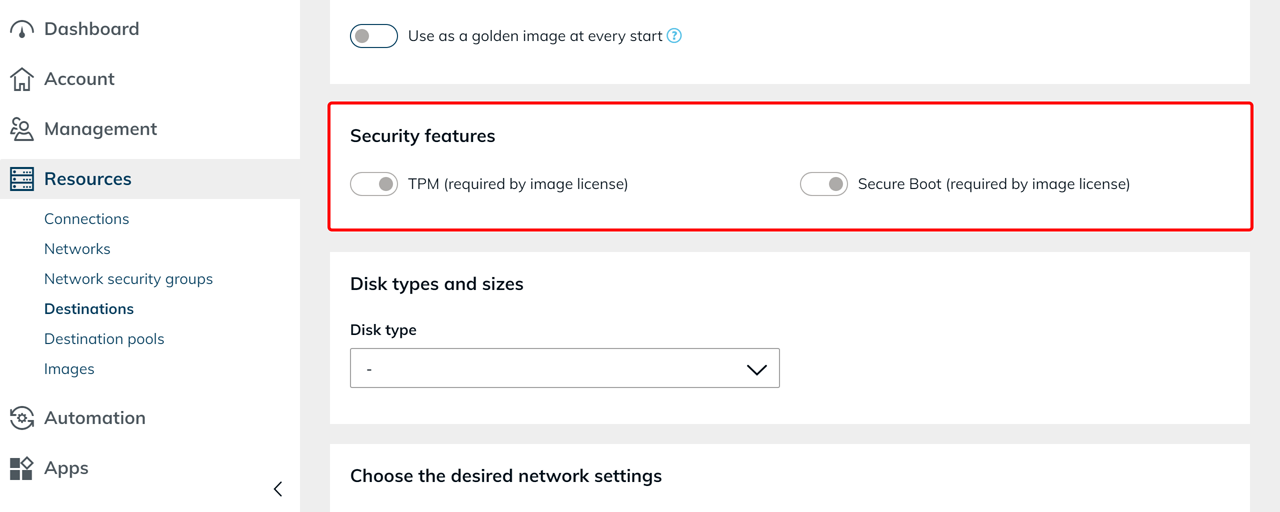
TPM and Secure Boot switches in VM Create
The VM Create dialog now offers TPM and Secure Boot switches, so admins can explicitly set the hardware requirements Windows 11 expects. For Windows 11 images, both switches are enabled and locked. For other images such as Windows Server, the switches can be set as needed on instance types that support them.
IPsec VPN connections
Two improvements for IPsec VPN setup and review:
- The pre-shared key field is now masked like other password fields, so the value is no longer visible during screen sharing or in person
- IPsec connection details are presented with descriptive labels instead of raw values, making it easier to verify a configuration at a glance
Signed oneclick™ Gateway RDP files
RDP connection files generated for the oneclick™ Gateway are now cryptographically signed via Azure Key Vault. The "Unknown publisher" warning Windows showed before opening an RDP session no longer appears — particularly relevant for enterprise environments that require trusted, verified connection files.
Faster admin area
Several admin lists now load noticeably faster: destinations, app configurations, app instances, and destination pools. Opening cloud-managed apps from the desk also responds noticeably more quickly. Background query optimisations reduce the number of database calls per page significantly.
Source destination visible on images
The images table and image details view now include a "Source destination" column. It links directly to the destination the image was created from. If the destination has been removed, the column shows its ID instead; for images without a recorded source, a dash is shown.
Duplicate networks and destinations are now prevented
Networks and destinations can no longer be created twice with identical settings. Trying to add an entry that already exists — for example, a public IP that has already been registered — is now blocked, keeping the configuration unambiguous.
Focus a single dashboard graph with Ctrl + click
Working with dashboard charts is faster when only one or two graphs matter. A Ctrl + click on a legend entry now hides all other graphs and activates only the clicked one — additional entries can then be added back as needed. Previously, each entry had to be deselected individually.
Dashboard charts no longer jump to tables on a click
Clicking on a point inside a dashboard chart no longer takes admins straight to the underlying table — useful when the click was only intended to inspect a value. The link to the related table is now shown explicitly below the chart, styled the same way as on the "Overview" tab.
Hybrid Drive fully rebuilt
Hybrid Drive — the drive mounted inside Web Access Drive (WAD) sessions — has been fully rebuilt. Users get a noticeably faster file browser with refreshed sharing, an activity feed, and richer collaboration features. oneclick™ branding and dark mode are applied throughout, single sign-on is integrated seamlessly, and personal security settings — such as a guided first-time password setup — are now available directly inside the drive. Signing out of the platform also ends the drive session.
Reliable active sessions on destination pool details
The "Active user sessions" table on destination pool details now reflects real session state more reliably. User sessions stay correctly assigned to their host across long periods — including weekends and platform restarts — and sessions on hosts that are no longer reachable are cleaned up consistently.
Maintenance mode now applies to destinations with active load balancing
The maintenance flow now covers destinations with active load balancing as well. The platform walks through all destinations in the pool and applies the maintenance rules consistently — including the cross-division maintenance support and maintenance exception groups already in use for single-destination apps.
Load balancing activation refreshes related views in real time
Activating load balancing on a destination pool now triggers a live refresh of the related app configuration dropdown and the user's desk tile. A manual page reload is no longer needed to see the new state.
Bug Fixes
- Search in event profile execution logs now filters correctly: The search field in the execution logs of an event profile now filters entries by the "Destination" column and other table content as expected.
- Event profile execution log shows the current event type: After changing the event type of a profile, new execution log entries now display the updated event type in the "Event" column. Existing entries keep their original label.
- Deleting destinations in a pool now works reliably: Destinations within a pool can now be removed reliably. Stale entries that could remain after cloning a VM are no longer left behind.
- No more duplicate app instances on multi-group assignment: When a user belongs to several groups that map to the same app, only a single app instance is created instead of one per group.
- Date and time sort respects regional settings: Sorting by date or time in protocol tables now produces correct results regardless of the user's language and region settings.
- Desk sidebar closes after opening Product support: The sidebar on the oneclick™ desk now closes as expected after a user opens Product support from it.
- "Change icon" link clearly visible in the tile editor: The "Change icon" link in the desk tile editor is now legible in both light and dark mode after the surrounding panel's background contrast was adjusted.
- Dashboard license charts resolve names across divisions: The "User – max. concurrent logins", "App – max. concurrent use", and "App usage" charts on the dashboard now resolve license names correctly when an admin views the dashboard of another division. Previously, affected labels were missing from the chart without notice.