Check execution logs
Execution logs document the execution of events within an event profile. Based on the recorded results, you can review executions and analyze errors.
Open execution logs
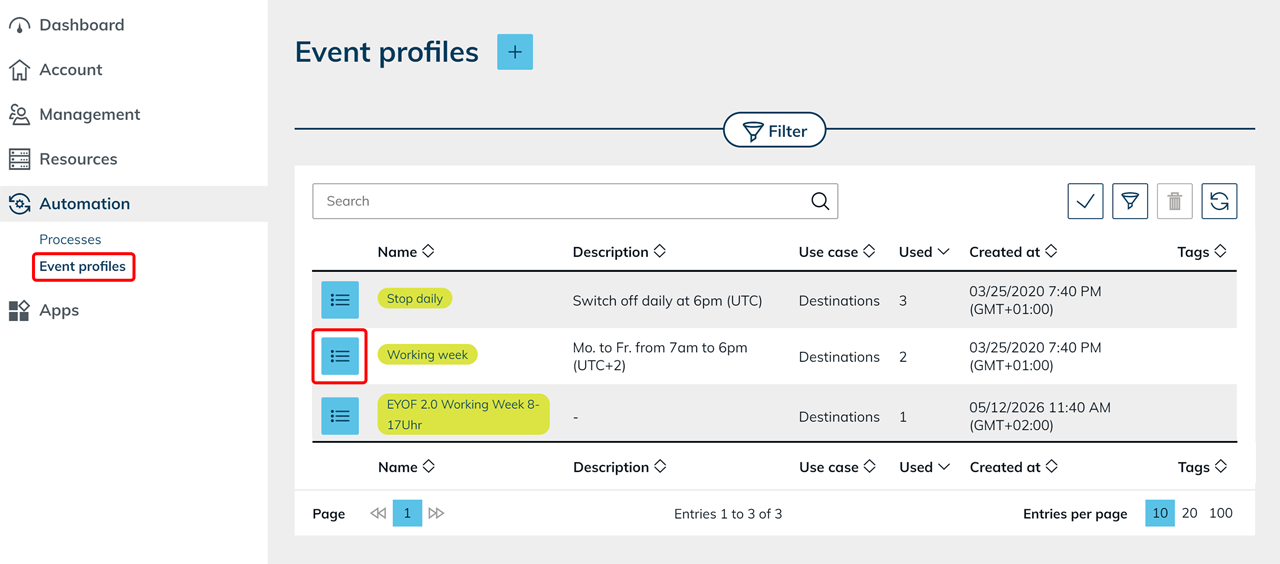
- Open Automation from the menu.
- Click Event profiles.
- Click the List icon on your desired event profile to access the detail page.
- In the lower section, you will find Execution Logs.
There you can see all recorded executions of the event profile.
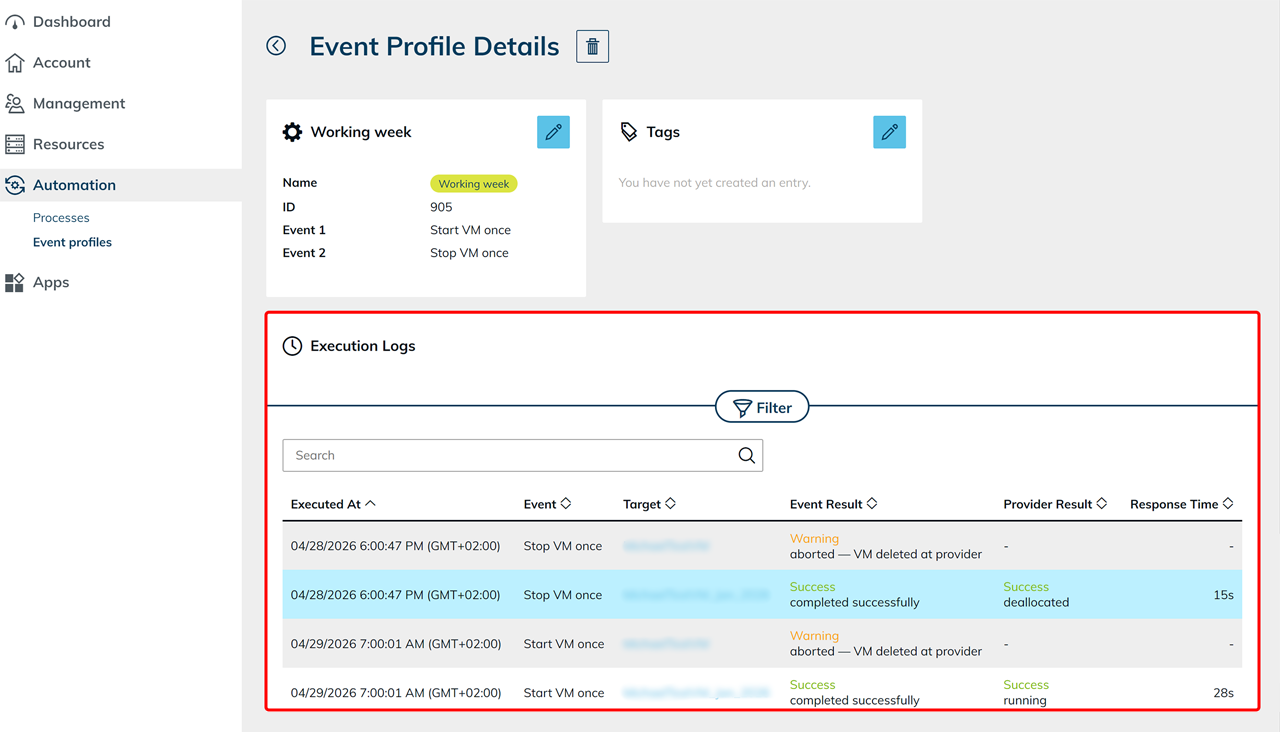
The table contains the following information:
- Executed At: Time of execution, including the time zone
- Event: Executed action
- Target: Affected destination or destination pool
- Event Result: Indicates whether an event was executed successfully or whether warnings or errors occurred during processing. Additional details may be displayed, such as timeouts or technical errors during execution.
- Provider Result: Response from the cloud provider, if a response was received.
The entries refer to the state of the virtual machine at the time the event was executed.
Examples:- running: The virtual machine was running or was started successfully.
- deallocated: The virtual machine was stopped at the provider and the associated resources were released.
If the Provider result column is empty, no response from the cloud provider was recorded. Additional information can be found in the Event result column.
The displayed values do not represent the current live status of the virtual machine.
- Response Time: Duration of the execution
Apply filters
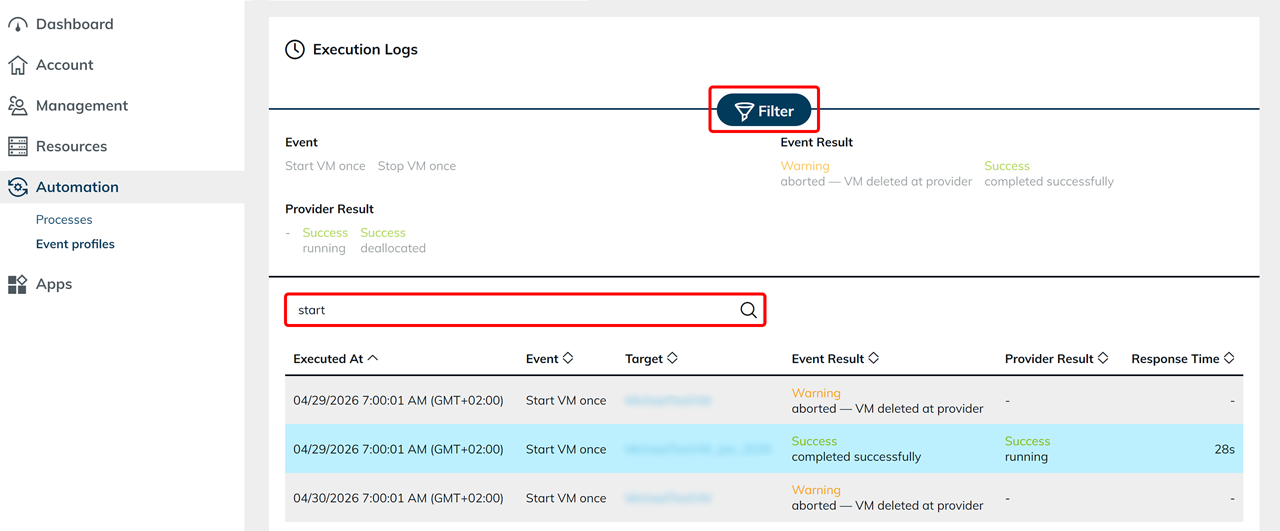
Click Filter to narrow down the displayed entries. You can filter by the following information:
- Event
- Event Result
- Provider Result
Select one or more filter values to display only matching entries.
Search entries
Use the search field above the table to further narrow down the displayed entries. For example, you can quickly find executions from a specific period.
Analyze execution results
If unexpected behavior occurs, first review the Event result column. If an error is displayed, the entry often contains additional information about the cause. Then review the Provider result column to determine whether the execution was successfully processed by the cloud provider.
New event profiles do not contain any execution logs initially. Once the event profile has been executed for the first time, the corresponding entries will be displayed automatically.