2501.05.008
Version / Release: 2501.05.008
Release date: 17th February 2025
Improvements to oneclick™ streaming
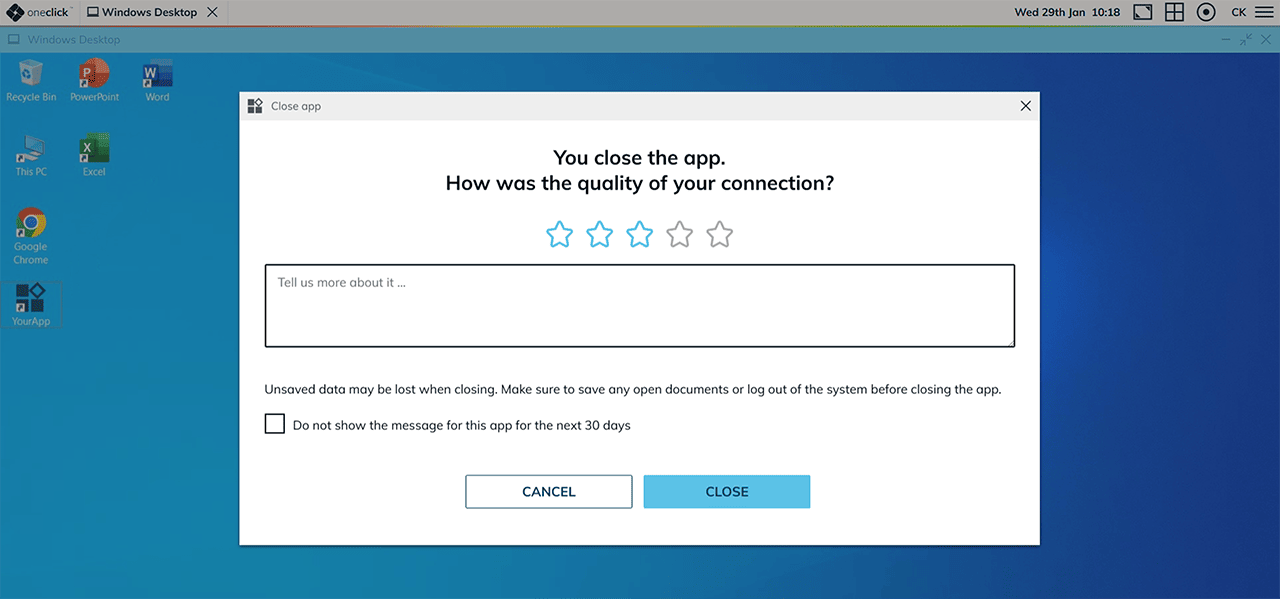
We have made several improvements to optimize the use of the keyboard and image display. If you continue to experience issues that cannot be explained by your internet connection or the server, or can be resolved by updating your browser, please do not hesitate to leave us a message. We are constantly working to further improve your user experience to ensure that you and your users can work efficiently.
Dashboard Extension
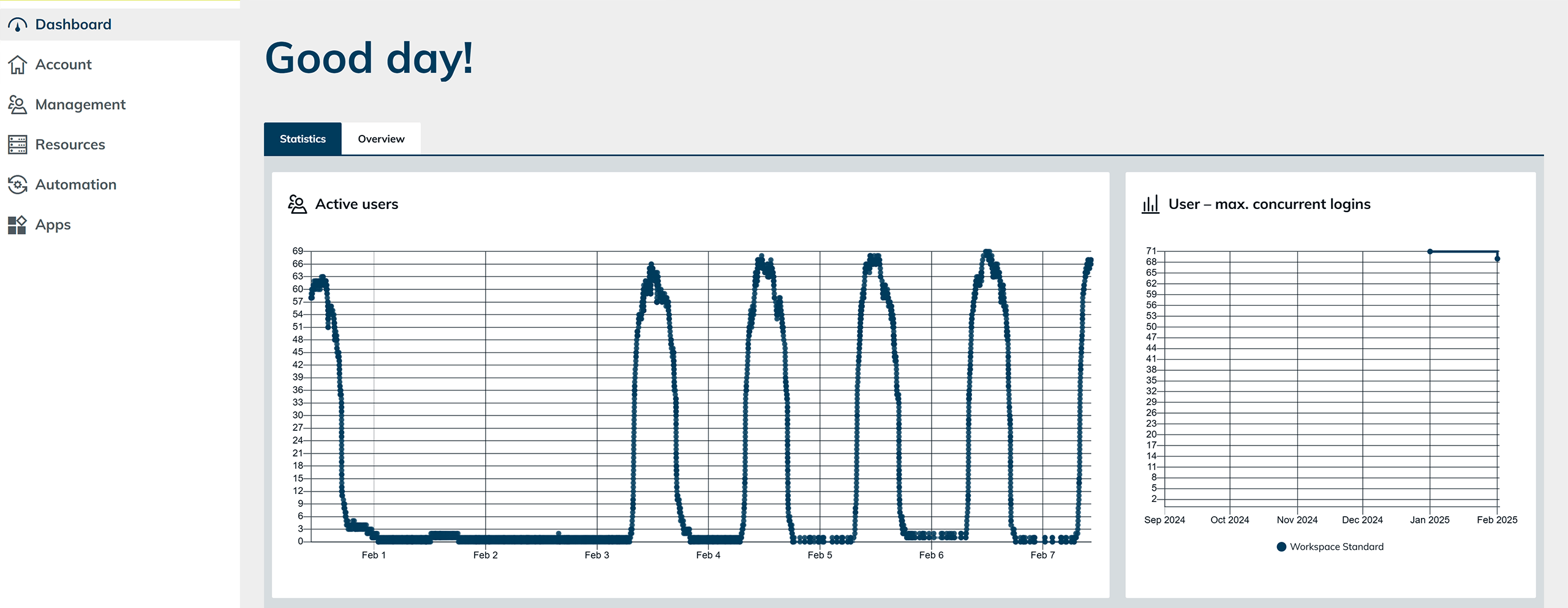
User Statistics Enhancement
In addition to active users, the maximum number of concurrent users is now displayed. If you have multiple user licenses, you can also see the maximum concurrent logins per license.
New Graph: Weekly App Usage
The current app usage is now displayed over the course of a week, filtered by your active app licenses (e.g., Admin, Hybrid Drive, or Standard App). If you use an app license for all desktops or applications, they will be shown in a consolidated view.
Maximum App License Usage
Similar to concurrent user logins, the maximum usage of app licenses is now displayed.
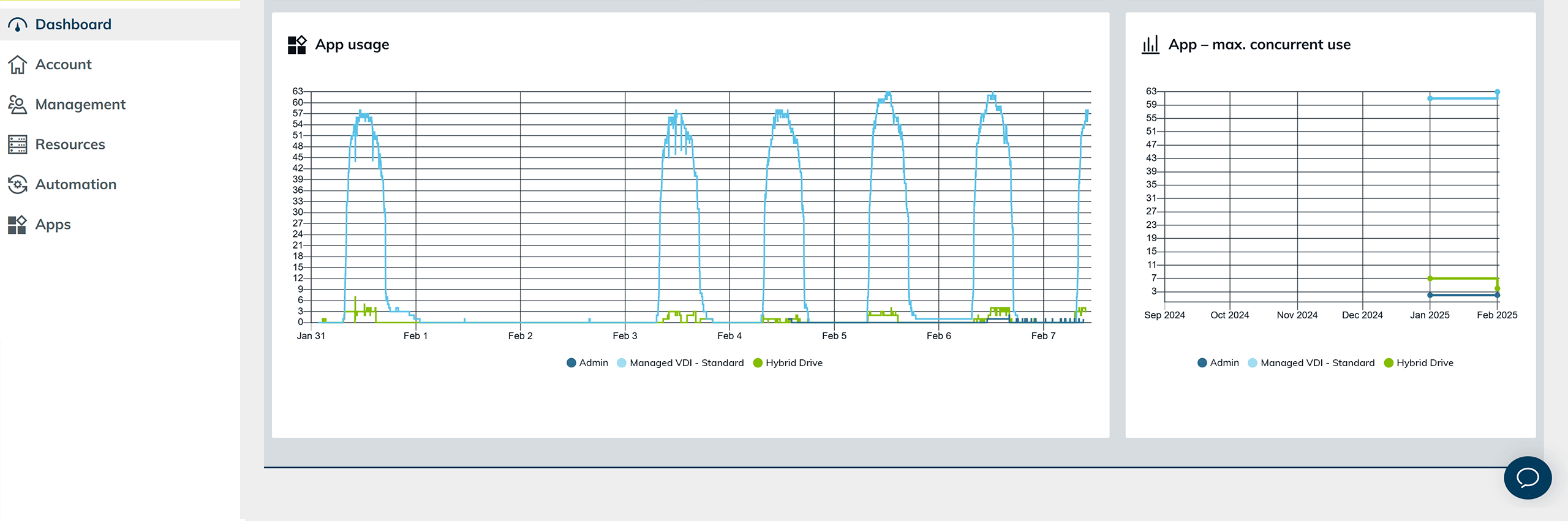
The displayed usage does not affect the billing of oneclick™ licenses and serves solely as an informative overview of usage.
New Graph: App Start Errors by App Configuration and User
Here, the errors that users encountered when starting an app are displayed. These errors can be viewed for different time periods (day, week, month, year) and filtered by app configuration or specific users.
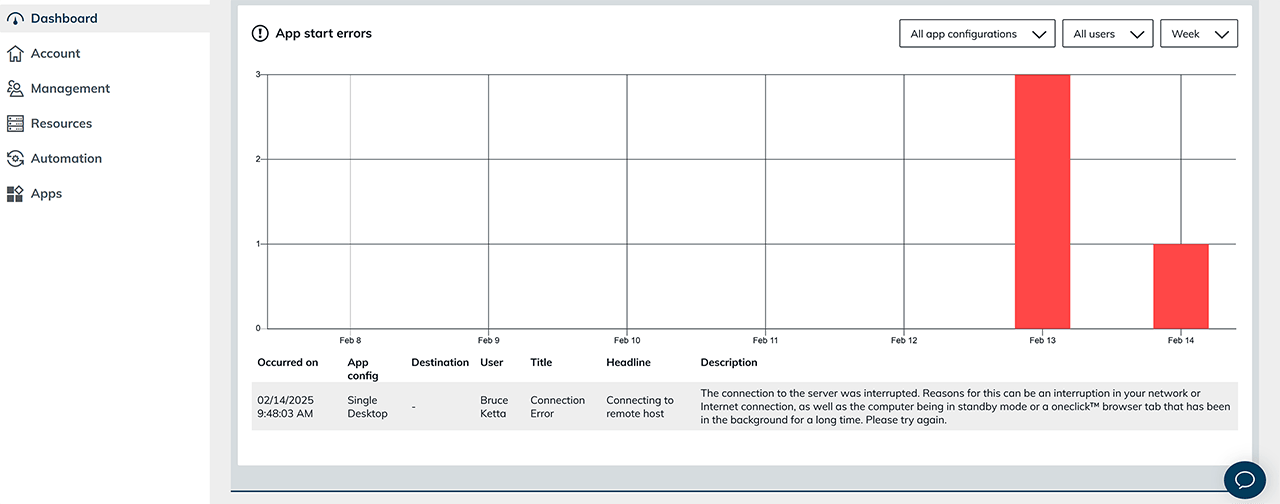
For more information on login errors, please visit our help page. Connection errors during app startup in step 1 caused by a license issue are not displayed here.
Improvement of the connection stability
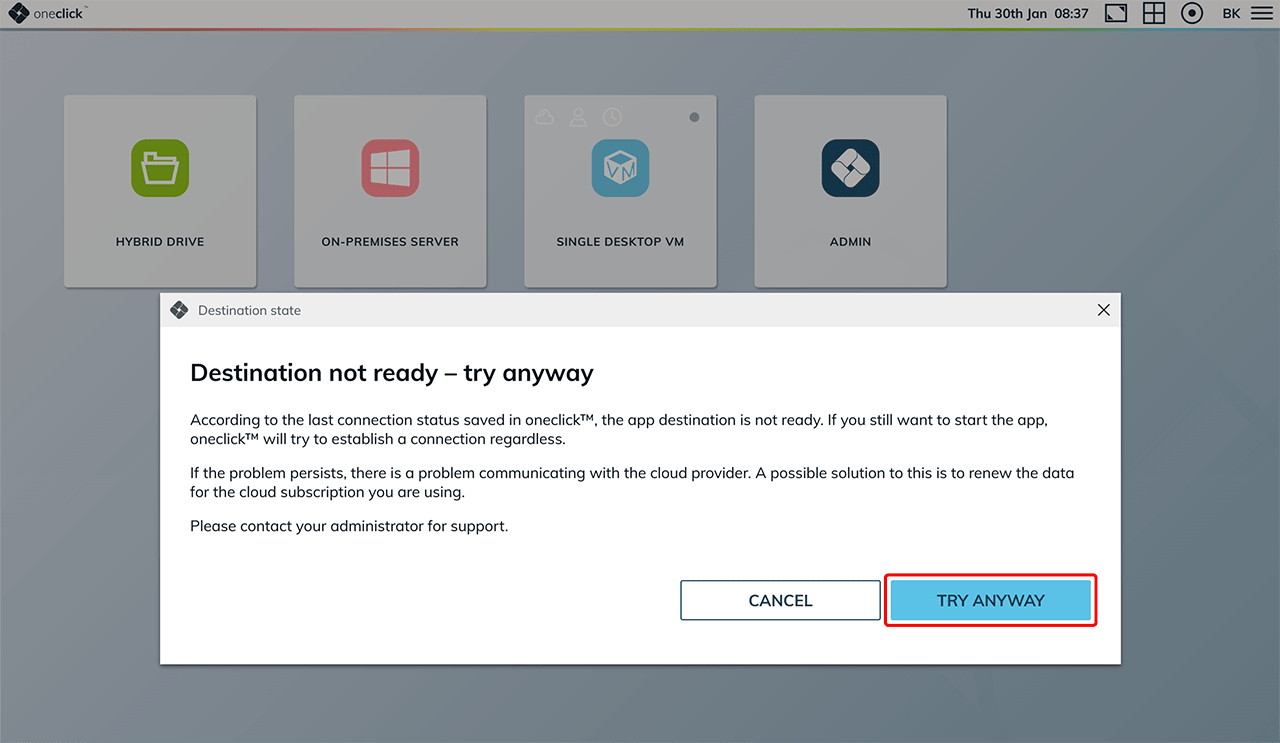
With certain cloud providers, unreliable API responses can occur in rare cases. In order to be able to establish a connection in such situations, we have introduced a new function: You can use oneclick™ to manually initiate the connection establishment, even if the status indicates that this is currently not possible. If you still cannot connect, please check the settings and data of your cloud subscription.
General optimizations
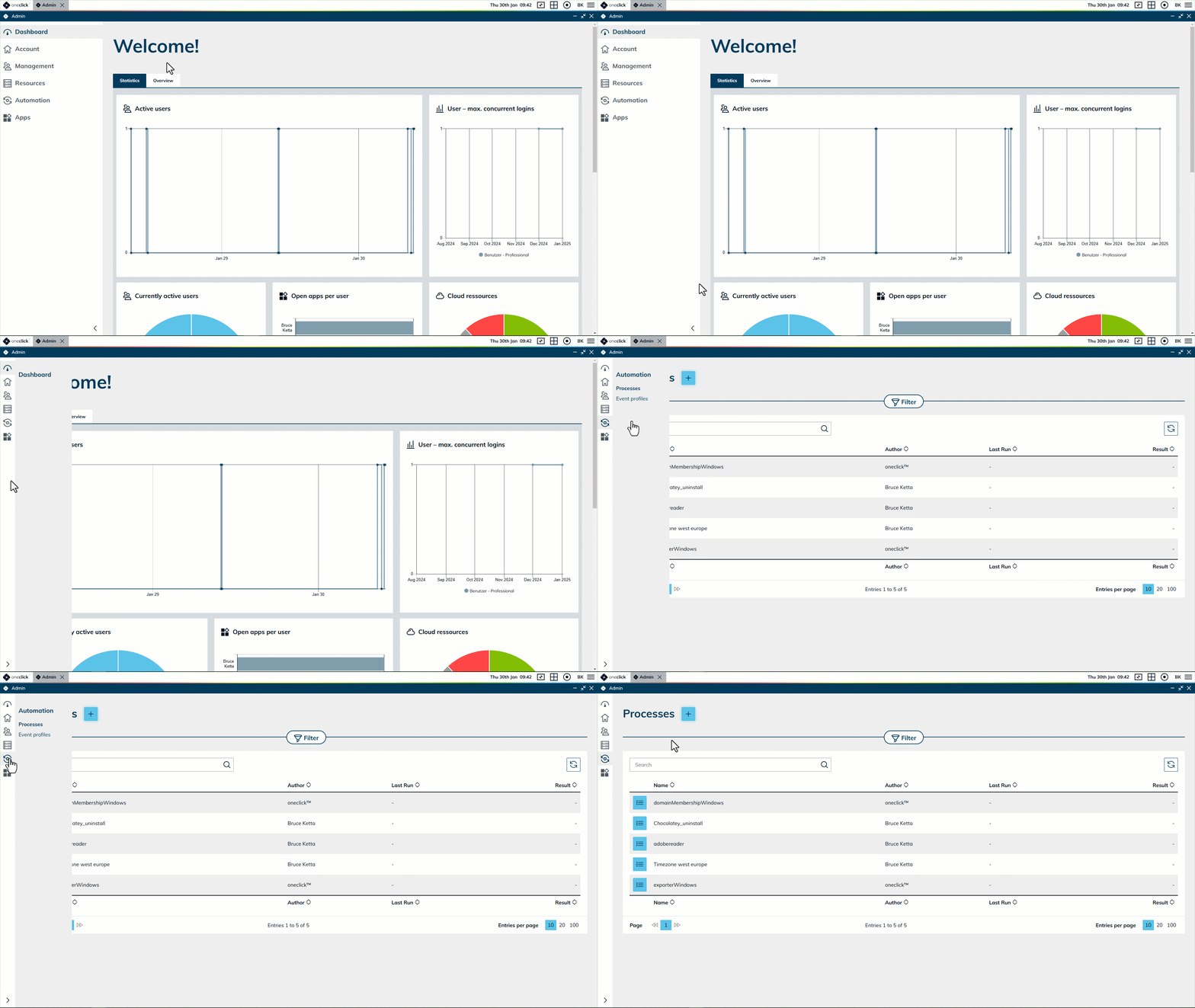
Improved user interface: In addition to other minor design adjustments, we have optimized the menu in the desktop version so that it can now be reduced in size to give you more space to view the tables.
2-factor authentication: 2-factor authentication can now be activated directly via the user license, even for users with a Basic license.
Optimizations for Windows tasks and the search function in the Admin: We have optimized the execution of Windows processes and the search function in the Admin area to improve handling and reliability.