2508.01.035
Version / Release: 2508.01.035
Release date: 28th August 2025
New Feature: Maintenance Mode for Destination Systems
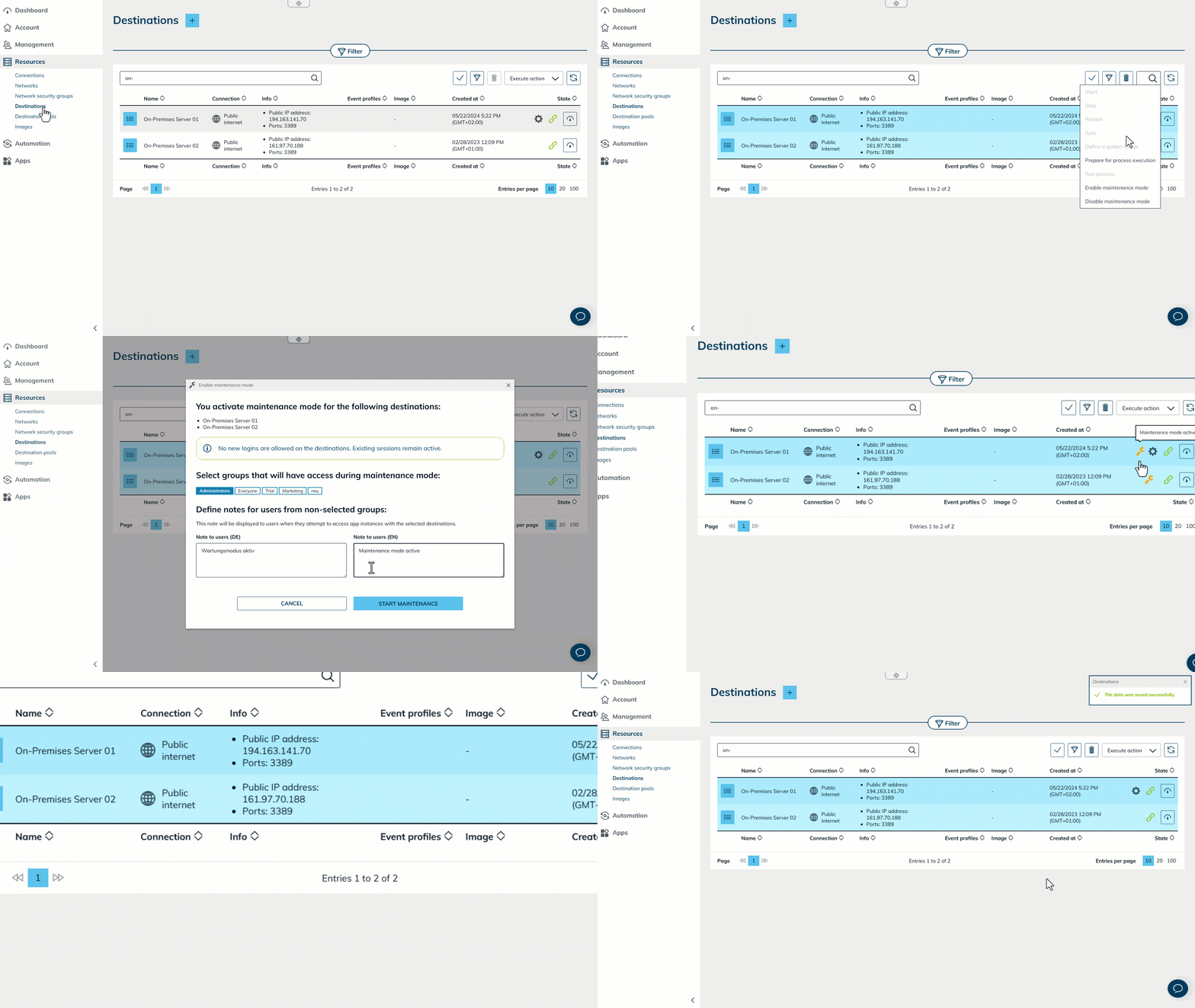
With the new Maintenance Mode in oneclick™ Admin, planned updates and adjustments can be handled as follows:
- One-click activation – Easily start Maintenance Mode via the Admin interface whenever systems need to be temporarily unavailable.
- Transparent communication – Users automatically see when a destination system or an app is under maintenance.
- Maximum control for admins – Administrators retain full access to the affected systems via “Acting-as”, even when they are blocked for users.
- Smooth transition – Once the work is completed, Maintenance Mode can be ended with a single click.
Maintenance Mode enables better planning, higher transparency, and fewer interruptions. Your Admin interface has never been this maintenance-friendly!
Performance Update: Dashboard Statistics
We optimized the API calls in the dashboard to noticeably improve the performance of statistics and graphs. Load times are now significantly shorter, and data updates run more efficiently.
The dashboard now responds faster and delivers up-to-date data with reduced system load.
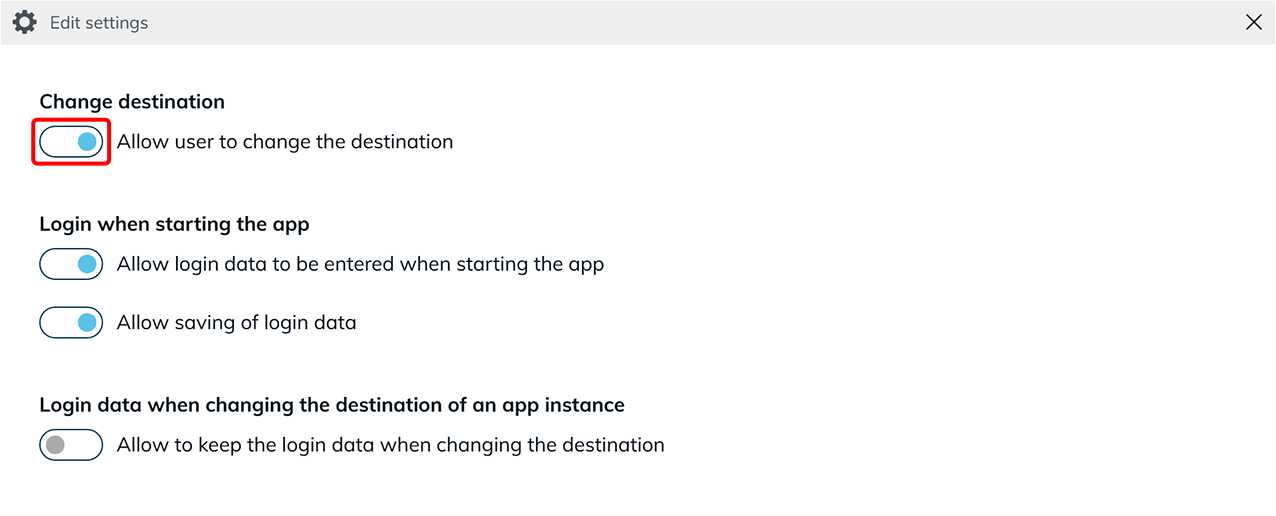
New Feature: Control Destination System Changes by Users Separately
From now on, you can define in app profiles whether users are allowed to change the destination system settings of their apps independently. This new option increases flexibility while providing more control over configuration.
New configuration option for controlling destination system changes:
- Improved authorization checks for user rights
- Integration of the option into app profiles and app settings
- Optimizations in the interface and affected components
This enhancement enables better management of app configuration and ensures that changes are only made when truly intended.