Login errors
If the following connection errors occur, follow the troubleshooting steps below. If these steps do not solve the problem, please contact your administrator for further assistance.
-
Connection error when starting the app at step 1 An error message "Your app is already open" appears when starting an app at step 1 if the app may have already been opened in another browser tab.
-
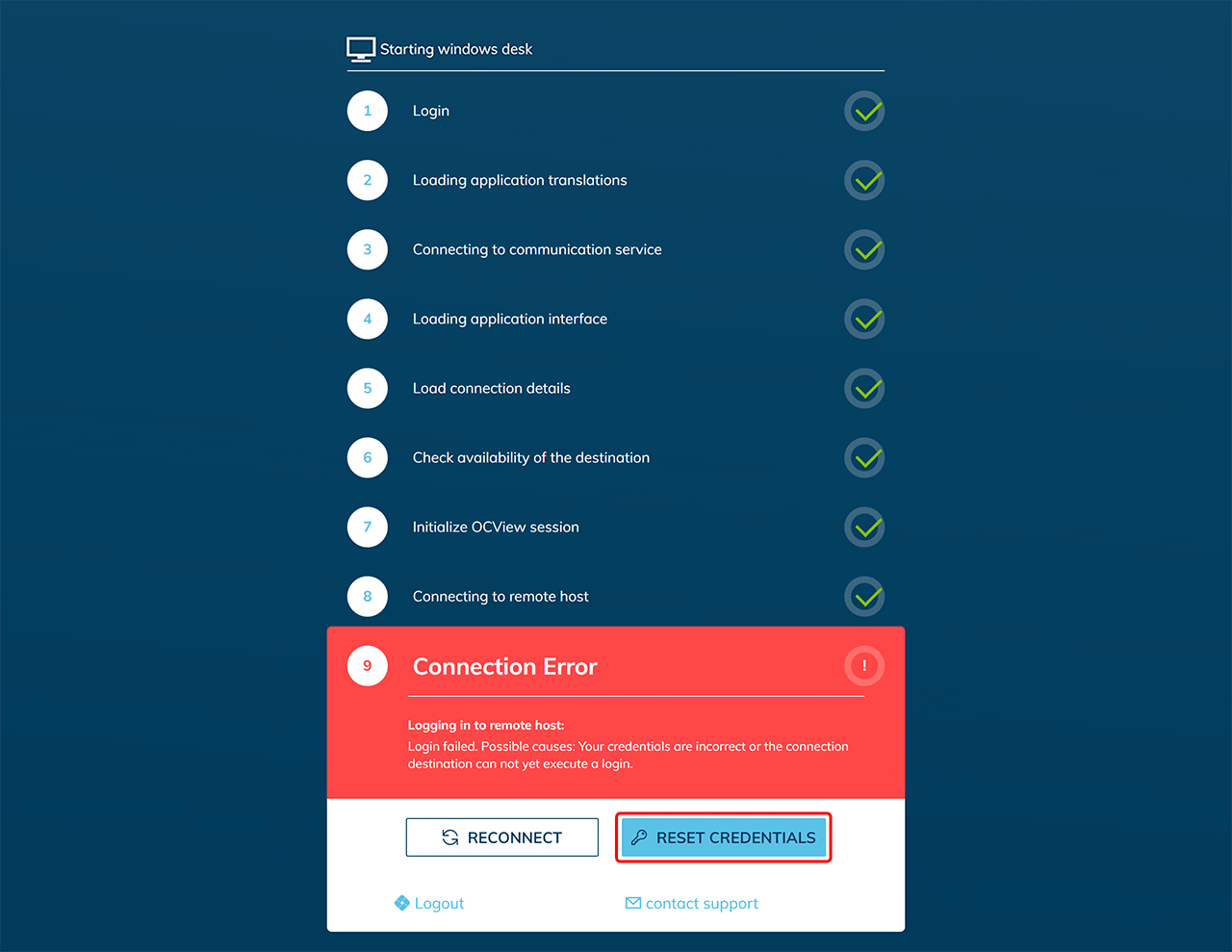
Connection error when starting the app at step 9 If you receive the following error when starting an app at step 9 and all other steps have been carried out, save your password in oneclick™
Connection error when starting the app at step 1
The error message "Your app is already open" appears if the app has possibly already been opened in another browser tab. This message comes from oneclick™, as the app license is already in use and reopening is not possible. oneclick™ deliberately prevents the new session from being accepted, as settings may have been made on the Windows server that could affect the current status of the work when the session is resumed.

Correct handling of the license
To avoid this error message and to release the license properly, you should end the session as follows:
- Log out of the oneclick™ account properly. This is done by clicking on the logout icon.
- In the open app, you will see the oneclick™ icon at the top of the screen on the desktop. If you click on this icon, the oneclick™ menu opens.
- Click on the oneclick™ menu to open it.
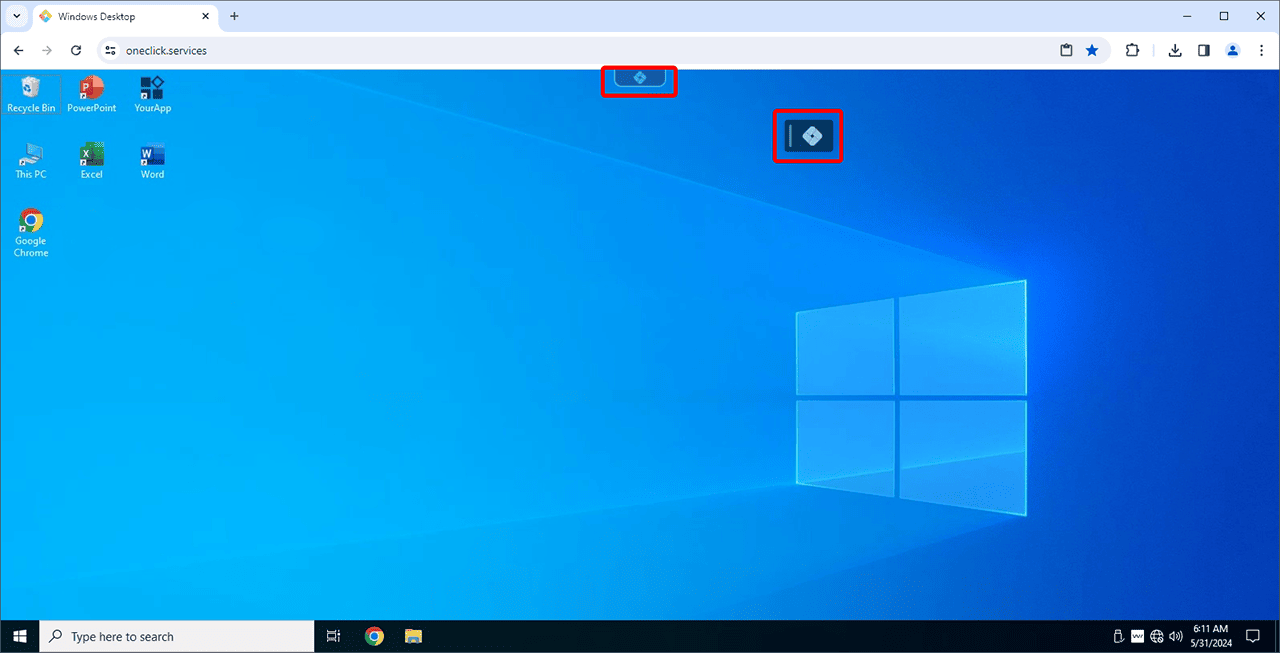
- Click on the logout icon. This terminates the connection to the application and the license. The window will close automatically after logging out.

You also have the option of shutting down Windows or closing the oneclick™ app or browser window. Make sure that all browser windows in which oneclick™ is running are closed. By properly logging out, the license will be released and therefore be available for other users or administrators to access. If the error message still appears even though you have logged out and closed all tabs, please contact oneclick™ support directly.