Synchronize connected Active Directory
If you change user data in Active Directory or add new users to an imported AD group, synchronize these changes using the synchronization function.
Note:
During synchronization, certain user attributes are taken over from Active Directory, including the language setting.
Further information can be found in the section Note on language settings during AD synchronization at the end of this article.
Synchronization works exclusively for users who are members of an already imported group.
If new users are added, check in advance whether sufficient user licenses are available, or request them in the "Licenses" tab.
Perform synchronization
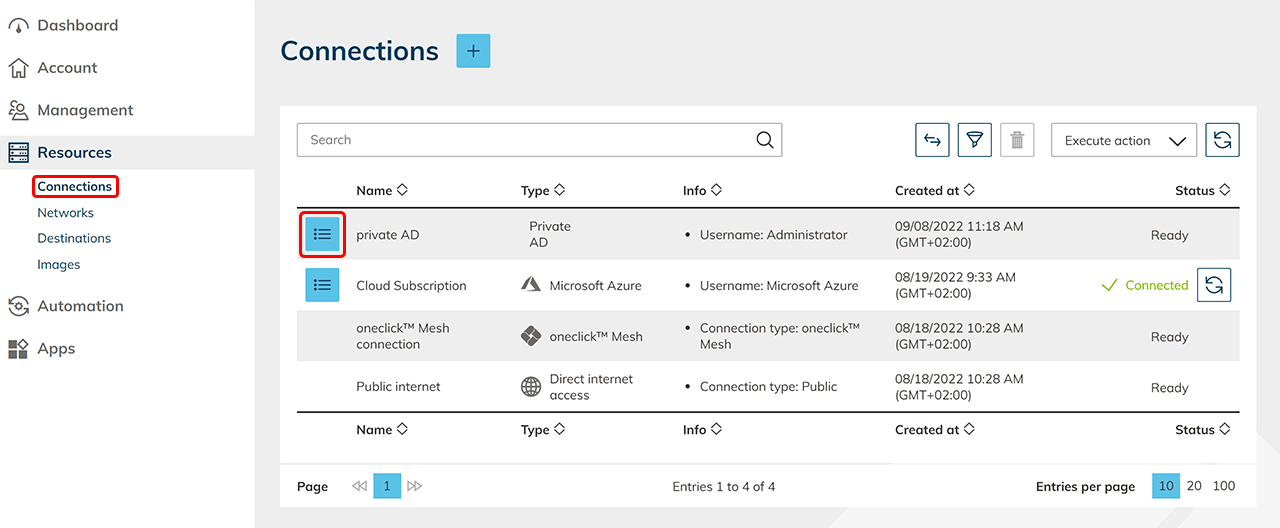
- Click Resources in the menu and open the Connections tab.
- In the row of your Active Directory, open the detail view using the list icon.
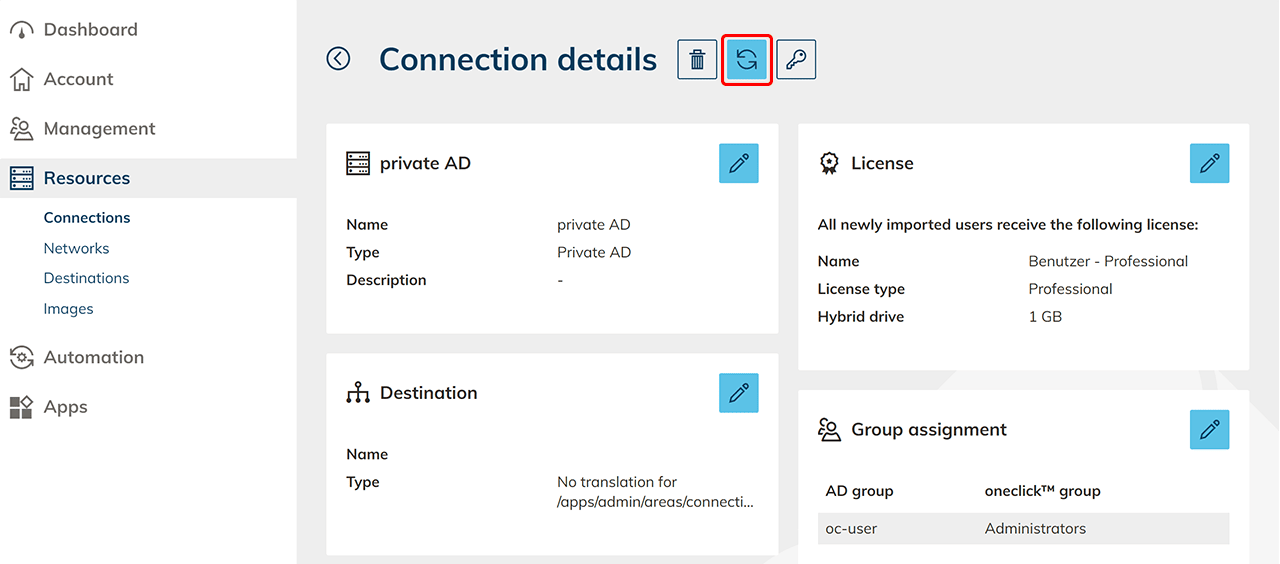
- Click the Synchronize icon at the top.
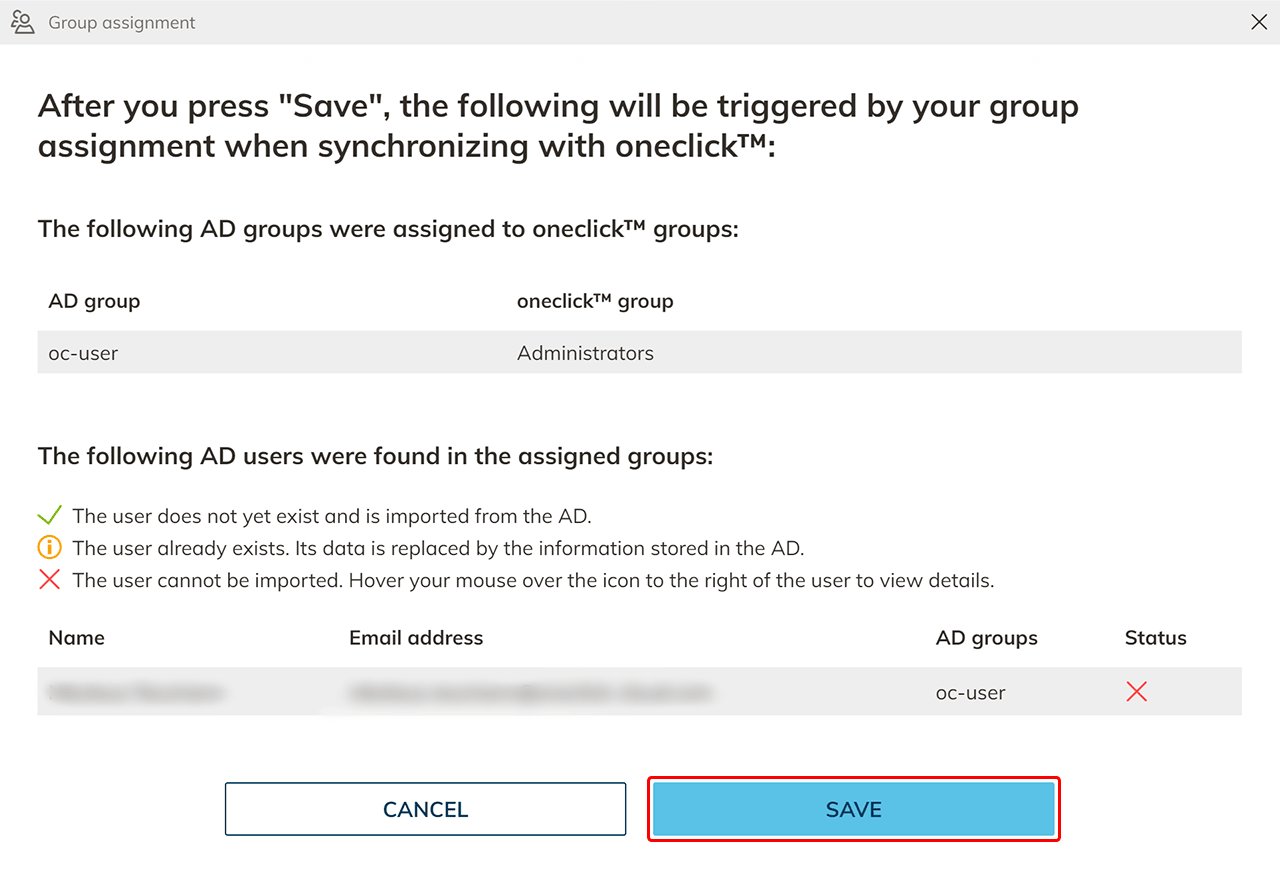
- Check the group assignments and the displayed user data.
You will see which data is newly imported or updated. - Click Save.
If you want to import a new group from Active Directory into oneclick™, repeat the import process as described in this article.
Synchronized user attributes
During each synchronization, the following attributes are taken over from Active Directory into oneclick™:
| Active Directory attribute | oneclick™ attribute |
|---|---|
| Email address (required field) | |
| displayName | Username |
| firstname | First name |
| lastname | Last name |
| telephoneNumber | Mobile phone number |
| preferredLanguage | Language |
Note on mobile phone numbers
If you synchronize mobile phone numbers, the value must be specified with country code (e.g. +49) and without spaces or separators.
Example:
'+49123456789
The leading apostrophe ensures that the plus sign is interpreted correctly as part of the value.
Note on language settings during AD synchronization
During each Active Directory synchronization, the user’s language setting is fully taken over.
The assignment is based on the AD attribute preferredLanguage.
- If the preferredLanguage attribute is not set, empty, or invalid, the language in oneclick™ is automatically set to English (US).
- Manual language settings in oneclick™ are not stored permanently and are taken over again from AD during each Active Directory synchronization.
- To permanently define a language, the preferredLanguage attribute must be set correctly in Active Directory.
Allowed values for preferredLanguage:
en-US– English (US) (default)en-UK– English (UK)de-DE– German
Example: set preferredLanguage via PowerShell
Using the following PowerShell example, you can set the language to German for all users of an AD group:
$Users = Get-ADGroupMember -identity "AD-Group-XY"
$Users | Get-ADUser -Properties preferredLanguage |
    Set-ADUser -Replace @{ preferredLanguage = "de-DE" }