Share files
If you have access to the Unified Workspace and you find the Hybrid Drive app there, you can share your files via this app.
- Open the Hybrid Drive app in your workspace.
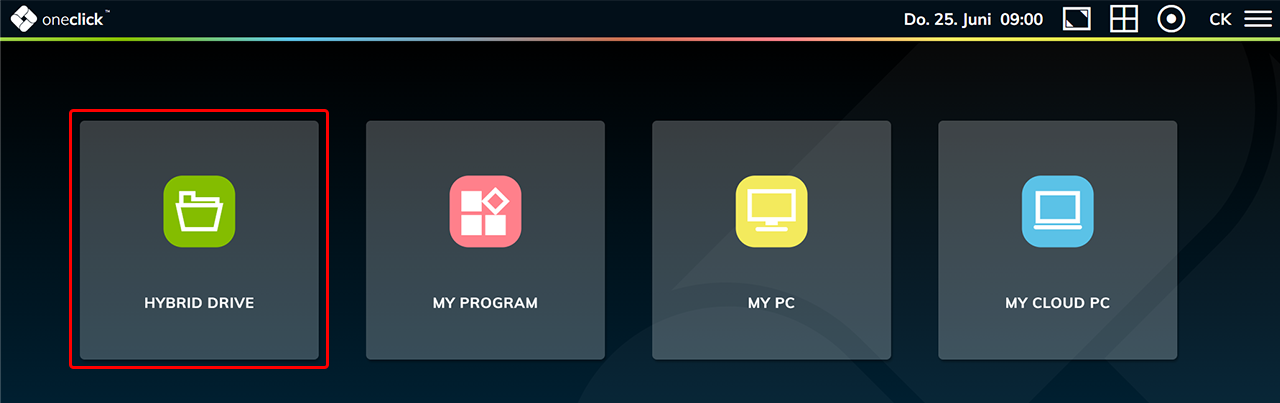
- Go to the file you want to share.
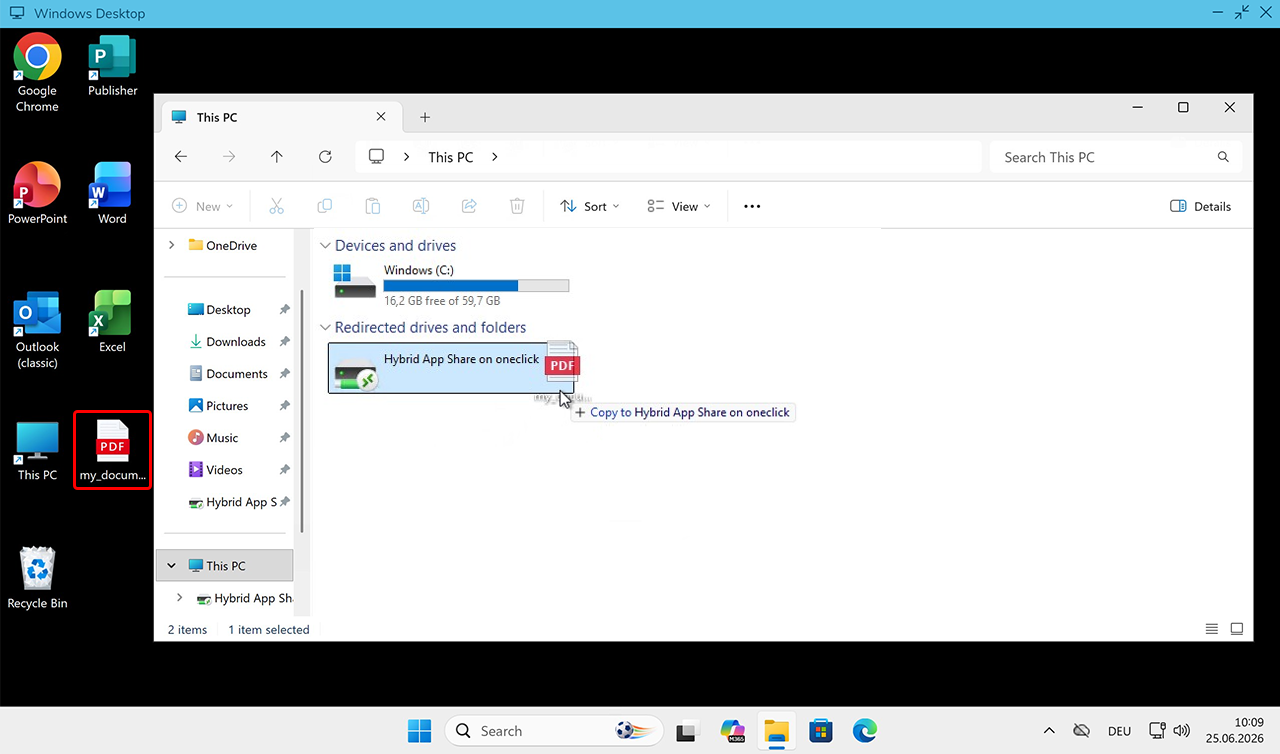
- If you want to share a file stored on your virtual desktop, move it from your Windows desktop or program to the "Hybrid App Share on oneclick" drive.
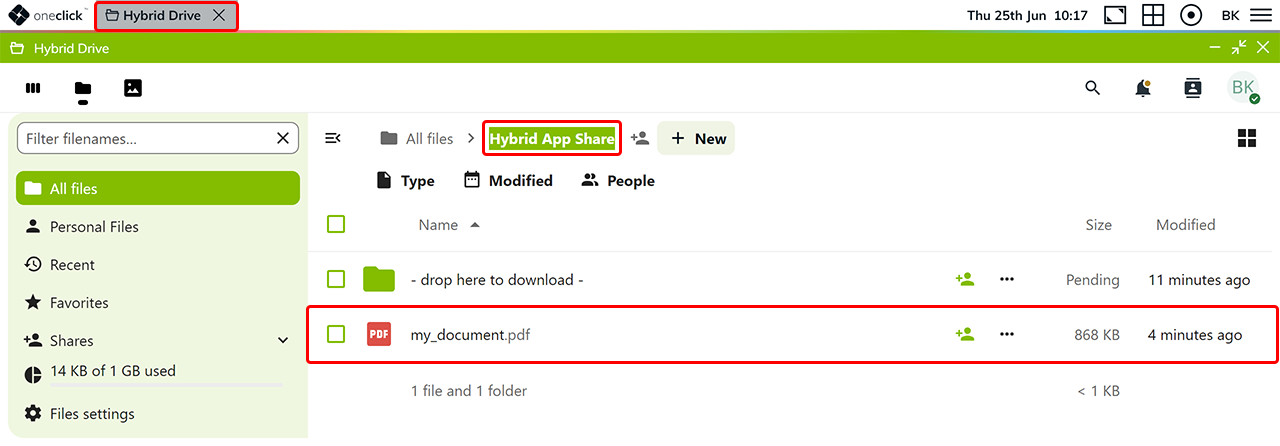
- You will then find the file in the Hybrid Drive in the "Hybrid App Share" folder.
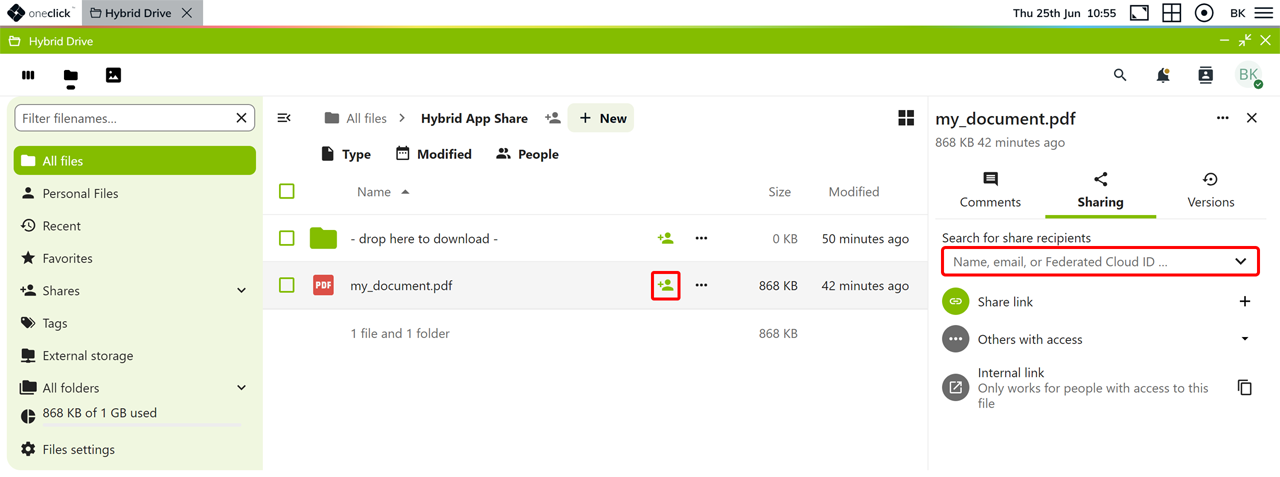
- Click the Sharing icon in the row of the file.
- By e-mail: Enter the recipient's e-mail address in the Sharing section.
Here you can also find other oneclick™ users from your company or department.
- By link:
-
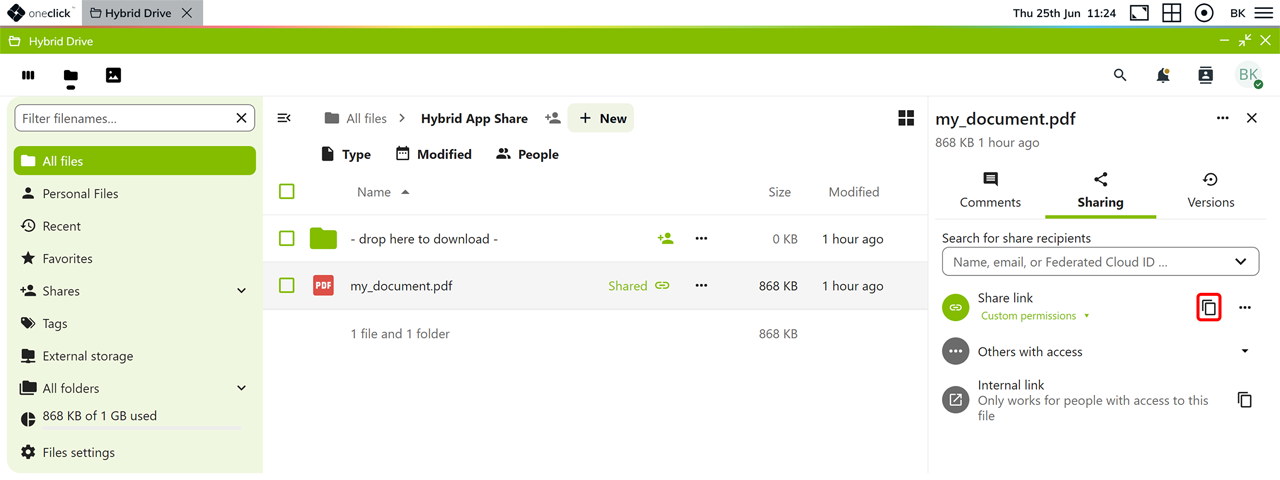
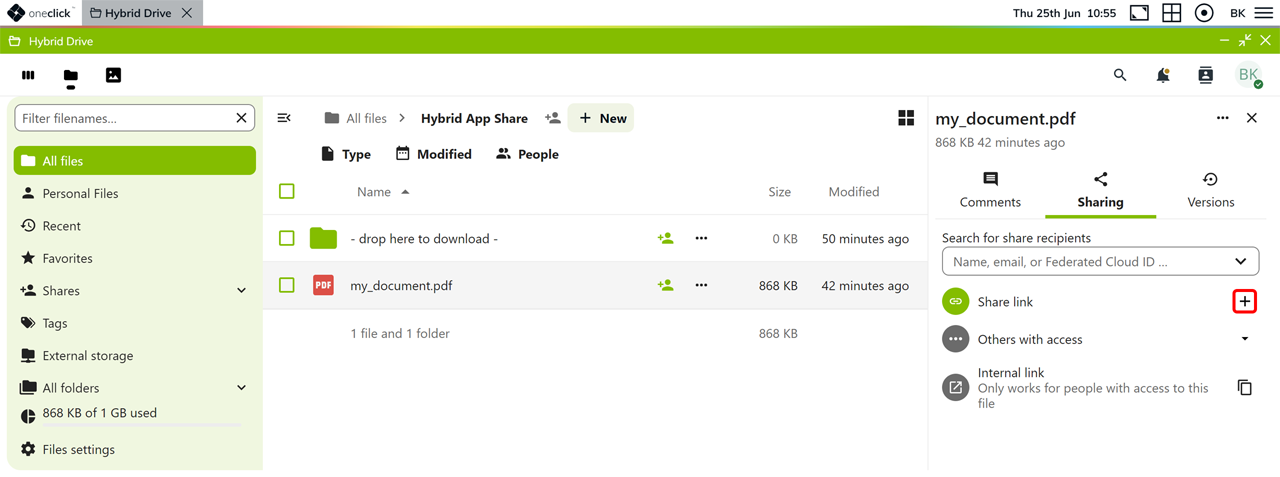
Click the Plus icon next to Share link. The share link is created and copied to your clipboard. You can then send it to other people.
-
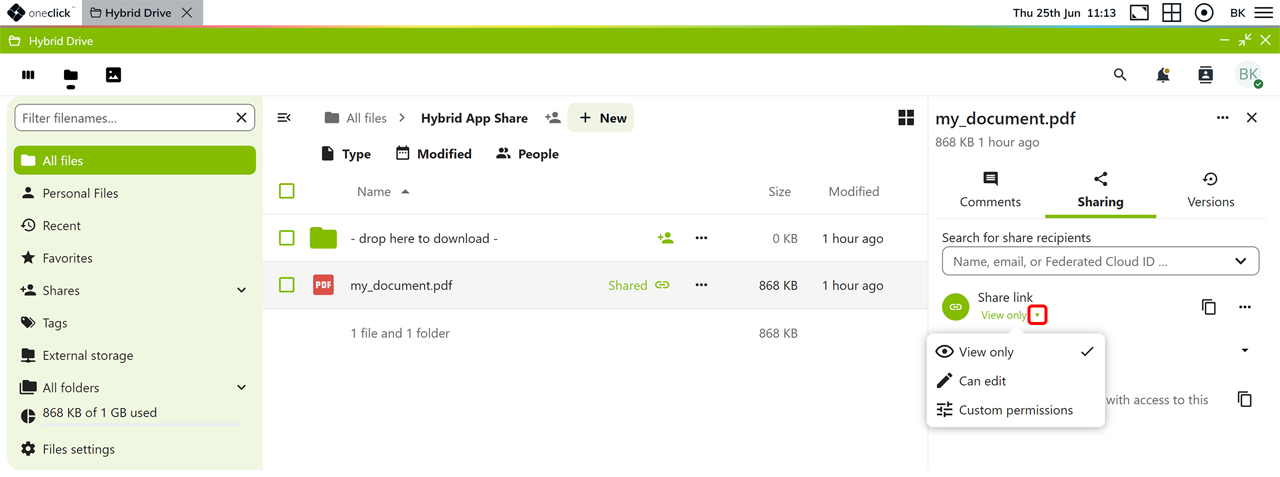
You can optionally specify which permissions apply to the share link:
- View only: Other people can only view the file. This option is selected by default.
- Can edit: Other people can edit the file.
- Custom permissions: You can configure the permissions and additional settings individually.
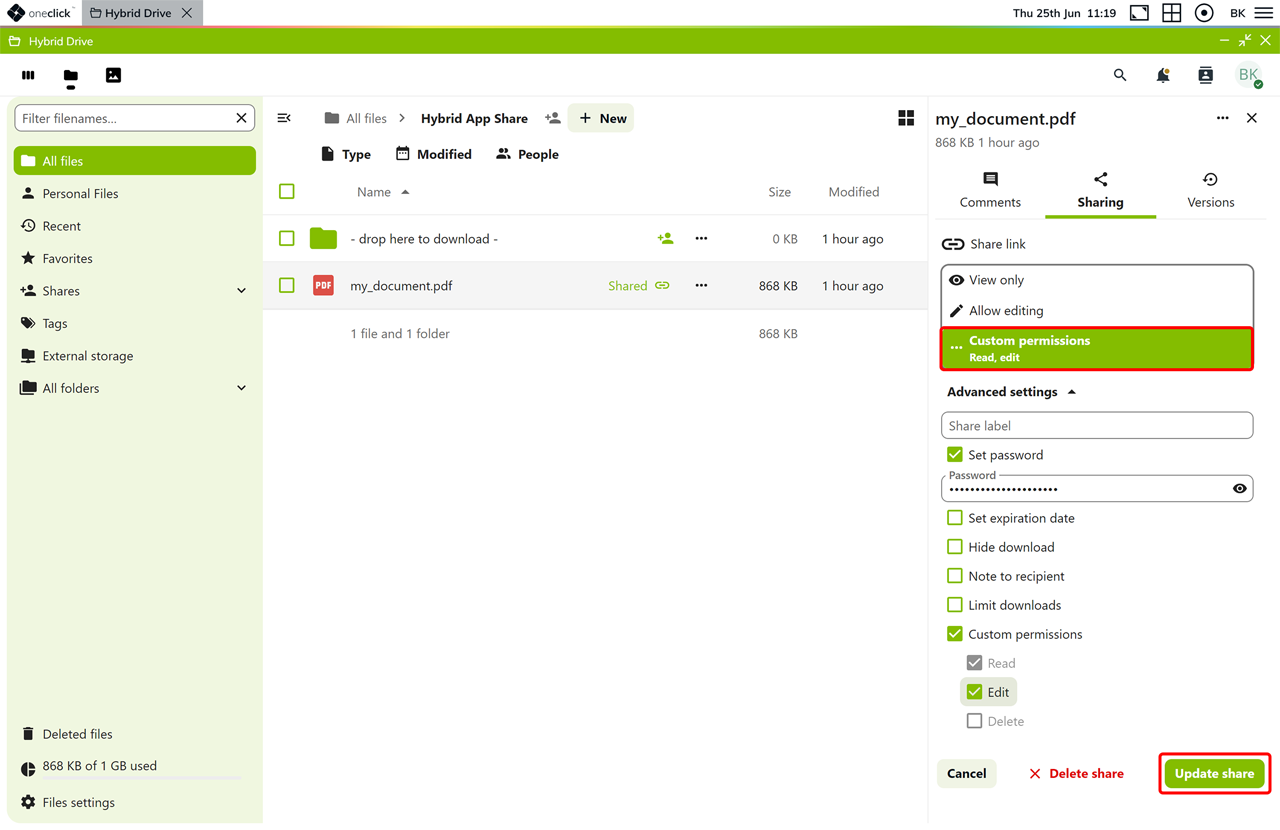
- If you select Custom permissions, configure additional options under Advanced settings, such as a password, an expiration date, or a download limit.
- Click Update share to save the settings.
- Then click the Copy icon to copy the share link to your clipboard again. The saved permissions apply to this link.