Connect external storage
With the oneclick™ Hybrid Drive, you access files in external storages. To connect, you need the connection data and access data of the storage. The required information differs depending on the storage type and authentication method.
Connecting an external storage
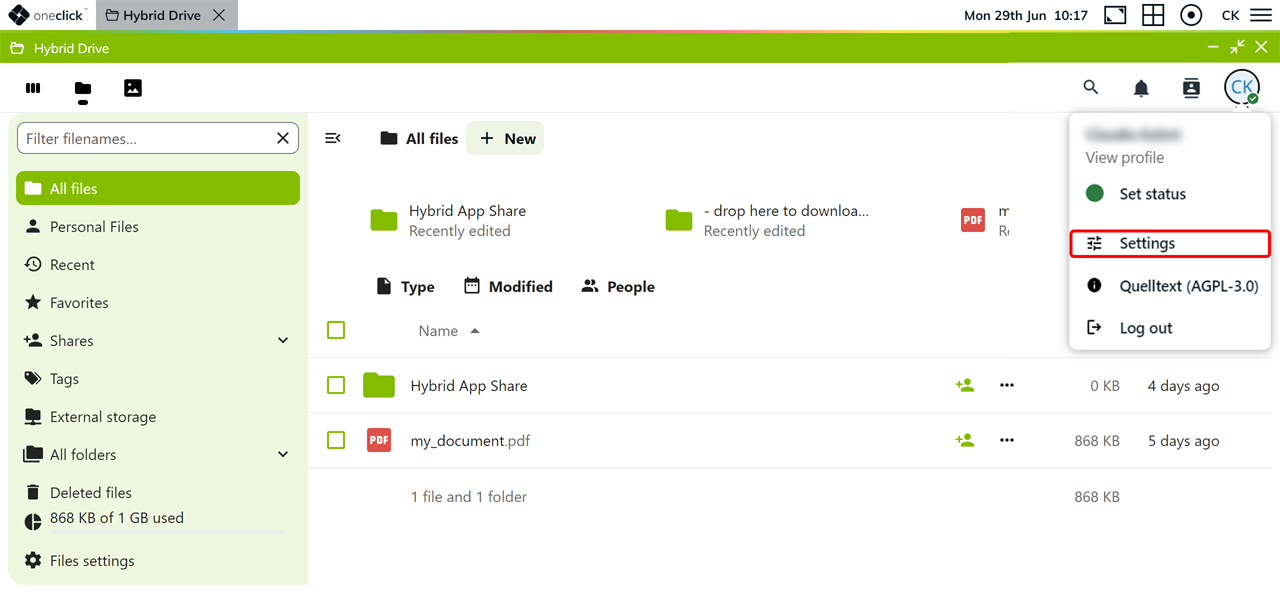
- Open the Hybrid Drive App via your oneclick™ Desk.
- Click your profile picture in the upper-right corner, and then click Settings.
- Click External storage in the menu.
- Enter a name for the external storage under Folder name. The storage will later appear under this name in your file overview.
- Select the desired storage type under External storage.
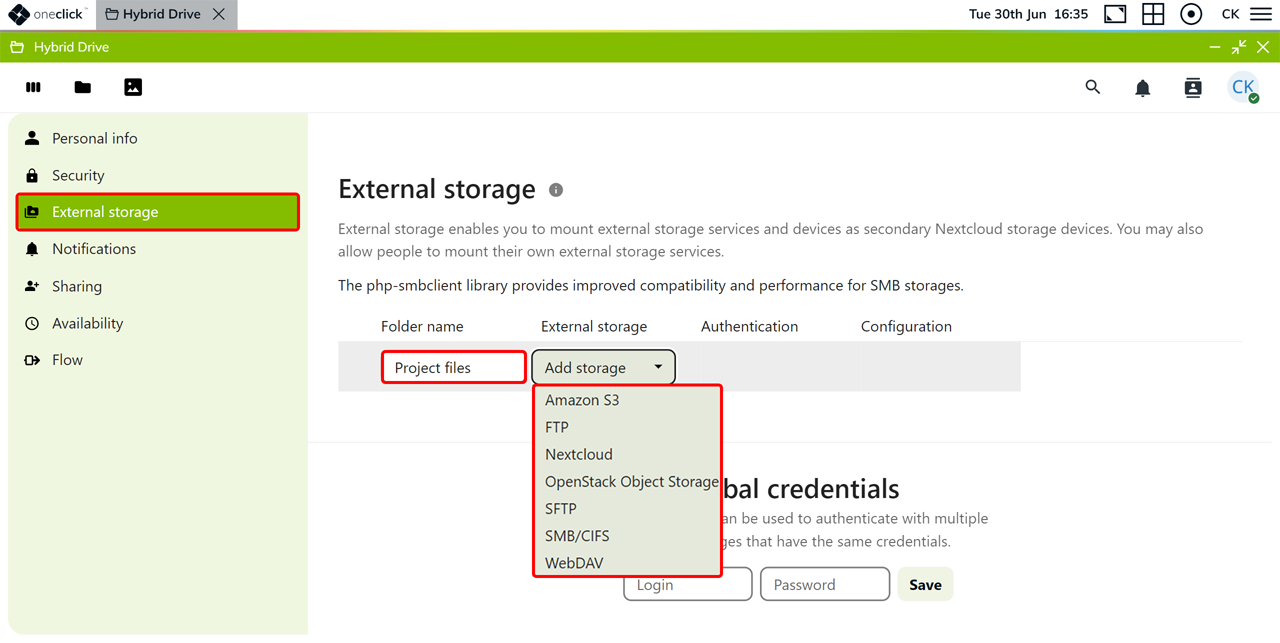 For more information, see the overview of available storage types.
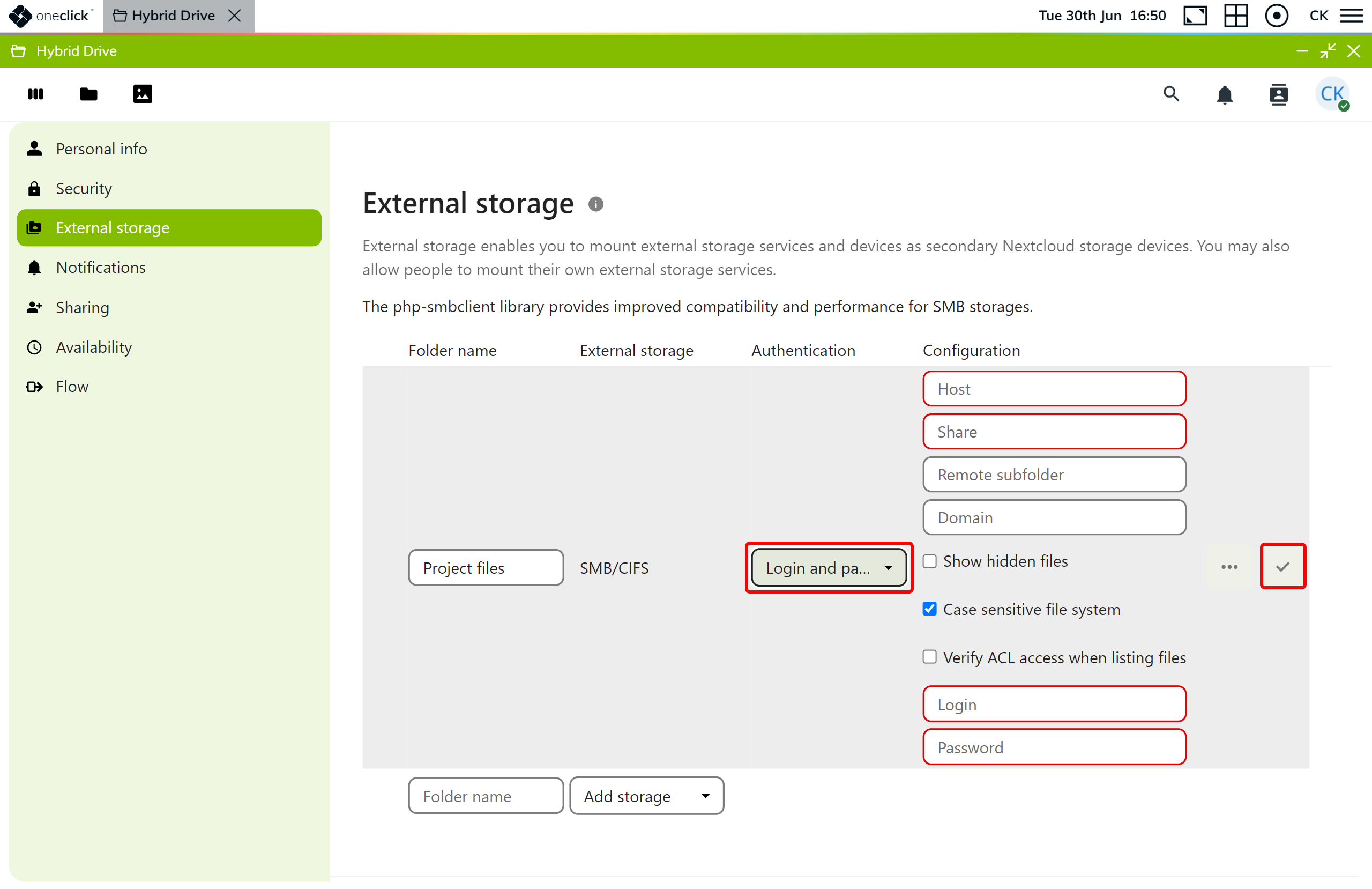
 - Select the appropriate authentication method under Authentication.
- Enter the required connection data and access data.
A red outline indicates required fields. - Click the Checkmark icon to save your entries.
- Enter your password for the Hybrid Drive to confirm, and click Confirm.
- After a successful connection, you find the external storage under the specified folder name in your file overview.
Check connection
If the status icon next to the folder name does not indicate a successful connection, check the server address, the path or the share, as well as your access data.

Also make sure that your firewall allows the connection for the selected storage type. Contact your administrator if you cannot configure the firewall yourself.
Then click the status icon or reload the page to check the connection again.