Change the language in the Hybrid Drive app
The Hybrid Drive app uses the language of your oneclick™ Workspace when it starts. If you want to use a different language for the current session, change it in the personal settings of the Hybrid Drive app.
Language after restart
After every restart, the Hybrid Drive app uses the language of your oneclick™ Workspace again.
-
Open the Hybrid Drive app on your oneclick™ Workspace.
-
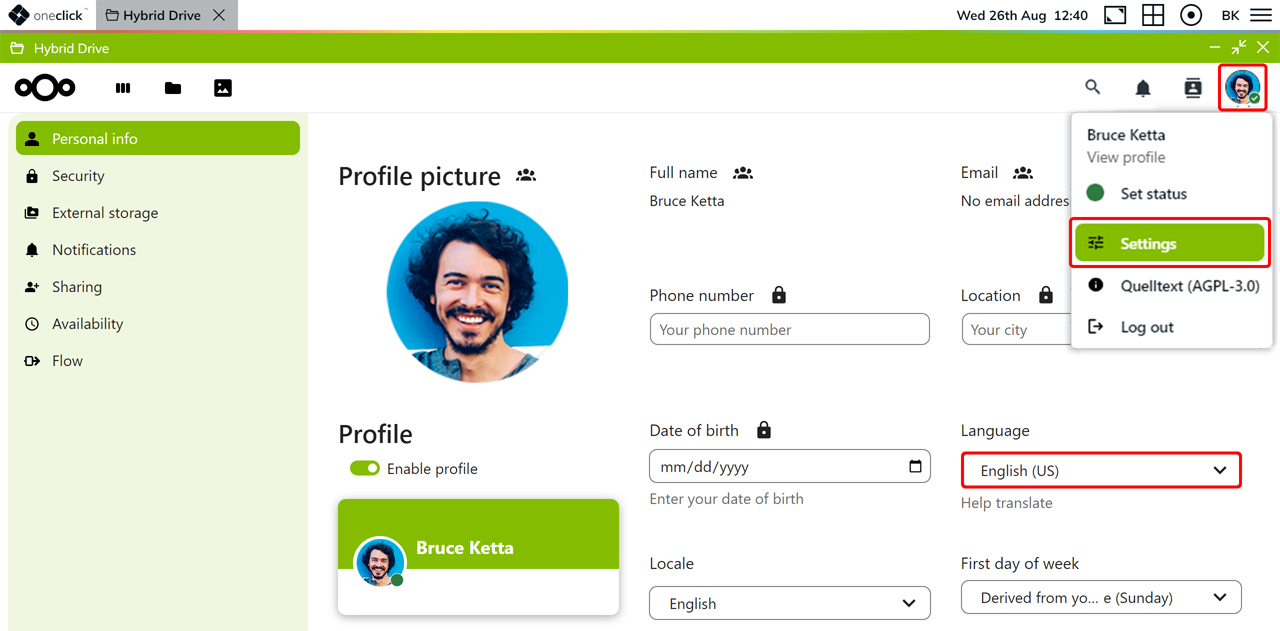
Click the Initials icon in the top right corner, and then click Settings.
-
Select the desired Language.
-
If prompted, confirm your selection with your Hybrid Drive app password.