Download files
File Download - from a oneclick™ app to your local device
If you need your files on your local device after editing, do the following:
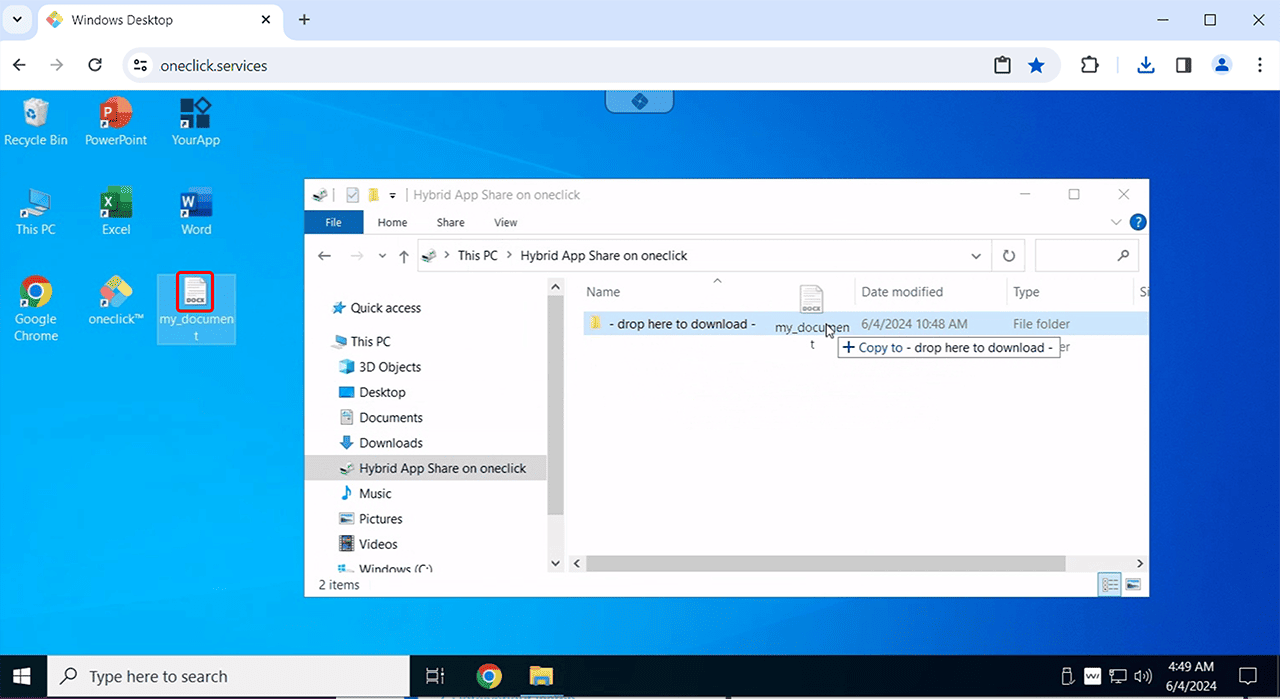
- Open Windows Explorer, select This PC and click on the drive "Hybrid App Share on oneclick".
- Drag the selected file to the "-drop here to download-" folder.
Do not place files in Downloads folder using the 'Save as' function, as this may corrupt your files.
- The download takes place automatically and the downloaded file can be found in the download folder on your local device by default.
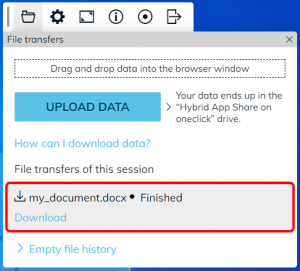
- The oneclick™ menu opens and shows that you have downloaded the file. You can download the file again at any time by clicking on Download.