What`s new in oneclick™?
Version / Release: 2603.10.001
Release date: 26 March 2026
Improvements
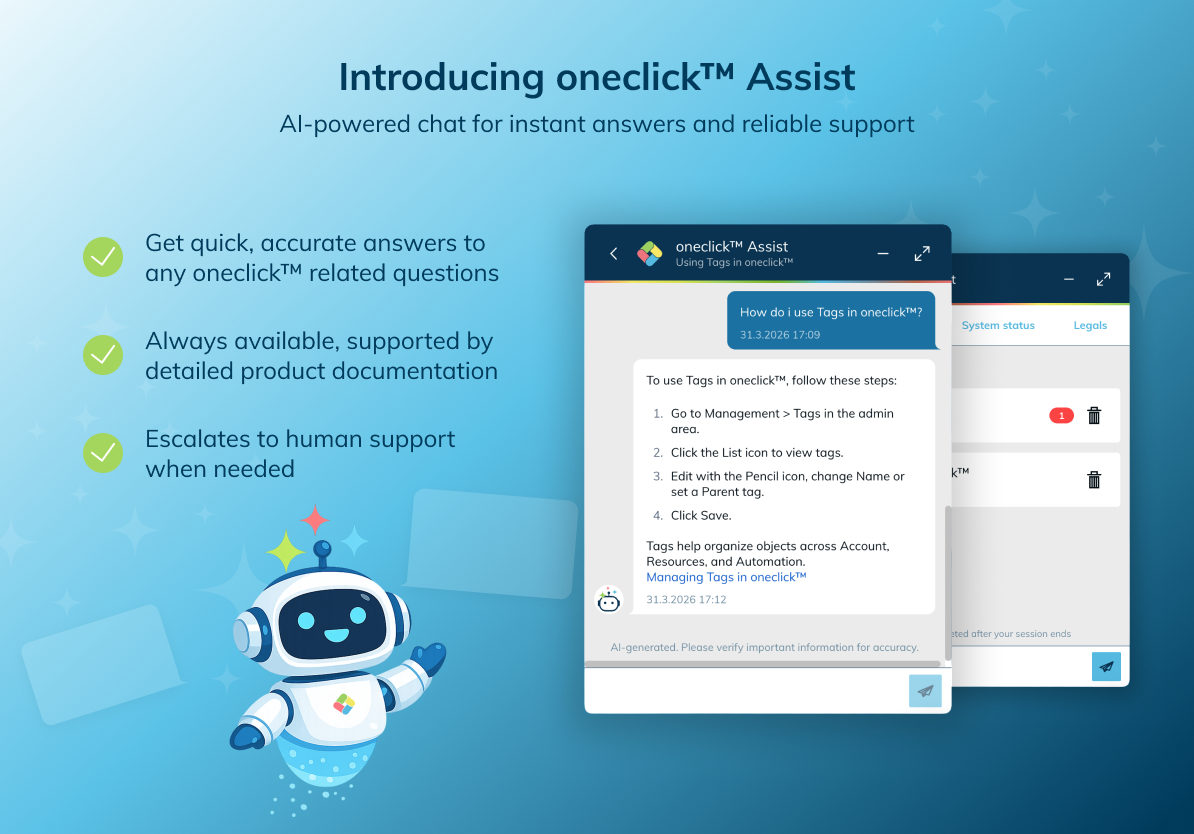
Introducing oneclick™ Assist
oneclick™ Assist is our new AI-powered support chat, available directly in the platform. It answers questions based on our product documentation — instantly, at any time.
If Assist cannot find an answer, the conversation is seamlessly handed over to a member of our support team, who will respond promptly. This reduces response times and keeps support requests focused on what truly needs human attention.
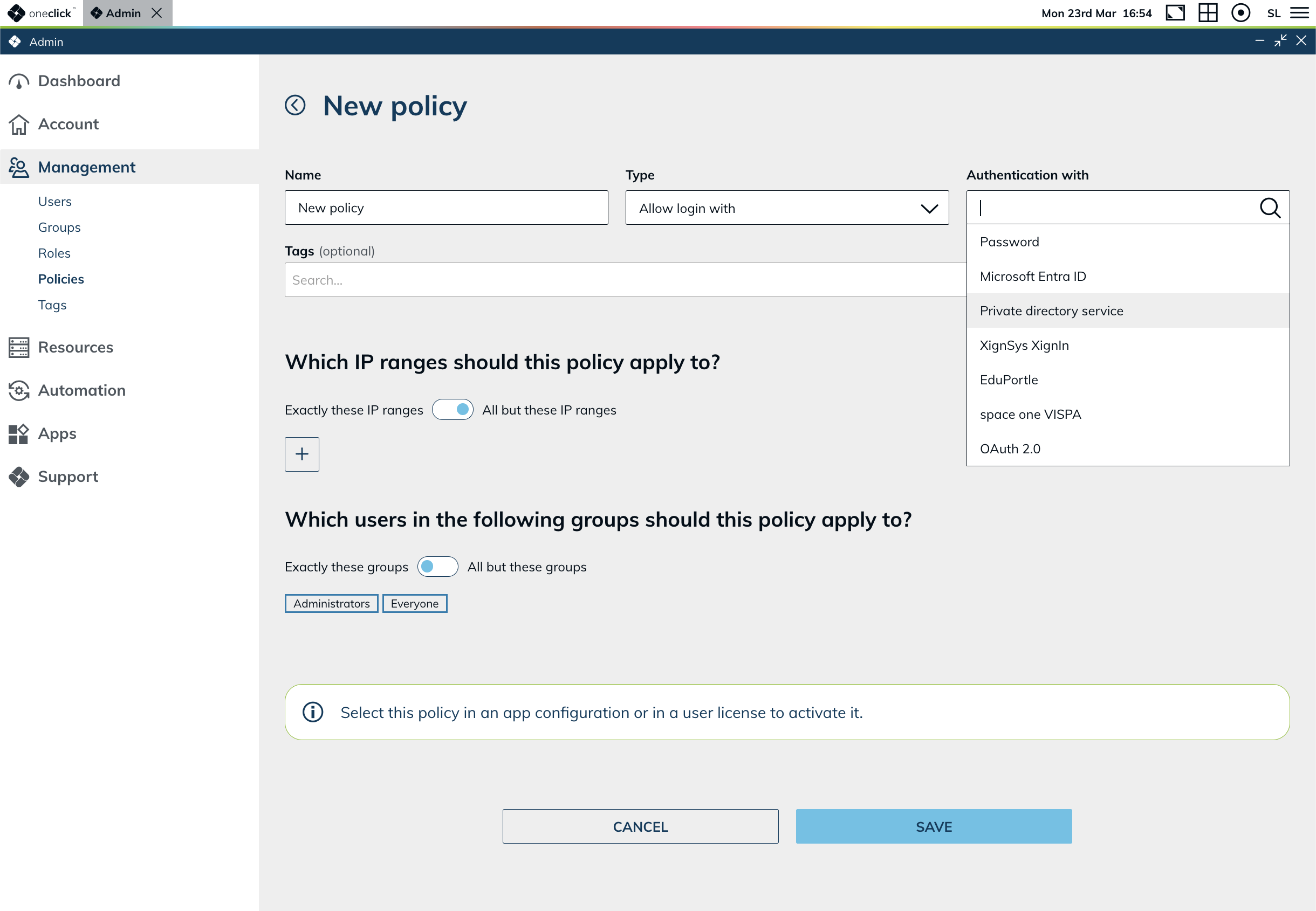
New login policy: private directory service
Admins can now control login via private directory services (e.g. private AD/LDAP) using the same policy framework as other login methods. The new "Private directory service" option can now be added as a login policy and applied to specific users, groups, or IP ranges — making it immediately visible where this authentication method is active and for whom.
For existing users who already log in via a private directory service, there is no visible change to their login experience. The control and visibility is available exclusively in the admin area.
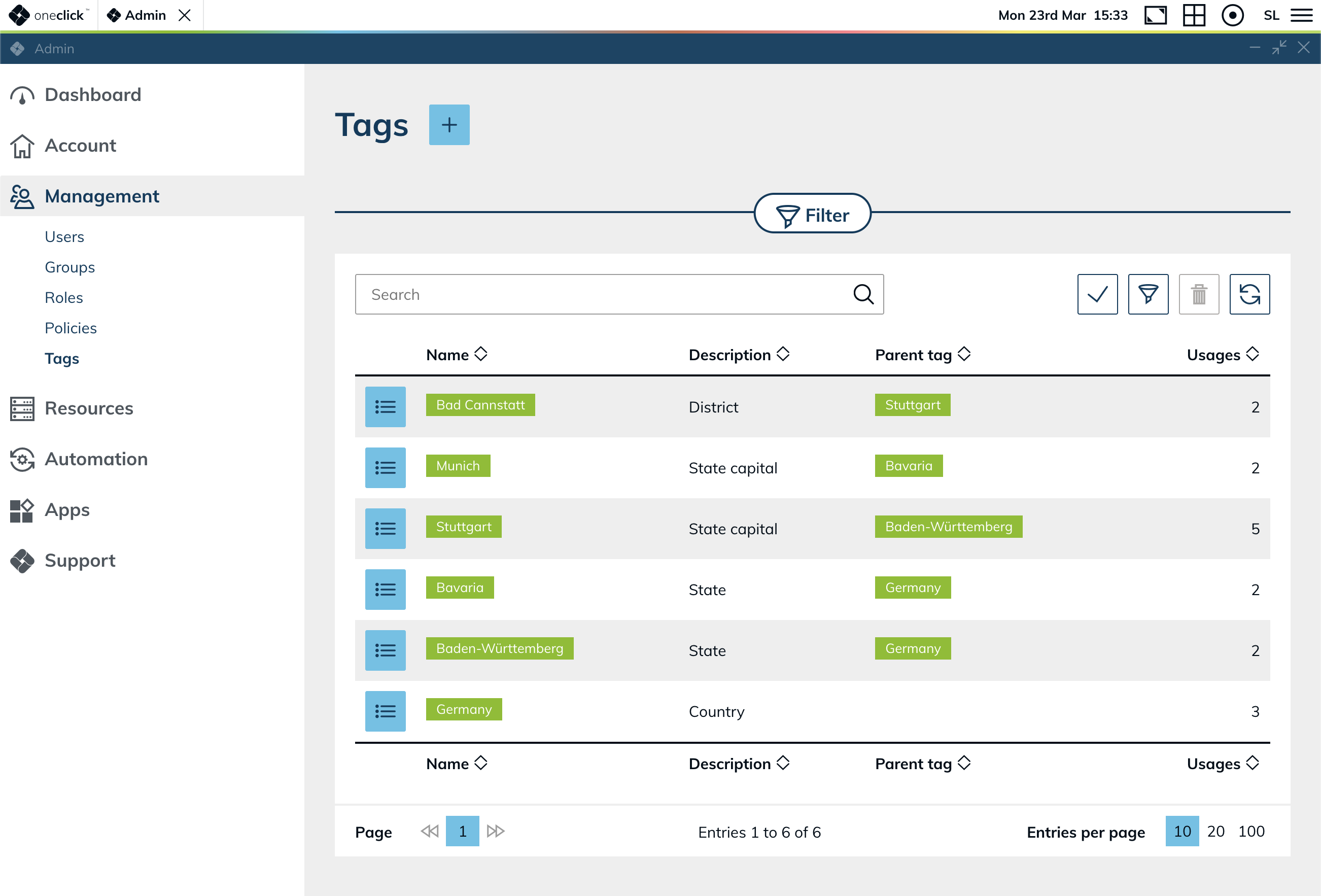
Organize entities with tags
Admins can now create custom tags and apply them to users, groups, destinations, and more. Tags make it easier to keep an overview in day-to-day work, filter across different entity types, and surface connections at a glance.
- Create and manage tags under Management > Tags
- Tags support a parent–child hierarchy for structured categorization
- Apply tags across users, groups, destinations, and other entities
- Use tags to filter and find entries faster across the admin area
Faster loading times for users and groups
The database has been optimized for user and group data, resulting in noticeably faster loading times in the admin area.
Bug Fixes
- Removing policies from a license no longer causes errors: Policies can now be reliably removed from a license without unexpected errors.
Version / Release: 2603.02.003
Release date: 23 March 2026
Improvements
Detailed remote system usage per user
Admins can now see exactly who accessed which remote systems and when — directly in the dashboard. Start and end times, user details, and system information are all available in one place, with filtering and sorting by user or destination. This makes it easier to track usage patterns, identify unused systems, and answer access-related questions quickly.
Export destination usage data
The destination usage table can now be downloaded as an Excel file. This makes it straightforward to process usage data in external tools, share reports with colleagues, or keep records outside of the admin area.
Faster navigation in the admin area
Navigating between related records in the admin dashboard now requires fewer clicks. Key entries are directly linked, so admins can move from a usage entry to a user profile or destination detail without searching manually.
- Users and destinations displayed in lists and tables now link to their respective detail view
- Cross-entity navigation links are available in detail views
Improved display in remote sessions
Remote sessions now automatically adapt to the screen's DPI and resolution, resulting in a noticeably sharper image. This is especially visible on high-resolution displays.
More reliable connection status updates
The admin dashboard now shows connection statuses more reliably. Automatic retry logic ensures that temporary network interruptions no longer cause statuses to appear stale or missing.
Improved Active Directory connection management
Managing AD connections is now more consistent and less prone to errors. AD-specific terminology is now used consistently throughout the interface — making it easier to navigate settings without ambiguity.
When syncing with a directory service, admins are now shown a list of users who were previously imported but are no longer present in the directory. Each user can be individually selected for deletion in oneclick™, giving admins full control over which accounts are removed.
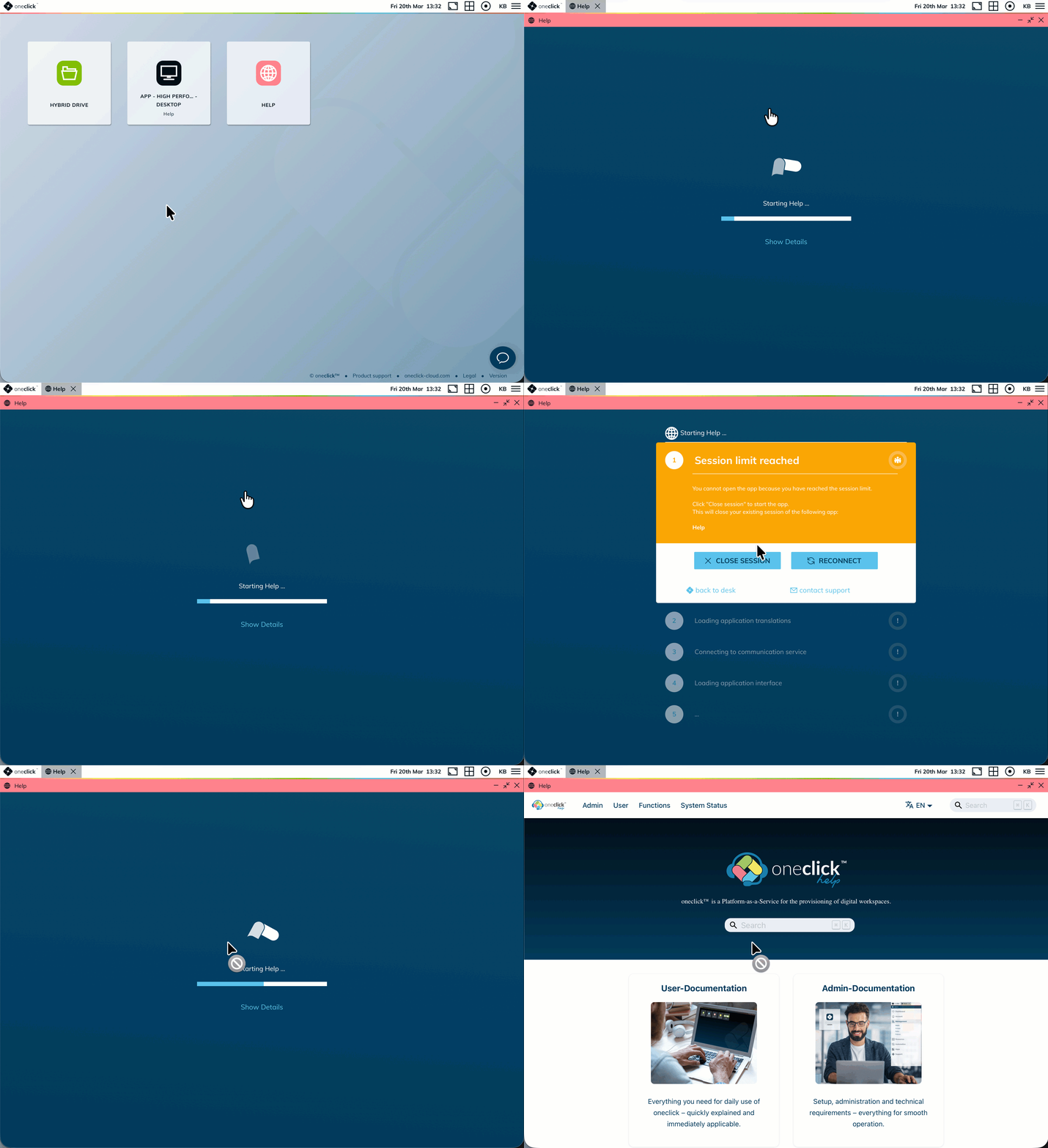
Smarter handling of session limits
When users hit the session limit for an app, the system now differentiates between two scenarios: users blocked by other active sessions, and users who have blocked themselves. In the second case, users can close one of their own sessions directly from the error message and immediately retry — reducing support requests related to session conflicts.
Multi-select in tables with Shift key
Multiple rows in admin tables can now be selected at once by holding the Shift key. This makes it faster to perform bulk actions across multiple entries.
Updated frontend libraries for improved security
Several frontend libraries have been replaced with modern, actively maintained alternatives. This reduces the attack surface and keeps the platform aligned with current security standards.
Bug Fixes
- Microsoft Entra ID login policy now enforced correctly: Disabling the "Allow login with Microsoft Entra ID" policy now reliably prevents users from authenticating via Entra ID. Previously, users could still log in even when the policy was inactive.
- Password reset now respects login policies: Users can no longer log in via the password reset flow when all login policies are disabled. The reset flow now correctly checks active policy restrictions before granting access.
- Auto-login no longer triggered after password reset: Users are no longer automatically logged in after resetting their password, ensuring the reset flow works as intended.
- Email validation in group assignment: Forms with invalid email addresses can no longer be submitted. Previously, the Save button remained active despite a validation error being shown, allowing the form to be submitted anyway.
- Destination filter when adding an image: When adding an image, the destination selection now correctly shows only compatible destinations.
- Key input in remote sessions: Two issues with key message handling in remote sessions have been fixed, ensuring keyboard input is processed correctly.
- "App is already open" message no longer blocks users: Users can now continue working as expected after a period of inactivity. The fix includes improved resilience when connectivity is temporarily interrupted and a correction for cases where an app was closed during an active session.
- Error messages displayed correctly: An issue where error messages were not rendered with the correct styling has been resolved.