Generate app link
You can get the direct link to your apps as follows:
Copy URL for multiple identical apps
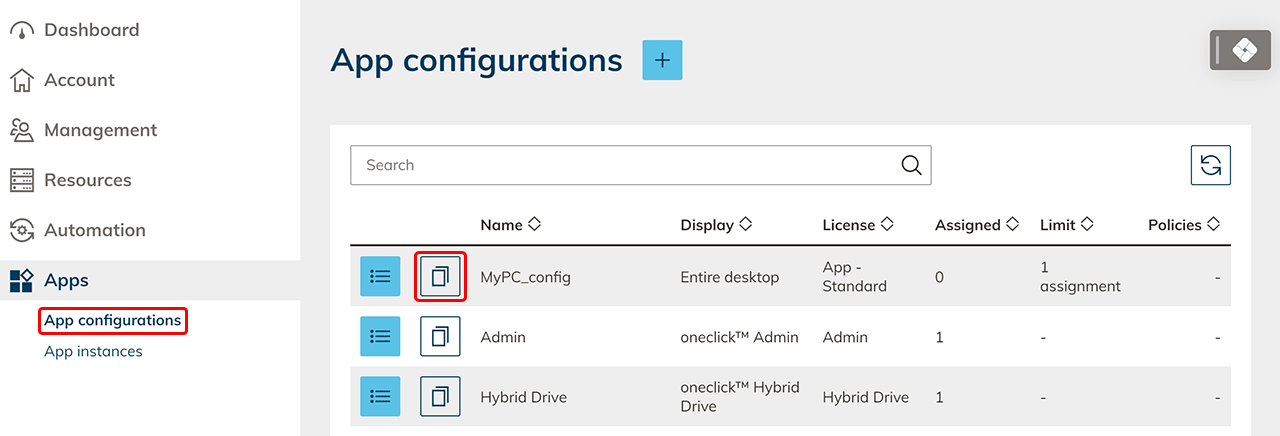
- Click on the Apps tab in the oneclick™ menu and then on App configurations.
- By clicking on the Copy symbol, the URL for the app configuration is placed on your clipboard.
- Send your users the URL so they can link your app for example as a webapp on their desktop or integrate it for your users into another workspace such as Office 365.
The user recognition ensures that each user can only open his assigned app.
Copy URL for a single app
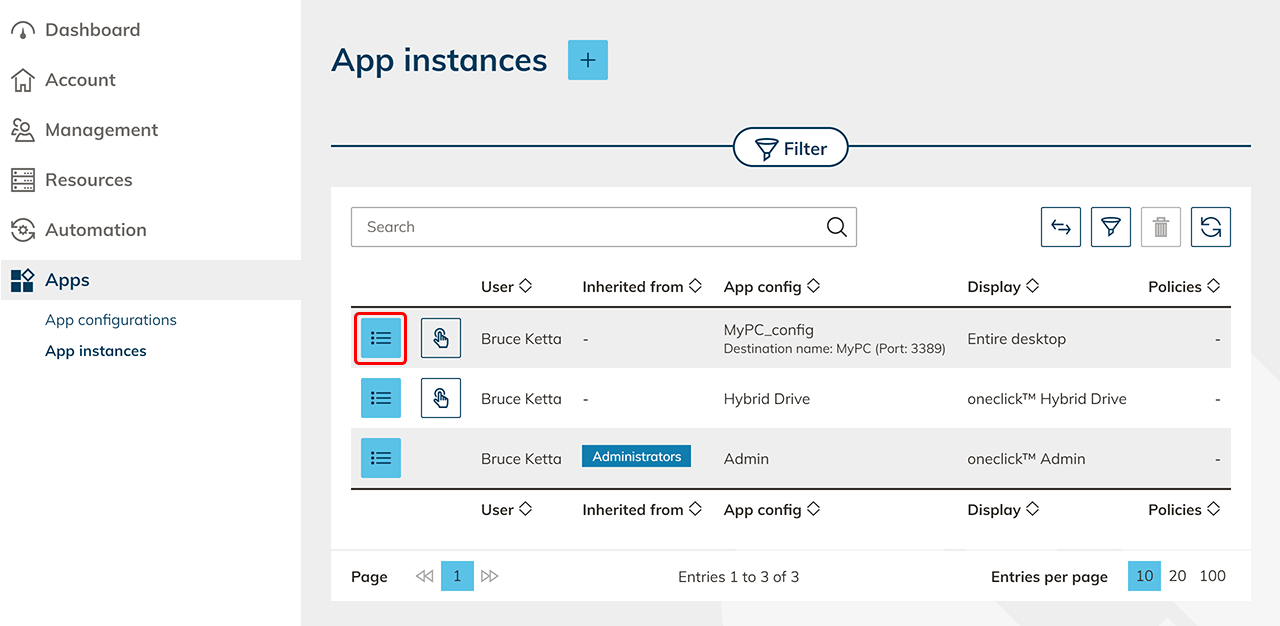
- Click on the Apps tab in the oneclick™ menu and then click App instances.
- Select the app you want to link and click on the List icon to go to the detail page.
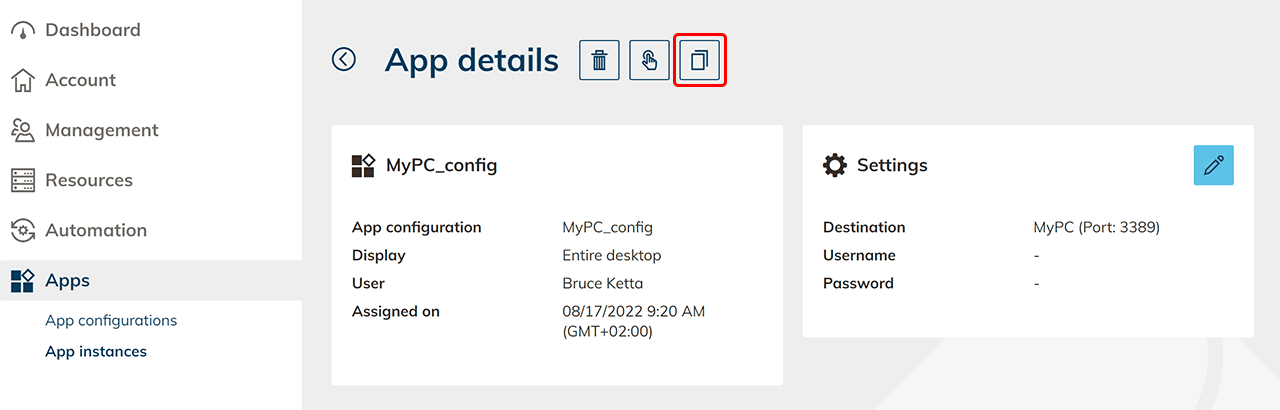
- By clicking on the Copy symbol, the URL for the app configuration is placed on your clipboard.
- Send your users the URL so they can link your app for example as a webapp on their desktop or integrate it for your users into another workspace such as Office 365.