Granting access permissions in the browser
You would like to grant oneclick™ access to your clipboard, the microphone or your webcam via browser?
Please proceed as follows:
-
Google Chrome: Click on the Settings icon left of the URL. In the now opened window, you can use the switches to grant the required authorizations.
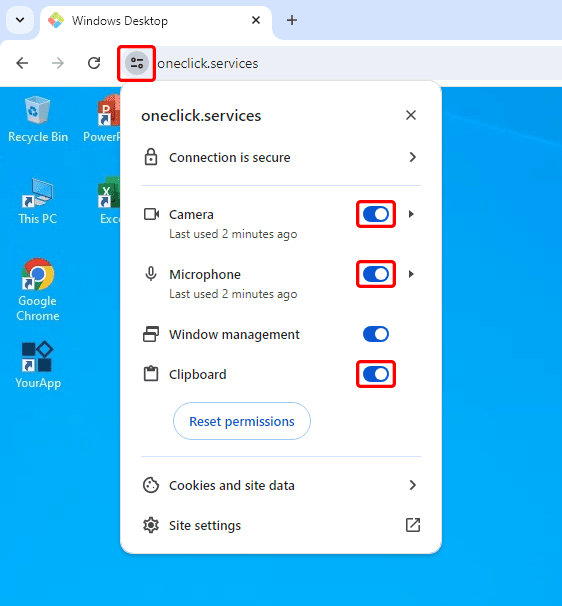
Alternatively, you can grant the corresponding authorizations in the settings menu. -
Microsoft Edge and Opera: Click on the small Lock icon next to the URL and grant the necessary
If your webcam, microphone, or clipboard are not working despite being enabled in your browser and allowed by your administrator, try logging out of Windows completely or restarting your system.
For more information about using the clipboard in oneclick™, see Clipboard.