Test your internet speed
A stable and fast Internet connection is fundamental for good performance in oneclick™. We generally recommend connecting end devices through LAN. If a connection via WLAN is preferred, an extensive test of your internet connection is a good way to evaluate the performance of the connection in advance.
A good result in any speed test can unfortunately only serve as a non-binding first assessment. Various factors can always lead to considerable fluctuations and thus strongly influence the stability of the performance.
Carry out the following steps in the Packet Loss Test™ to find out whether your internet connection is sufficient for fluent working in oneclick™:
- Go to packetlosstest.com. In the lower section of the page you will see an area where you can adjust various settings.
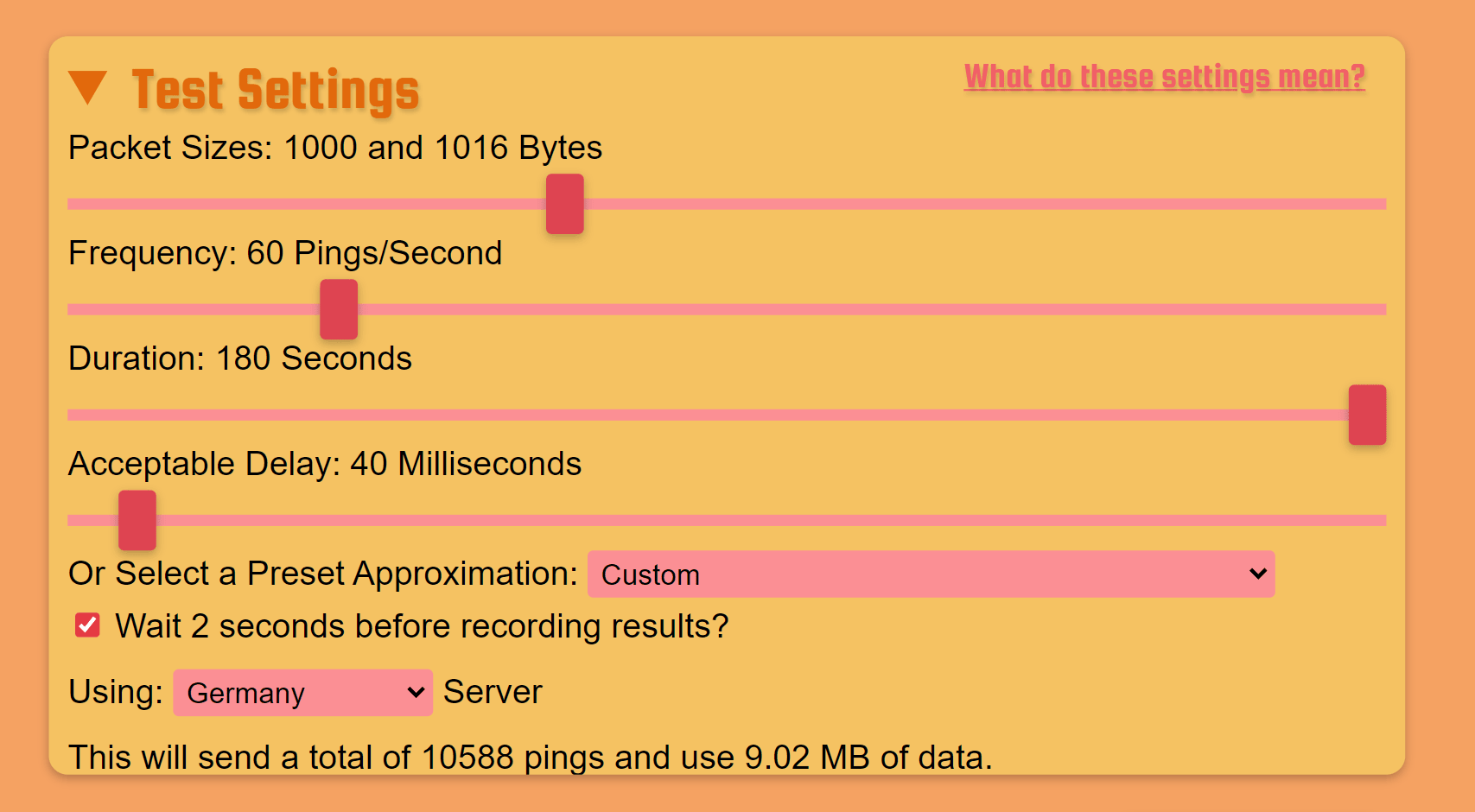
- Enter the following values using the slide controls:
- Packet Sizes (approx.): 1000 Bytes
- Frequency: 60 Pings/Second
- Duration: The value here should be as long as possible to get a reliable result.
- Acceptable Delay: 40 Milliseconds
- Preset Approximation: Custom
- Place a check mark next to „Wait 2 seconds before recording results?“.
- Using (Select the server that is closest to your location, e.g.): Germany Server
- Click on Start Test to begin testing.
Depending on the value you have entered for "Duration", the test can take several minutes.
The result of the test should approximately comply with the following key points for a good basic performance in oneclick™:
- Packet loss and late packets are 0.0% at best.
- The latencies are a maximum of 30-40ms.
- Temporary deviations and peaks do not deviate from the basic value by more than 30ms.