Adjust streaming optimization
Do you mainly work with moving images such as videos and animations, or do you mostly work with text-based content?
In both cases, it makes sense to adjust streaming to your way of working and focus on your priorities.
View the streaming status during a connection
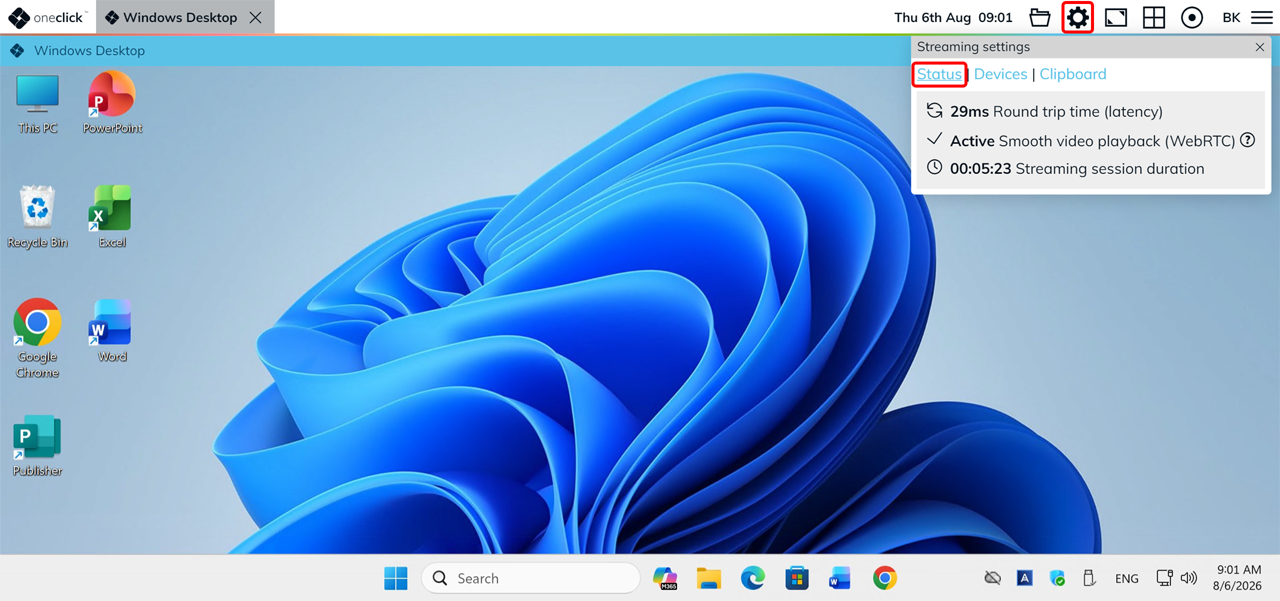
Open your remote connection and click the Gear icon in the toolbar at the top.
Under Streaming Settings → Status, you can see:
- Round Trip Time (latency) – the current latency in milliseconds.
- Active/Inactive – Smooth video playback (WebRTC) – whether WebRTC is currently active for your connection.
- Streaming session duration – how long the connection has been running.
What does “Active – Smooth video playback (WebRTC)” mean?
WebRTC is a transmission technology that enables smoother streaming of dynamic content, such as videos and animations. Your streaming optimization determines how WebRTC is used for transmission:
- Low latency: WebRTC is not used – oneclick™ responds more immediately to your input.
- Smooth videos: WebRTC is used preferentially – moving content is displayed more smoothly and requires less bandwidth.
"Active" appears as soon as WebRTC has been successfully connected – regardless of the streaming optimization setting.
If oneclick™ displays a firewall warning instead, WebRTC could not be activated. For more information, see Performance limitations for moving images.
Adjust streaming optimization
Your administrator determines whether you can change the streaming settings yourself.
If you have access to the Unified Workspace, you can adjust the streaming optimization yourself directly from your app tile in just a few simple steps.
- Open the oneclick™ Desk.
- Hover over the app tile and click the Gear icon.

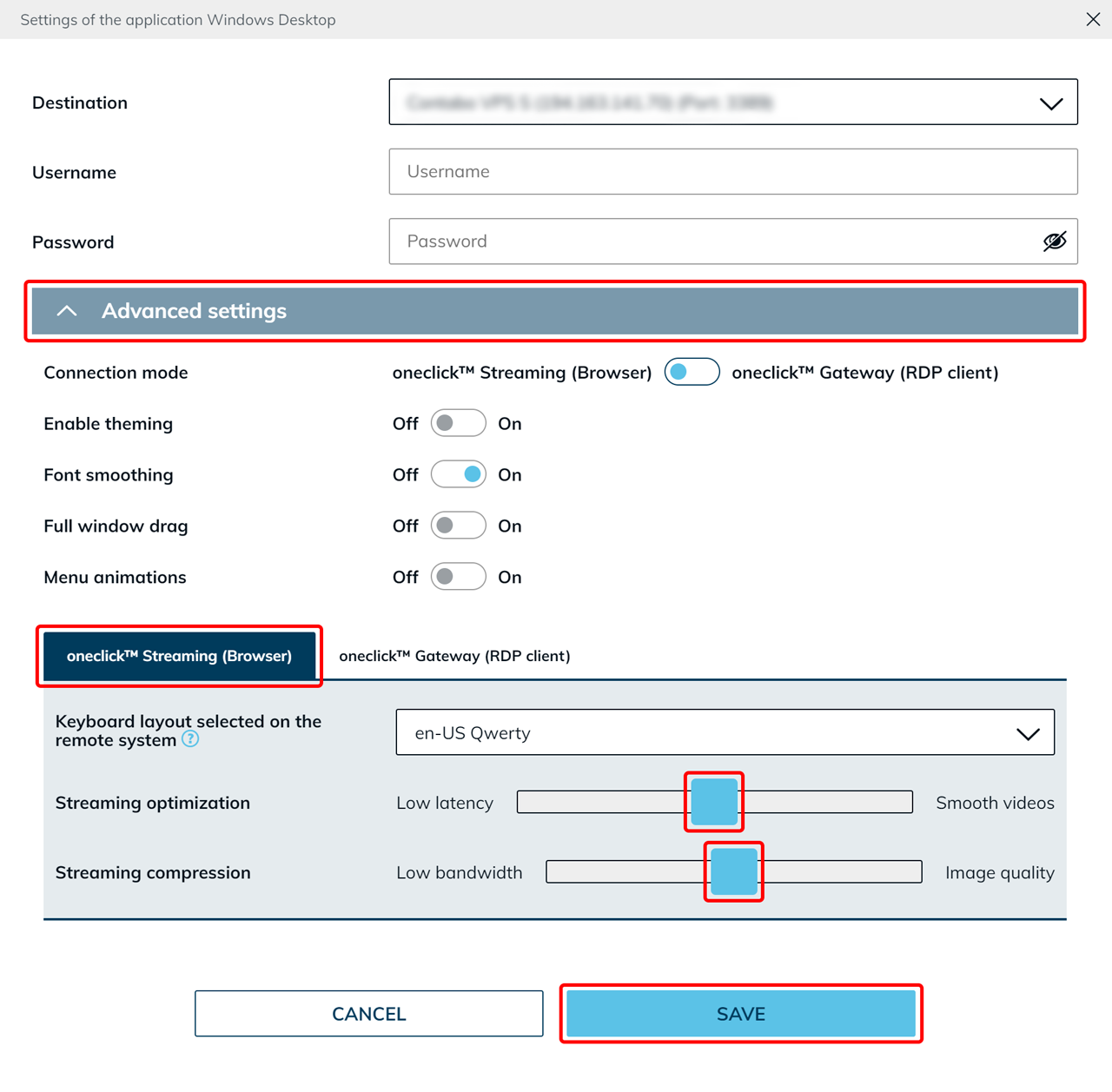
- Open the Advanced settings and switch to oneclick™ Streaming (Browser).
- Use the sliders to adjust the settings to your way of working.
- Streaming optimization:
- With "Low latency", oneclick™ responds more immediately to your input, but moving images appear less smooth.
- With "Smooth videos", moving images are displayed more smoothly. Because WebRTC is used for this setting, it also requires less bandwidth.
- Streaming compression (works independently of WebRTC but also affects performance):
- With "Low bandwidth", the image is compressed more heavily – useful for slow internet connections.
- With "Image quality", the image is displayed more sharply but requires more bandwidth.
- Streaming optimization:
- Click Save.
Test how the connection performs for you and adjust the settings again at any time if necessary.