Difference Streaming and Mesh with Direct RDP
oneclick™ Streaming and oneclick™ Mesh with Direct RDP are two different methods of connecting to remote resources. The main difference is that oneclick™ Streaming allows access via a web browser and does not require any additional client software, while oneclick™ Mesh with Direct RDP on the other hand does require special software to be installed to access the remote resource.
The following explains how you can recognize how your end device is getting access.
oneclick™ Streaming
Access via oneclick™ Streaming is a simple method of connecting to a remote resource. The application or desktop is streamed in real time without requiring any extensive installation or configuration in advance.
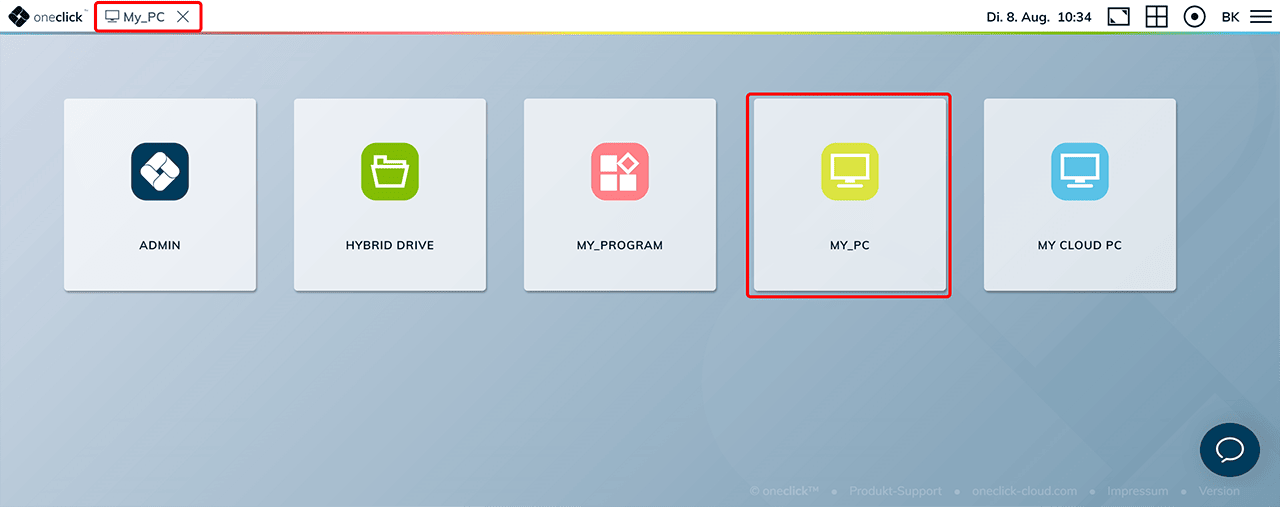
You see either the oneclick™ Unified Workspace in your browser or the opened app (your remote desktop or application) after logging into oneclick.services.
-
Unified Workspace After clicking on an app, the streaming process is started. The user interface or desktop of the remote resource is then displayed in a separate window within your web browser.
-
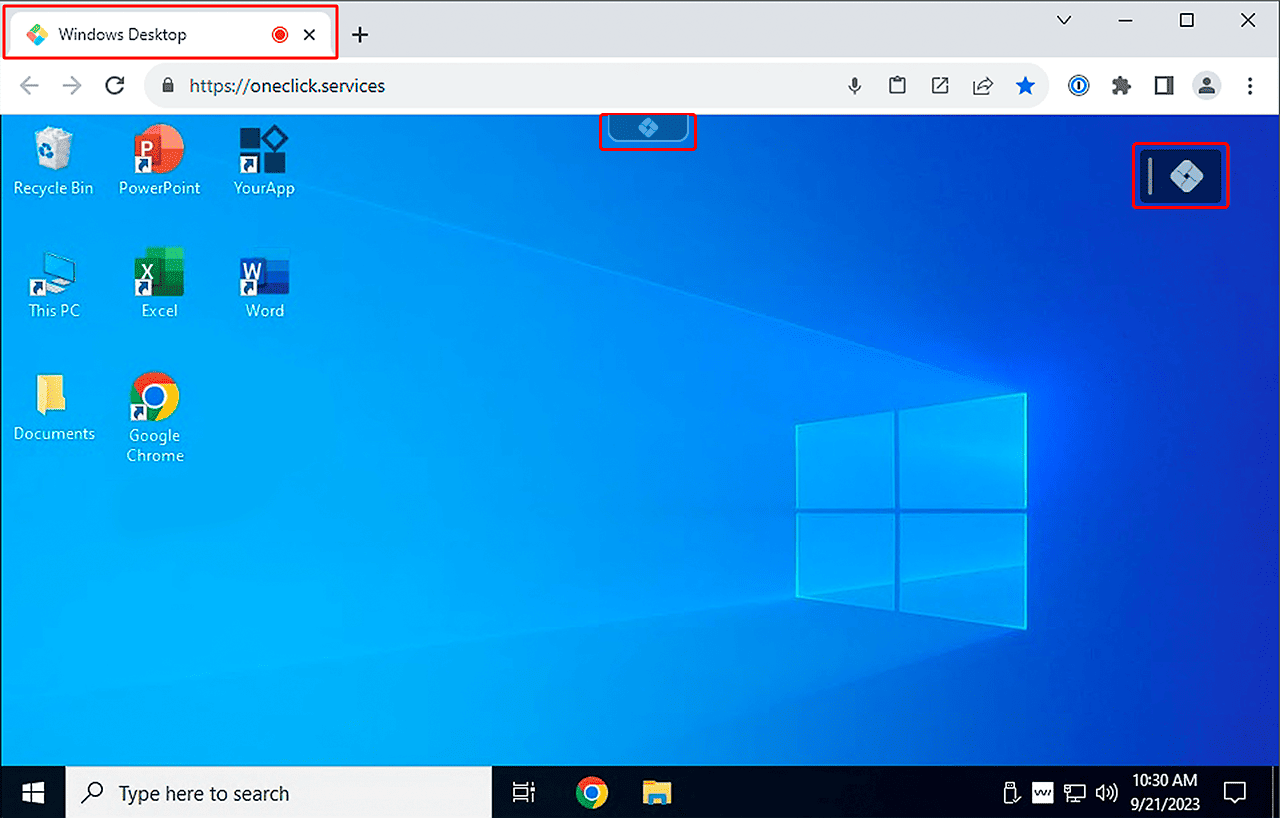
Opened app After logging in and opening an app, the oneclick™ icon appears at the top of the screen on your desktop. Clickin on this icon, the oneclick™ menu opens. If an app is disconnected from a Unified Workspace, the oneclick™ icon appears as well.
oneclick™ Mesh with Direct RDP
oneclick™ Mesh with Direct RDP refers to a technology where multiple end devices are connected in order to share resources. oneclick™ Mesh with Direct RDP is accessed through a remote desktop connection app. In order to use oneclick™ Mesh with Direct RDP, the mesh client must first be installed on your local device and the remote resource.
- If you can see the „Remote Desktop Connection“ icon on your desktop, double-click it to start the remote desktop connection.
Optionally, type "Remote Desktop Connection" in the search box on the taskbar, select Remote Desktop Connection here, and then click Connect.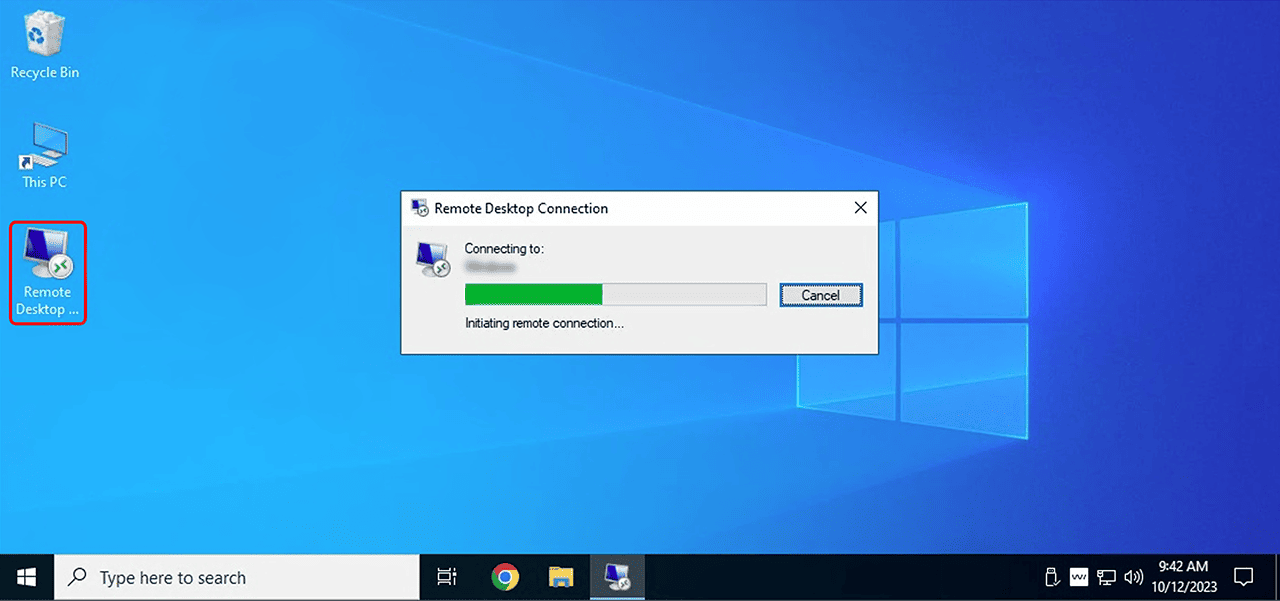
- After successful login, the desktop or application of the remote resource is displayed on your local device. In the upper part of the window you can see the corresponding connection.
Streaming offers higher security compared to Mesh with Direct RDP without any additional security concept. If you need advice on the topic of security concepts for oneclick™ Mesh with Direct RDP, please feel free to contact our team of experts.