oneclick™ customer number
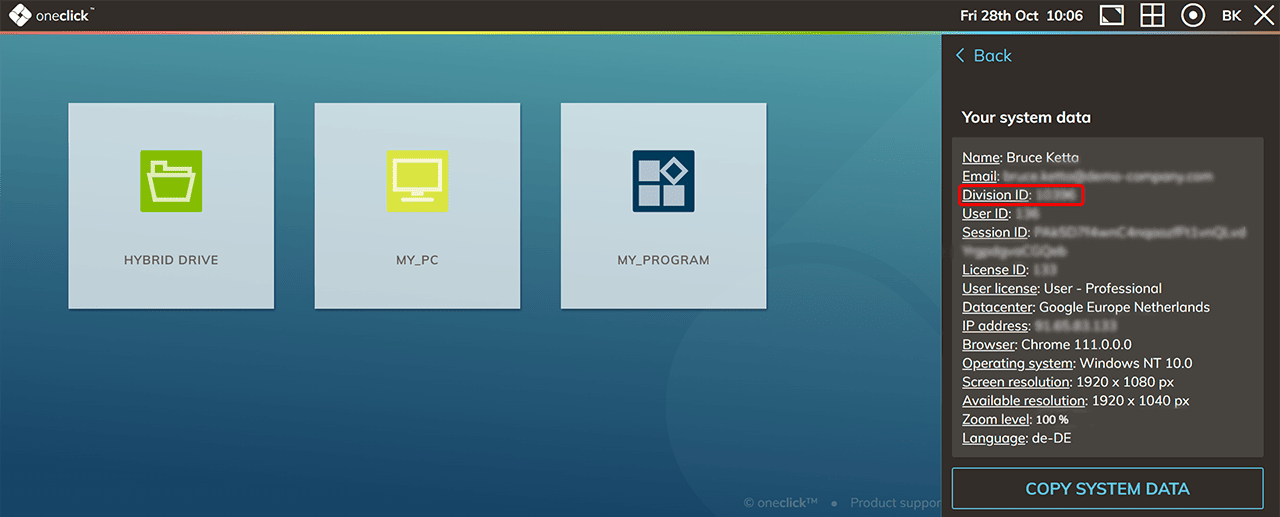
The ID of the management unit corresponds to your oneclick™ customer number. To see the ID of your division, you must be logged in to oneclick™.
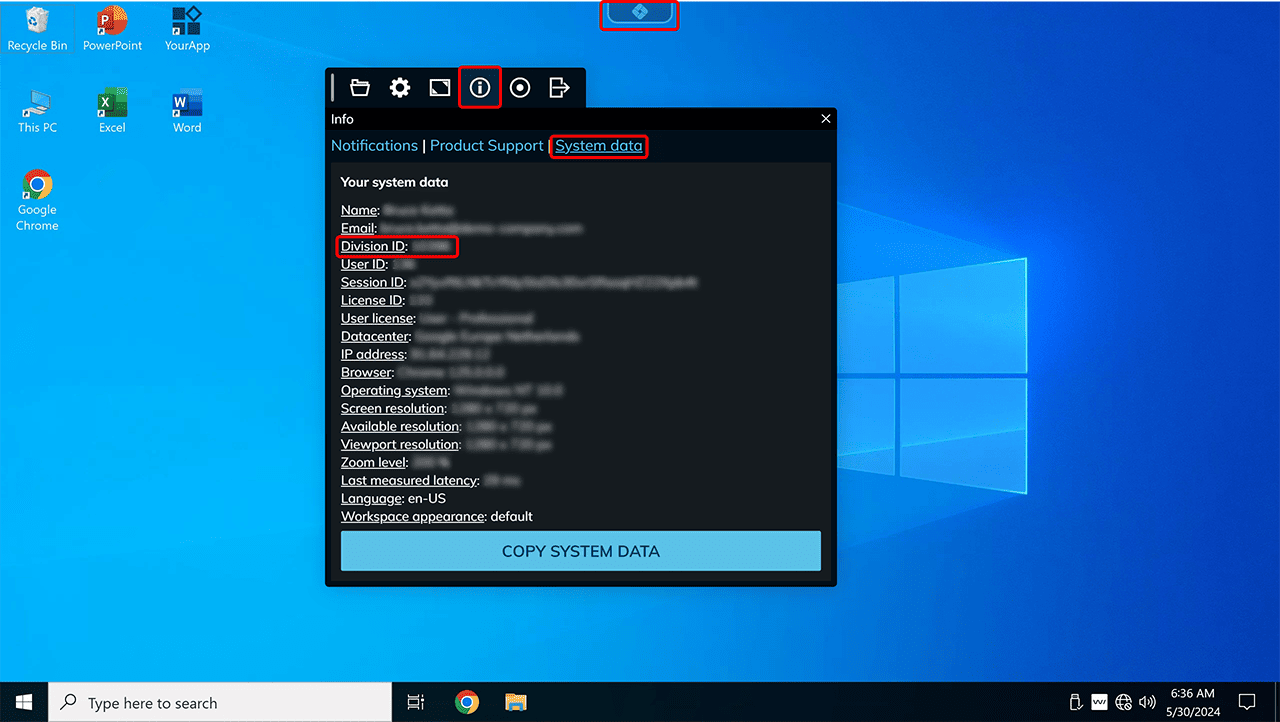
Once you have started your app, the oneclick™ icon appears at the top of the screen on the desktop interface.
- Click on it to access the oneclick™ menu.
- In the oneclick™ menu, click on Info and then on System data.
- The number stored under “Division ID” is your oneclick™ customer ID.
Users with access to the Unified Workspace
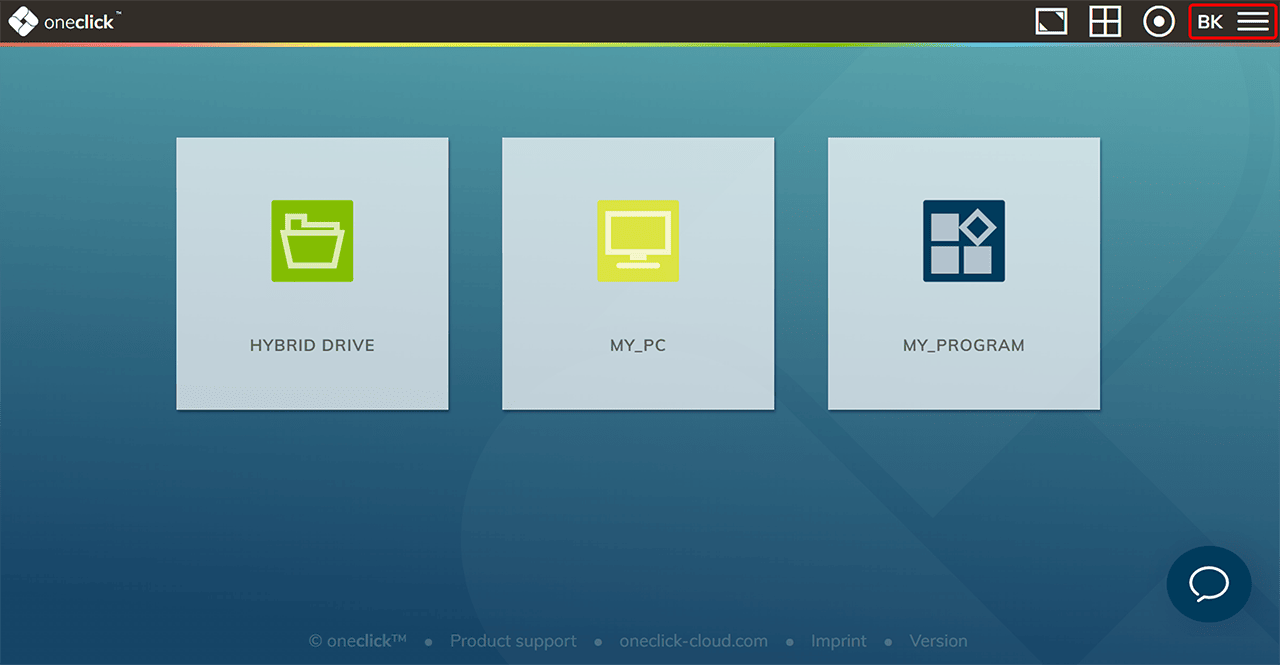
- Click on the burger symbol to enter the menu.
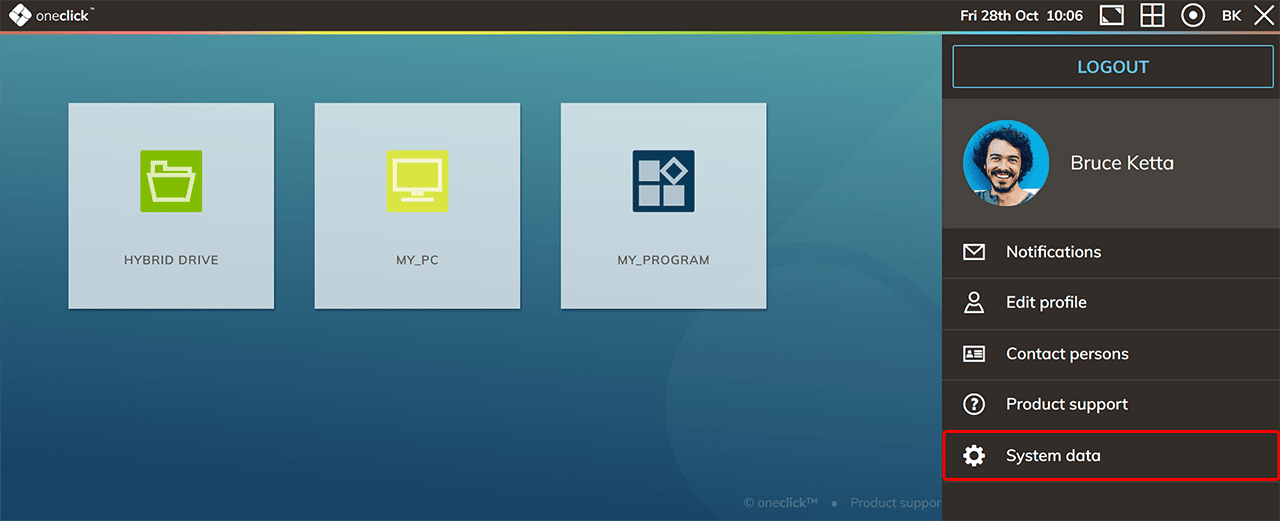
- In the now opened menu select System data.
- The Divison ID corresponds to your oneclick™ customer number.