Access to the Remote System
Secure connection with oneclick™
With the gateway feature of oneclick™, you establish a secure connection to your remote system – either via Remote Desktop Connection (RDP) on Windows or the Remote Desktop Manager (RDM) on macOS/Linux.
Important note before starting the connection
Before starting any session, you must log in via the oneclick™ platform first. Always log in to the oneclick™ access window before launching the RDP or RDM file. Background: For security reasons, the access credentials are time-limited. If you do not log in first, the connection attempt will fail.
Tip: Shortcuts for quick access
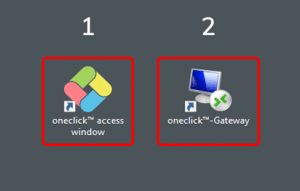
To establish your connection more quickly, place two shortcuts directly on your desktop:
- A shortcut to the oneclick™ access window
- The downloaded RDP or RDM file
This gives you quick access to both at any time.
Learn how to create shortcuts for Windows or macOS.

For more details on how to establish the connection, see: